AI agent for finance managers
Expense Receipt Reconciliation Agent
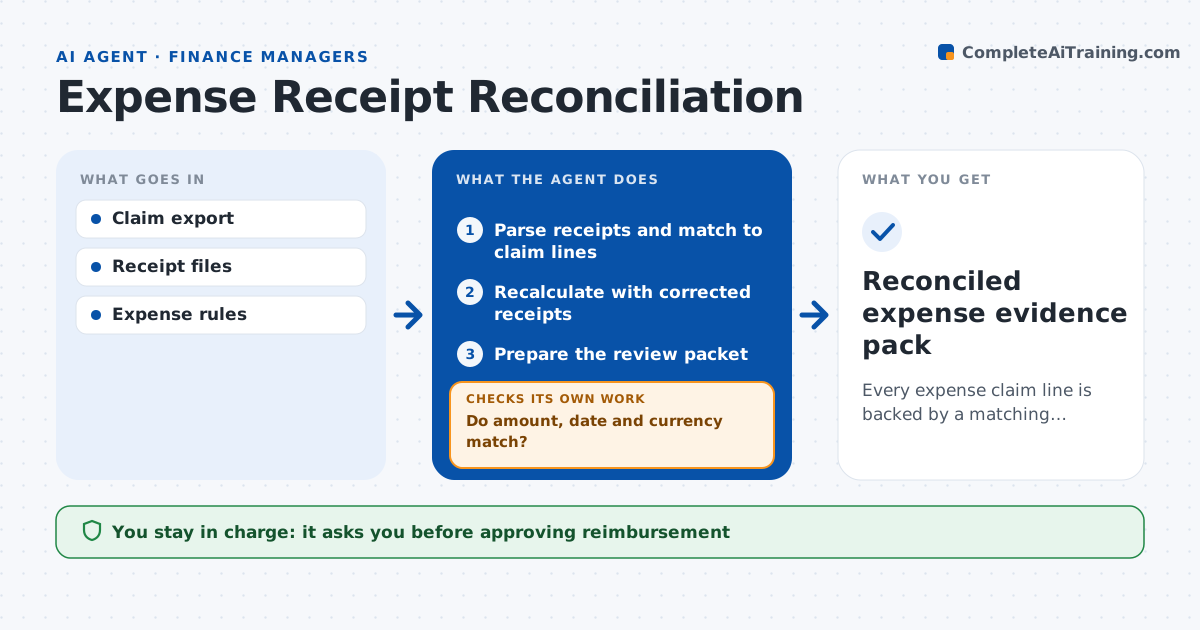
Every expense claim line is backed by a matching receipt.
What it does
Expense claims often do not line up with their receipts: the date is off, the amount differs, or the receipt is in a foreign currency. This agent matches each claim line with its receipt and checks amount, date and currency. It works on the biggest discrepancy first. For a foreign receipt it needs a rate source, such as the card statement line, before it accepts the converted amount. When a line does not match, it requests a specific correction from the employee, then recalculates when the corrected receipt arrives. It keeps identity mismatches, like a receipt in someone else's name, as a separate issue. It prepares a review packet, and finance approves reimbursement. Edge case: a receipt without rate evidence stays open even if the amount looks reasonable.
How it works
Follow the arrows from top to bottom. The orange dashed arrow is the loop: when a check fails, the agent goes back and tries again.
Read the steps as a list
- Claims submitted
- Parse receipts and match to claim lines
- Do amount, date and currency match?If not: choose the right check and request a correction. Back to step 2.
- Recalculate with corrected receipts
- Prepare the review packet
- Finance approves reimbursementThe agent waits here for your OK.
- Reconciled expense evidence pack
How it decides
It checks the biggest discrepancy first; foreign currency needs a rate source; identity mismatches stay separate.
- Match tolerance follows the expense policy rules.
- Foreign currency needs a rate source before acceptance.
- Biggest discrepancy is handled first.
- Identity mismatches are reported separately and never auto-resolved.
Make it yours
Every agent is a starting point. You choose these settings for your own situation.
- Amount tolerance before a mismatch is flagged (default $1 or 1%)
- Accepted rate sources (card statement, company rate table)
- Days a claim can stay open before a reminder (default 7)
- Expense policy rules to apply
- Who approves reimbursements above a set amount
What keeps you in control
It always asks you first
- Approving reimbursement
- Policy changes
Hard limits
- Never approves payments.
It stops when
- Done: all lines matched or queued.
Set it up
We guide you through the set-up, step by step
Members get the full set-up guide for this agent. No technical skills needed: you copy, paste and upload.
- One set of instructions to paste into your AI, with the clicks for ChatGPT, Claude, Microsoft 365 Copilot, Gemini and Grok
- The agent then walks you through connecting your own data, one source at a time
- A downloadable copy with the flow chart, the rules and the full guide