AI agent for caregivers
Family Care Rota Agent
Every care shift covered and family kept informed
What it does
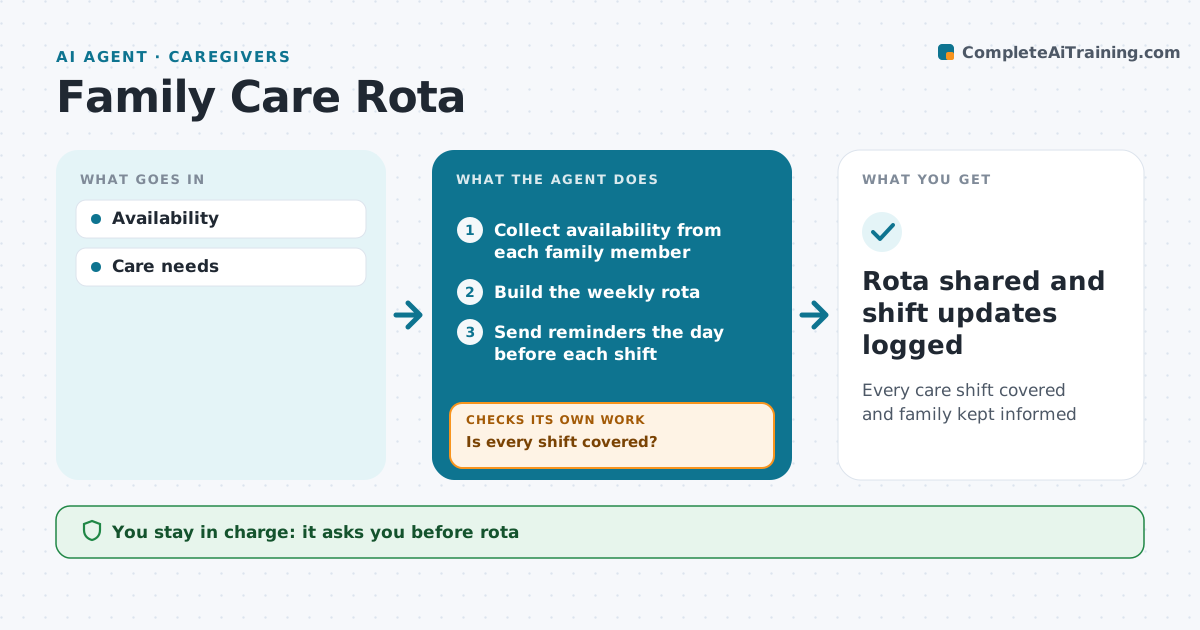
When several family members share care for a parent or relative, gaps appear in visits and nobody knows the latest news. This agent builds a weekly rota from each person's availability and finds open shifts. It asks the family group for volunteers to fill them. The day before each shift, it reminds the person on duty and asks them to confirm. If someone does not confirm, it tells the main caregiver and asks for a stand-in. After each shift, it sends a short update to the family group from the care log. The main caregiver approves the rota and family messages. Edge case: when someone cancels at the last minute, it asks others in order of availability and tells the main caregiver if nobody can cover.
How it works
Follow the arrows from top to bottom. The orange dashed arrow is the loop: when a check fails, the agent goes back and tries again.
Read the steps as a list
- Weekly rota planning
- Collect availability from each family member
- Build the weekly rota
- Is every shift covered?If not: ask the family group for volunteers for the open shifts. Back to step 2.
- Main caregiver approves rotaThe agent waits here for your OK.
- Send reminders the day before each shift
- Did each person confirm their shift?If not: tell the main caregiver and ask for a stand-in. Back to step 6.
- Rota shared and shift updates logged
How it decides
Gaps filled by availability.
- Fair split
- Cancellations escalate
- Updates daily
Make it yours
Every agent is a starting point. You choose these settings for your own situation.
- Shift length
- Update timing
- Group
- Reminder time
What keeps you in control
It always asks you first
- Rota
- Family messages
Hard limits
- Private info stays in the group
It stops when
- Done: rota set
- Stop: care ends
Set it up
We guide you through the set-up, step by step
Members get the full set-up guide for this agent. No technical skills needed: you copy, paste and upload.
- One set of instructions to paste into your AI, with the clicks for ChatGPT, Claude, Microsoft 365 Copilot, Gemini and Grok
- The agent then walks you through connecting your own data, one source at a time
- A downloadable copy with the flow chart, the rules and the full guide