AI agent for microbiologists
Fermentation Batch Monitoring Agent
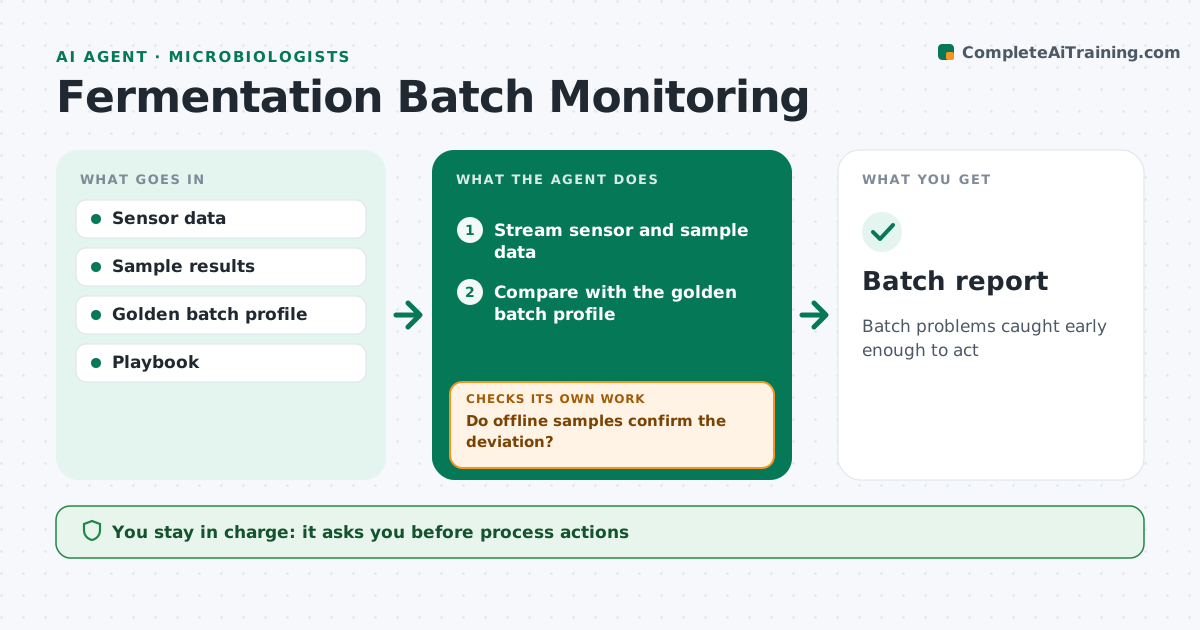
Batch problems caught early enough to act
What it does
Fermentation batches run for days, and problems caught early save the batch. This agent watches live data for pH, dissolved oxygen, temperature and off-gas, plus regular samples, and compares each batch with the golden batch profile. It flags early signs of trouble, such as slow growth, changes in oxygen uptake, foaming or pH drift. Before raising an alarm, it checks the sensor readings against the latest offline samples. If the samples do not confirm the deviation, it flags a possible sensor fault instead. For real deviations, it suggests actions from your playbook and drafts a deviation record. You approve any process action and any decision to end a batch early. Edge case: a sudden drop in dissolved oxygen with rising off-gas carbon dioxide is flagged as possible contamination.
How it works
Follow the arrows from top to bottom. The orange dashed arrow is the loop: when a check fails, the agent goes back and tries again.
Read the steps as a list
- Batch starts
- Stream sensor and sample data
- Compare with the golden batch profile
- Do offline samples confirm the deviation?If not: flag a possible sensor fault. Back to step 2.
- Suggest actions from the playbook
- Scientist approves actionsThe agent waits here for your OK.
- Batch report
How it decides
It flags deviations from the golden profile beyond set bands confirmed by offline samples.
- Confirm with offline samples
- Flag contamination patterns
- Use playbook actions only
Make it yours
Every agent is a starting point. You choose these settings for your own situation.
- Deviation bands
- Golden batch
- Playbook
- Alert channel
What keeps you in control
It always asks you first
- Process actions
- Ending a batch early
Hard limits
- Never changes setpoints
It stops when
- Done: batch report filed
- Stop: data feed lost
Set it up
We guide you through the set-up, step by step
Members get the full set-up guide for this agent. No technical skills needed: you copy, paste and upload.
- One set of instructions to paste into your AI, with the clicks for ChatGPT, Claude, Microsoft 365 Copilot, Gemini and Grok
- The agent then walks you through connecting your own data, one source at a time
- A downloadable copy with the flow chart, the rules and the full guide