AI agent for microbiologists
Biohazard Waste Reconciliation Agent
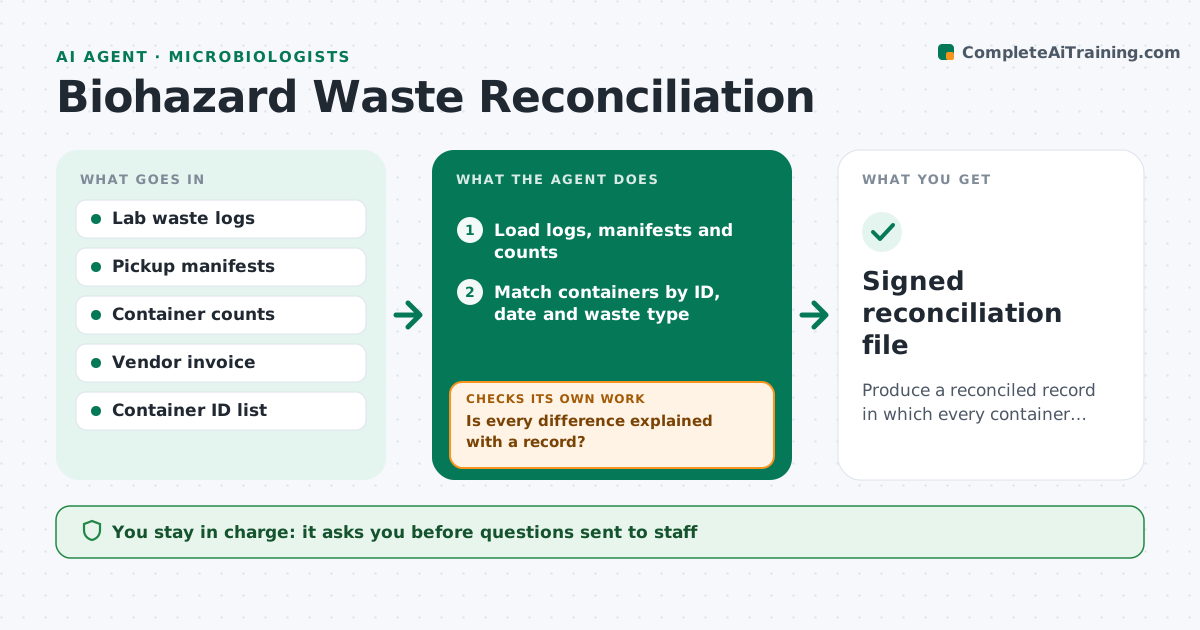
Produce a reconciled record in which every container logged is accounted for at pickup.
What it does
Biohazard waste is logged in the lab, counted at pickup, and billed by the vendor, and the three rarely agree. This agent compares the lab's waste logs to the pickup manifests and the container counts from the vendor. It checks totals by waste type, container IDs, dates and signatures, and lists every difference. For each one, it drafts a question to the person who made the entry or signed the pickup. It rechecks after answers arrive and updates the open items list. It never changes a record or contacts the vendor on its own. The safety officer approves the final reconciliation. Edge case: a container logged but not picked up is carried to the next cycle, not counted as missing.
How it works
Follow the arrows from top to bottom. The orange dashed arrow is the loop: when a check fails, the agent goes back and tries again.
Read the steps as a list
- Pickup completed
- Load logs, manifests and counts
- Match containers by ID, date and waste type
- List differences in count, type, date or signature
- Draft questions to the entry owners
- Safety officer approves the questionsThe agent waits here for your OK.
- Collect replies and update the matching
- Is every difference explained with a record?If not: rematch with the new information and send follow-up questions. Back to step 3.
- Do totals match the vendor invoice?If not: list the invoice differences for the safety officer to raise with the vendor. Back to step 3.
- Safety officer approves the reconciliationThe agent waits here for your OK.
- Signed reconciliation file
How it decides
It matches by container ID first, then by date and waste type. A difference counts as open until a person explains it with a record.
- Match by container ID before any other field
- Carry unpicked containers to the next cycle
- Flag any unexplained difference over 0 containers for regulated waste
- Flag invoices that exceed manifest weight by more than 2%
Make it yours
Every agent is a starting point. You choose these settings for your own situation.
- Waste types tracked
- Weight tolerance (default 2%)
- Reconciliation schedule
- Who answers questions per area
- Record format
What keeps you in control
It always asks you first
- Questions sent to staff
- Final reconciliation
- Any dispute with the vendor
Hard limits
- Never alter logs or contact the vendor
- Treat any missing regulated container as urgent
It stops when
- Done: all differences explained and approved
- Stop: a regulated container cannot be located
Set it up
We guide you through the set-up, step by step
Members get the full set-up guide for this agent. No technical skills needed: you copy, paste and upload.
- One set of instructions to paste into your AI, with the clicks for ChatGPT, Claude, Microsoft 365 Copilot, Gemini and Grok
- The agent then walks you through connecting your own data, one source at a time
- A downloadable copy with the flow chart, the rules and the full guide