AI agent for vice president of finances
Board Pack Reconciliation Agent
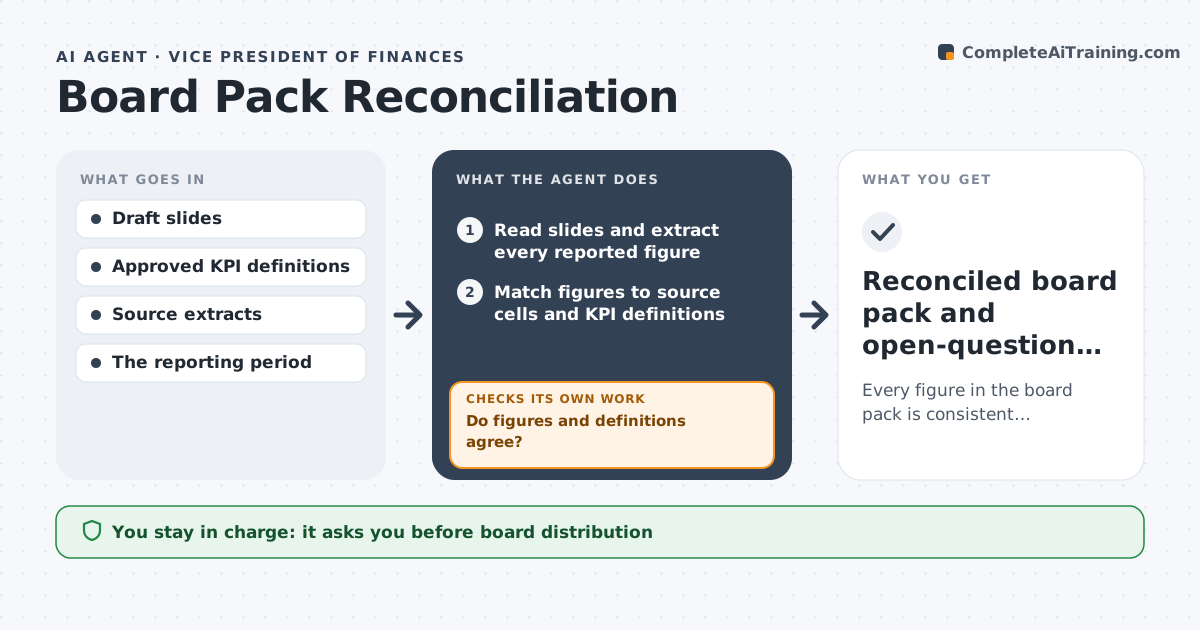
Every figure in the board pack is consistent, traceable and uses the approved definition.
What it does
Board packs often show the same metric differently across slides, such as monthly versus year-to-date or gross versus net. Directors notice, and trust in the numbers drops. This agent reads every slide, extracts each reported figure, and matches it to its authoritative source cell and the approved definition of that metric. It recomputes comparable figures and checks whether figures and definitions agree. When they do not, it annotates the conflict or asks the owner for the missing definition. It only corrects a figure when the definitions line up; otherwise the figure stays marked unresolved. It prepares corrected draft exhibits with source notes. The reporting owner approves the pack before distribution. Edge case: a rounded figure that differs by rounding only is labeled, not flagged as a conflict.
How it works
Follow the arrows from top to bottom. The orange dashed arrow is the loop: when a check fails, the agent goes back and tries again.
Read the steps as a list
- Board pack draft ready
- Read slides and extract every reported figure
- Match figures to source cells and KPI definitions
- Recompute comparable figures
- Do figures and definitions agree?If not: annotate the conflict or ask for the definition. Back to step 4.
- Prepare corrected draft exhibits
- Reporting owner approves for distributionThe agent waits here for your OK.
- Reconciled board pack and open-question list
How it decides
For each inconsistent exhibit it picks the authoritative extract and definition, recomputes, and only repairs when definitions match.
- Authoritative source: one named source cell per metric.
- Repair only when the definitions line up.
- Unresolved: leave the figure marked and ask for the definition when none exists.
- Rounding: differences within rounding are labeled, not flagged.
Make it yours
Every agent is a starting point. You choose these settings for your own situation.
- KPI definitions file used as the reference
- Rounding tolerance (default 0.5% or one unit of the shown precision)
- Source systems the agent may read (default finance warehouse and approved workbooks)
- Annotation style (default comments on the slide plus an open-question list)
- Who approves distribution (default the reporting owner)
What keeps you in control
It always asks you first
- Board distribution
- Changing KPI definitions
Hard limits
- Never changes KPI definitions.
It stops when
- Done: all figures reconciled or listed as open.
Set it up
We guide you through the set-up, step by step
Members get the full set-up guide for this agent. No technical skills needed: you copy, paste and upload.
- One set of instructions to paste into your AI, with the clicks for ChatGPT, Claude, Microsoft 365 Copilot, Gemini and Grok
- The agent then walks you through connecting your own data, one source at a time
- A downloadable copy with the flow chart, the rules and the full guide