AI agent for investment bankers
Financing Market Window Agent
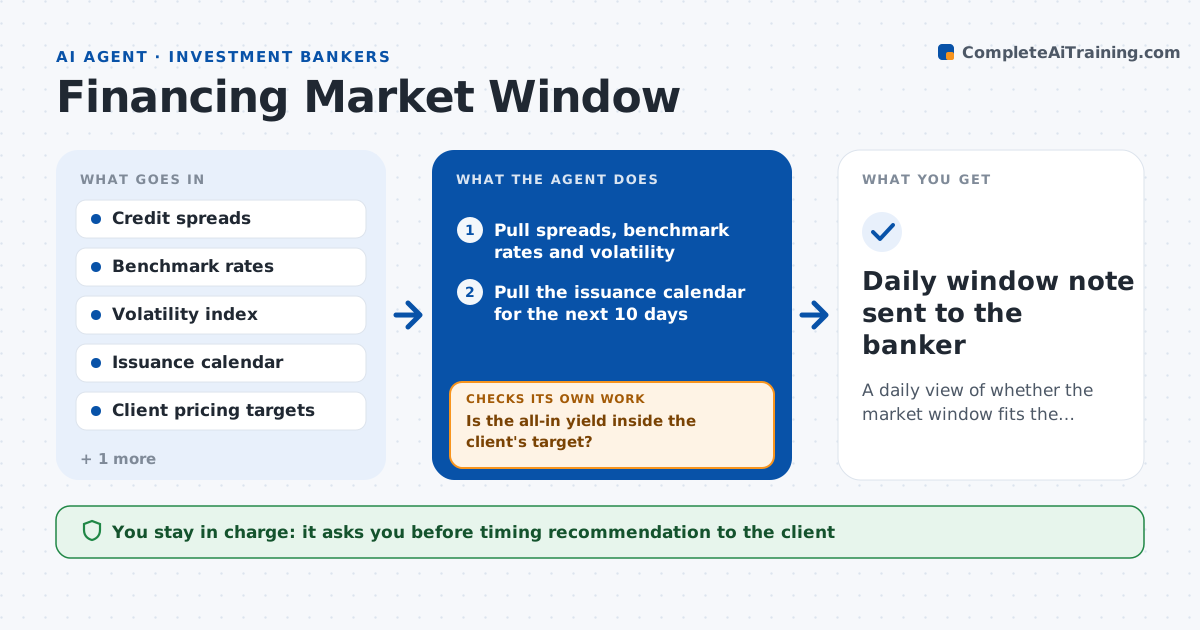
A daily view of whether the market window fits the client's pricing targets and calendar, with a clear recommendation
What it does
When a client wants to issue debt, the banker watches credit spreads, rate moves, volatility and what other issuers are doing, and decides when the window is open. That watching is constant and easy to get wrong in a busy week. This agent tracks those inputs every day, compares them with the client's pricing targets and maximum coupon, and flags windows when conditions fit. It also checks the client's blackout dates, earnings schedule and any pending disclosure, so it never recommends a day the client cannot go. Each morning it reruns the comparison and notes what changed. When conditions slip away it explains why and sets the next trigger to watch. The banker approves any timing advice before it goes to the client. Edge case: a large issuer announces a deal on the same day, so the agent warns of crowded supply.
How it works
Follow the arrows from top to bottom. The orange dashed arrow is the loop: when a check fails, the agent goes back and tries again.
Read the steps as a list
- Market data refreshes each morning
- Pull spreads, benchmark rates and volatility
- Pull the issuance calendar for the next 10 days
- Compute the client's likely all-in yield from current levels
- Is the all-in yield inside the client's target?If not: note the gap, record which input moved and set a trigger level to watch. Back to step 3.
- Check the client's blackout dates and disclosure calendar
- Is the day clear of blackouts and crowded supply?If not: move to the next open date and recheck all inputs. Back to step 4.
- Write a window note with the best dates and the risks
- Compare with yesterday and mark improving or worsening
- Banker approves the timing recommendation before it goes to the clientThe agent waits here for your OK.
- Daily window note sent to the banker
How it decides
It calls a window open when spreads and all-in yield sit inside the client's target, volatility is below a set level and no blackout or crowded calendar conflicts. It rechecks every morning.
- Call a window open when yield is at least 10 basis points inside target
- Treat volatility above a set level as closed
- Avoid dates with more than three large issuers
- Never recommend a date inside a blackout
Make it yours
Every agent is a starting point. You choose these settings for your own situation.
- Yield margin that counts as open (default 10 basis points)
- Volatility level that closes the window
- Data sources
- Calendar horizon (default 10 days)
What keeps you in control
It always asks you first
- Timing recommendation to the client
Hard limits
- Never executes or commits to an issue
- Marks all views as estimates
- Never shares the client's targets outside the team
It stops when
- Done: issue is priced or the client ends the plan
- Stop: market data feed is unavailable
Set it up
We guide you through the set-up, step by step
Members get the full set-up guide for this agent. No technical skills needed: you copy, paste and upload.
- One set of instructions to paste into your AI, with the clicks for ChatGPT, Claude, Microsoft 365 Copilot, Gemini and Grok
- The agent then walks you through connecting your own data, one source at a time
- A downloadable copy with the flow chart, the rules and the full guide