AI agent for maintenance managers
Forklift and Equipment Maintenance Schedule Agent
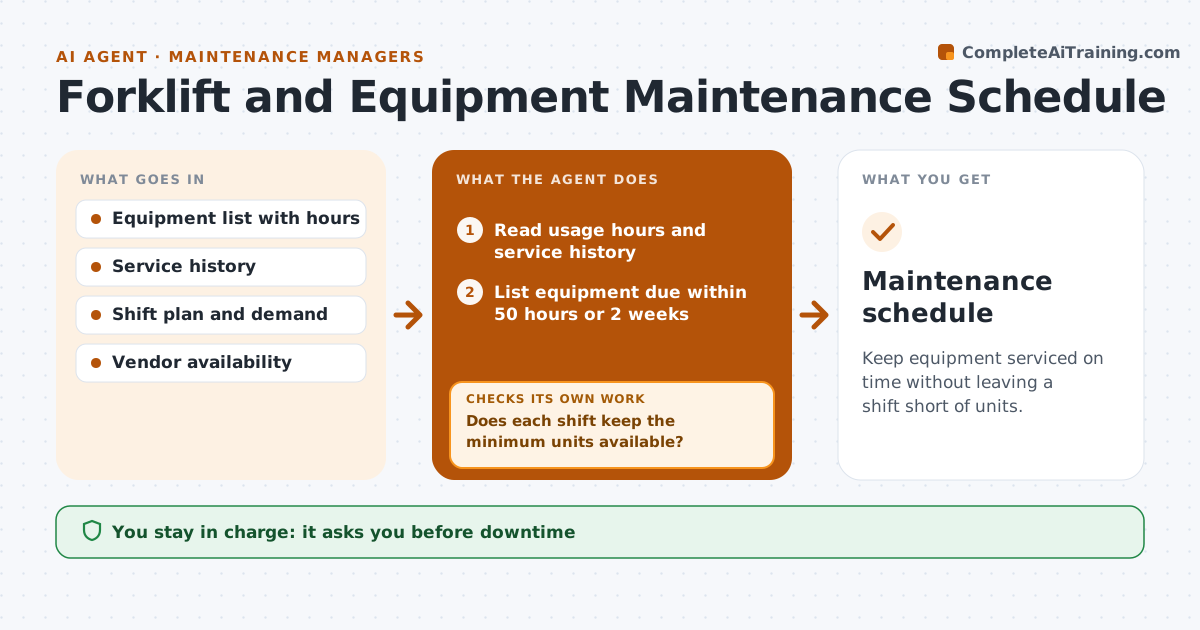
Keep equipment serviced on time without leaving a shift short of units.
What it does
Forklifts and conveyors are used all shift, so a service keeps being postponed until a breakdown stops the dock. This agent reads usage hours and service history and finds the equipment due soon. It picks low-demand windows from the shift plan and drafts service bookings with the vendor. It checks that enough units stay available per shift. If a booking would leave too few units on a shift, it picks another window or staggers the services across days, then checks again that every shift keeps its minimum. After each service it updates the history and resets the hour counter. The manager approves downtime and vendor bookings. Edge case: a unit used for temperature controlled areas has a higher service frequency and is booked first.
How it works
Follow the arrows from top to bottom. The orange dashed arrow is the loop: when a check fails, the agent goes back and tries again.
Read the steps as a list
- Weekly maintenance planning begins
- Read usage hours and service history
- List equipment due within 50 hours or 2 weeks
- Read the shift plan and demand by day
- Pick the lowest-demand window for each unit
- Does each shift keep the minimum units available?If not: Choose another window or stagger the services. Back to step 4.
- Check vendor availability and draft bookings
- Manager approves downtime and vendor bookingsThe agent waits here for your OK.
- Track completion and update the service history
- Was each service done by its due hour?If not: Rebook and flag the overdue unit. Back to step 3.
- Maintenance schedule
How it decides
Finds equipment within 50 hours of service and books it into the lowest-demand window that keeps minimum units available.
- Service due within 50 hours is planned
- Minimum 80% of units available each shift
- Cold area units are serviced first
- Overdue equipment is flagged to the manager
Make it yours
Every agent is a starting point. You choose these settings for your own situation.
- Service window in hours (default 50)
- Minimum units per shift (default 80%)
- Vendor contacts
- Priority equipment
- Planning day
What keeps you in control
It always asks you first
- Downtime
- Vendor bookings
- Any extension of a service interval
Hard limits
- Never extend a service interval
- Never book downtime without approval
It stops when
- Done: all units serviced on time
- Stop: unit retired
- Stop: vendor unavailable, manager decides
Set it up
We guide you through the set-up, step by step
Members get the full set-up guide for this agent. No technical skills needed: you copy, paste and upload.
- One set of instructions to paste into your AI, with the clicks for ChatGPT, Claude, Microsoft 365 Copilot, Gemini and Grok
- The agent then walks you through connecting your own data, one source at a time
- A downloadable copy with the flow chart, the rules and the full guide