AI agent for head of operations
Medical Equipment Maintenance Coordinator Agent
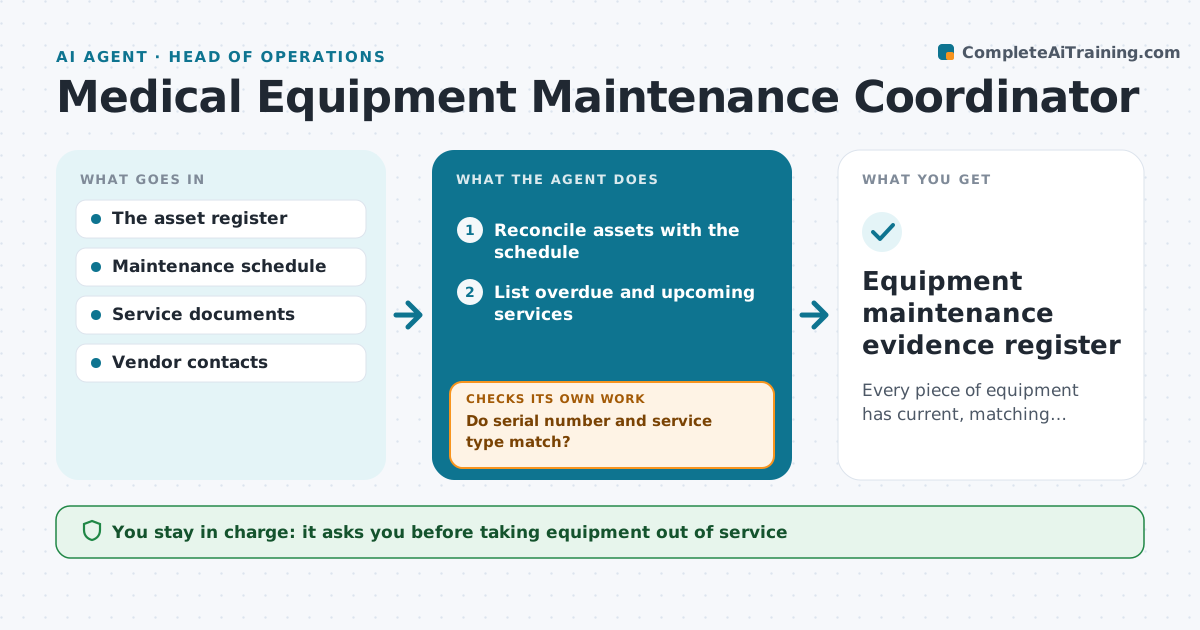
Every piece of equipment has current, matching maintenance evidence.
What it does
Clinics must keep medical equipment maintenance current, but service certificates are scattered and checks get missed. Each week this agent reconciles equipment IDs with the maintenance schedule and lists overdue and upcoming services, with overdue items first. It creates tasks and drafts vendor requests, which the coordinator approves before sending. When certificates come back, it validates each one against the serial number and the type of service. A mismatch keeps the task open, and the agent requests a corrected certificate. Taking equipment out of service and certifying safe operation stay with staff. Edge case: a defibrillator's certificate lists serial 4471-B while the register says 4471-D, so the task stays open.
How it works
Follow the arrows from top to bottom. The orange dashed arrow is the loop: when a check fails, the agent goes back and tries again.
Read the steps as a list
- Weekly check
- Reconcile assets with the schedule
- List overdue and upcoming services
- Create tasks and draft vendor requests
- Coordinator approves vendor requestsThe agent waits here for your OK.
- Validate returned certificates
- Do serial number and service type match?If not: keep open and request the correct certificate. Back to step 6.
- Equipment maintenance evidence register
How it decides
It prioritizes overdue and soon-due equipment and only closes a task with a certificate matching serial and service type.
- Priority: overdue equipment first, then by due date.
- A task closes only when the certificate matches serial number and service type.
- Overdue critical equipment is flagged to the coordinator the same day.
- The agent never certifies equipment as safe.
Make it yours
Every agent is a starting point. You choose these settings for your own situation.
- How far ahead to list upcoming services (default 30 days)
- Vendor contacts per equipment type
- Who approves vendor requests
- Run day each week
- Register format
What keeps you in control
It always asks you first
- Taking equipment out of service
- Vendor orders
- Certifying safe operation
Hard limits
- Never certifies safety.
It stops when
- Done: all equipment current or tasked.
Set it up
We guide you through the set-up, step by step
Members get the full set-up guide for this agent. No technical skills needed: you copy, paste and upload.
- One set of instructions to paste into your AI, with the clicks for ChatGPT, Claude, Microsoft 365 Copilot, Gemini and Grok
- The agent then walks you through connecting your own data, one source at a time
- A downloadable copy with the flow chart, the rules and the full guide