AI agent for maintenance managers
Machine Wear Early Warning Agent
Schedule maintenance before a failure by catching wear early
What it does
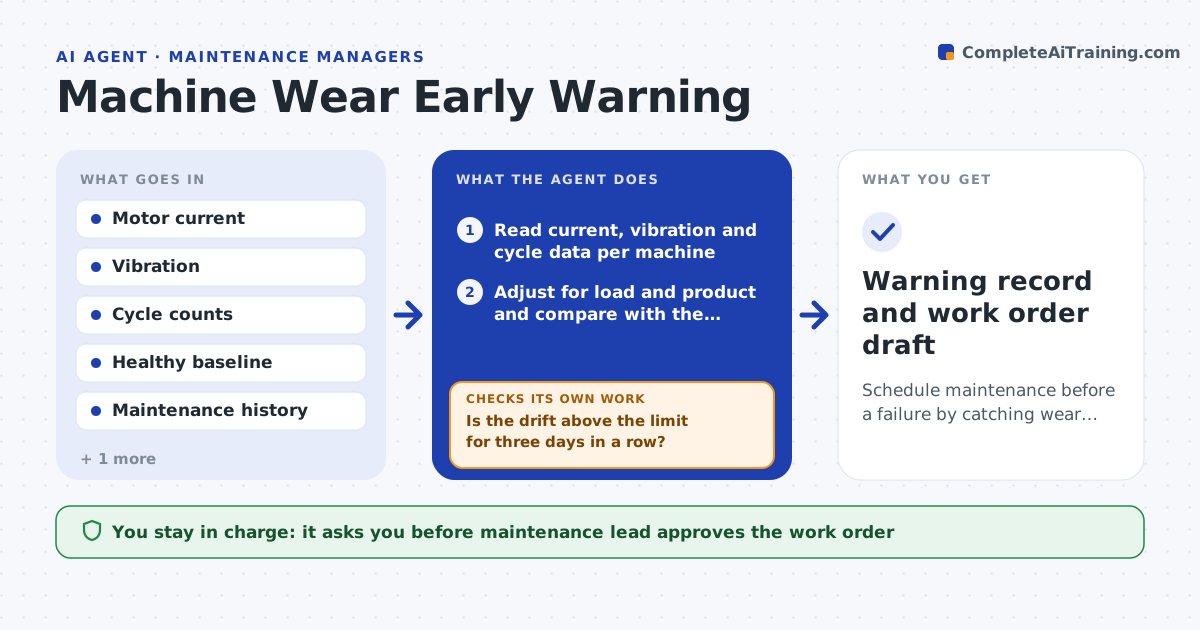
A bearing or gearbox wears for weeks before it fails, but the signals are buried in the data. This agent reads motor current, vibration and cycle counts for each machine and compares them with a healthy baseline taken after the last service. It flags drift that continues over several days, adjusting for load and product. For each flagged machine it looks for similar cases in the maintenance history and notes what part failed and how long it took. It then estimates a service date before the likely failure window and checks the production plan for a quiet slot. The maintenance lead approves the work order. Edge case: current rises because the new product is heavier, so the agent checks the production log before flagging.
How it works
Follow the arrows from top to bottom. The orange dashed arrow is the loop: when a check fails, the agent goes back and tries again.
Read the steps as a list
- Daily machine data available
- Read current, vibration and cycle data per machine
- Adjust for load and product and compare with the baseline
- Is the drift above the limit for three days in a row?If not: keep watching and recheck tomorrow. Back to step 2.
- Check the production log for a load or product change
- Search maintenance history for similar patterns
- Estimate remaining time and propose a service date
- Is there a quiet production slot before the estimated failure window?If not: propose the earliest slot with partial work or a spare part order. Back to step 7.
- Maintenance lead approves the work orderThe agent waits here for your OK.
- Warning record and work order draft
How it decides
It flags a machine when a metric stays more than the set level above baseline for several days after adjusting for load, then matches history to estimate time left.
- Flag when vibration is 25% above baseline for 3 days
- Ignore drift that matches a documented load change
- Plan service at 60% of the estimated remaining time
- Escalate immediately when a metric passes the alarm limit
Make it yours
Every agent is a starting point. You choose these settings for your own situation.
- Drift limit (default 25%)
- Days of drift needed (default 3)
- Machines and signals to watch
- Service timing rule (default 60% of remaining time)
- Who is notified
What keeps you in control
It always asks you first
- Maintenance lead approves the work order
- Production manager approves the downtime slot
Hard limits
- Never stop a machine, only recommend
- Never create a work order without approval
It stops when
- Done: the work order is approved and the baseline resets after service
- Stop: data quality is poor and sensors need checking
Set it up
We guide you through the set-up, step by step
Members get the full set-up guide for this agent. No technical skills needed: you copy, paste and upload.
- One set of instructions to paste into your AI, with the clicks for ChatGPT, Claude, Microsoft 365 Copilot, Gemini and Grok
- The agent then walks you through connecting your own data, one source at a time
- A downloadable copy with the flow chart, the rules and the full guide