AI agent for global head of finances
FX Exposure Review Agent
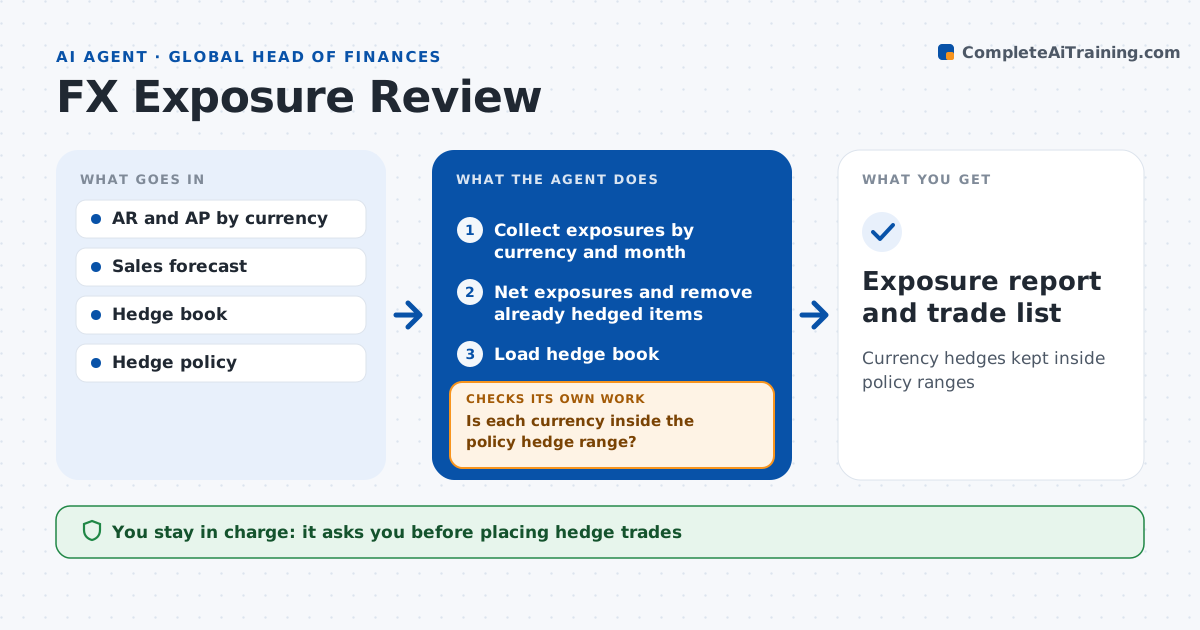
Currency hedges kept inside policy ranges
What it does
Currency moves can wipe out margin when exposures are left unhedged or are hedged twice by mistake. Each month this agent collects foreign currency exposures from receivables, payables, forecast sales and intercompany loans. It nets them by currency and month and removes items already hedged locally. It loads the hedge book and calculates the hedge ratio against the policy range. If a currency is outside the range, it proposes trade sizes and dates to bring it back and shows the cost. It also checks whether last month's forecast exposures actually happened. If a forecast missed by more than 20%, it lowers the hedge layer for that currency. The analyst and finance leader approve any trade. Edge case: an intercompany loan is already hedged by the subsidiary, so the agent removes it to avoid double hedging.
How it works
Follow the arrows from top to bottom. The orange dashed arrow is the loop: when a check fails, the agent goes back and tries again.
Read the steps as a list
- Month exposure review
- Collect exposures by currency and month
- Net exposures and remove already hedged items
- Load hedge book
- Is each currency inside the policy hedge range?If not: propose trades to correct and recompute ratios. Back to step 3.
- Analyst and leader approve tradesThe agent waits here for your OK.
- Exposure report and trade list
How it decides
It compares net exposure per currency to hedges and proposes trades only when the hedge ratio leaves the policy range.
- Hedge ratio under policy minimum: propose new forwards
- Exposure forecast missed by over 20%: lower hedge layer for that currency
- Intercompany items hedged locally: exclude
Make it yours
Every agent is a starting point. You choose these settings for your own situation.
- Hedge ranges per currency
- Months ahead in scope
- Exposure size that triggers review
- Report format
What keeps you in control
It always asks you first
- Placing hedge trades
Hard limits
- Never executes trades
- Never changes the hedge policy
It stops when
- Done: all currencies inside range or trades approved
- Stop: forecast data missing for a major currency
Set it up
We guide you through the set-up, step by step
Members get the full set-up guide for this agent. No technical skills needed: you copy, paste and upload.
- One set of instructions to paste into your AI, with the clicks for ChatGPT, Claude, Microsoft 365 Copilot, Gemini and Grok
- The agent then walks you through connecting your own data, one source at a time
- A downloadable copy with the flow chart, the rules and the full guide