AI agent for strategy managers
Goal Cascade Alignment Agent
Make every team goal trace to a company goal with no conflicts or gaps
What it does
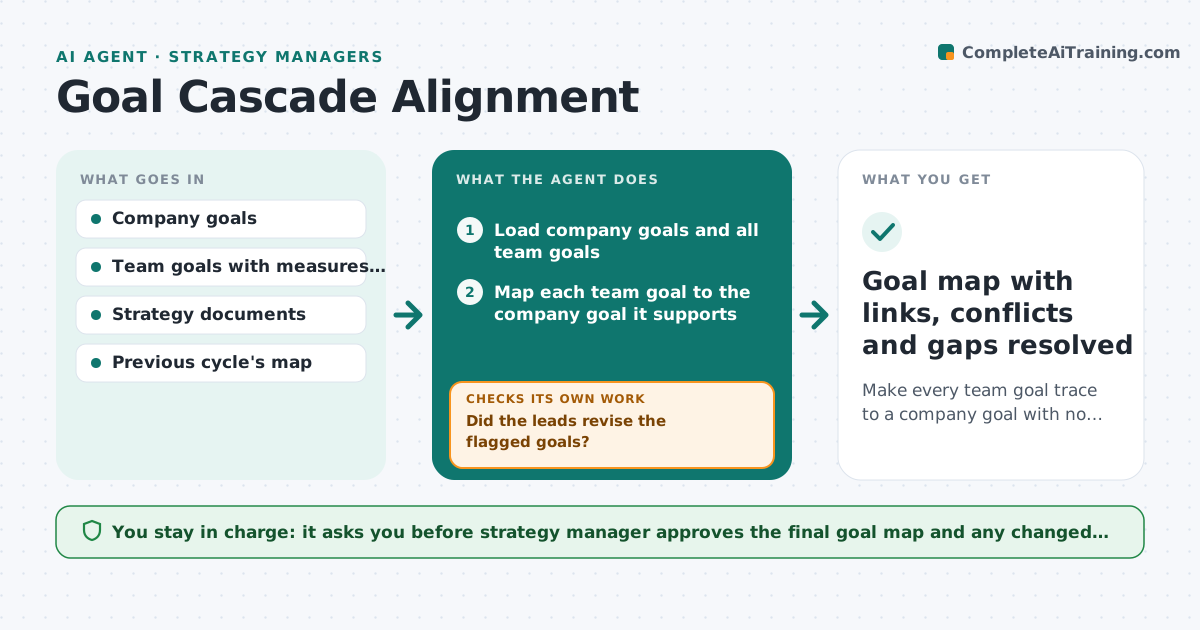
Every team writes goals each quarter, and half of them do not link to anything the company cares about, while others contradict each other. This agent maps the links. It reads the company goals and every team's goals, matches each team goal to the company goal it supports and flags orphan goals with no link and conflicting goals that pull in opposite directions, such as cut cost versus expand service. It also finds company goals with no team behind them. It proposes edits to wording or measures and sends them to the team lead, then rechecks the revised goals. The manager approves all changes. Edge case: a goal supports two company goals. The agent maps it to both and notes the primary one.
How it works
Follow the arrows from top to bottom. The orange dashed arrow is the loop: when a check fails, the agent goes back and tries again.
Read the steps as a list
- Planning cycle starts or goals change
- Load company goals and all team goals
- Map each team goal to the company goal it supports
- Flag orphan goals, conflicting goals and company goals with no team support
- Propose edits to wording, measures or ownership
- Send proposed edits to the team leads
- Did the leads revise the flagged goals?If not: Remind once and list unresolved goals for the manager. Back to step 6.
- Remap the revised goals
- Is every goal linked and every company goal covered?If not: Repeat the flag and edit step for the remaining goals. Back to step 3.
- Strategy manager approves the final goal mapThe agent waits here for your OK.
- Goal map with links, conflicts and gaps resolved
How it decides
A team goal is aligned when it clearly contributes to a company goal through a shared measure. It is an orphan when no link can be justified in one sentence.
- A link needs a shared measure or clear contribution
- Goals with no link after two rounds go to the manager
- Conflicts are escalated, not rewritten silently
- Company goals with no team goal are listed as gaps
Make it yours
Every agent is a starting point. You choose these settings for your own situation.
- Maximum rounds of edits (default 2)
- Format of goals (OKR or other)
- Cycle length
- Teams included
- Reminder timing
What keeps you in control
It always asks you first
- Strategy manager approves the final goal map and any changed goals
Hard limits
- Never changes a team's goals without the lead's agreement
- Keeps the original wording alongside suggestions
It stops when
- Done: all goals linked and conflicts resolved
- Stop: a company goal conflicts with another, escalate to leadership
Set it up
We guide you through the set-up, step by step
Members get the full set-up guide for this agent. No technical skills needed: you copy, paste and upload.
- One set of instructions to paste into your AI, with the clicks for ChatGPT, Claude, Microsoft 365 Copilot, Gemini and Grok
- The agent then walks you through connecting your own data, one source at a time
- A downloadable copy with the flow chart, the rules and the full guide