AI agent for data engineers
Government Data Publication Preflight Agent
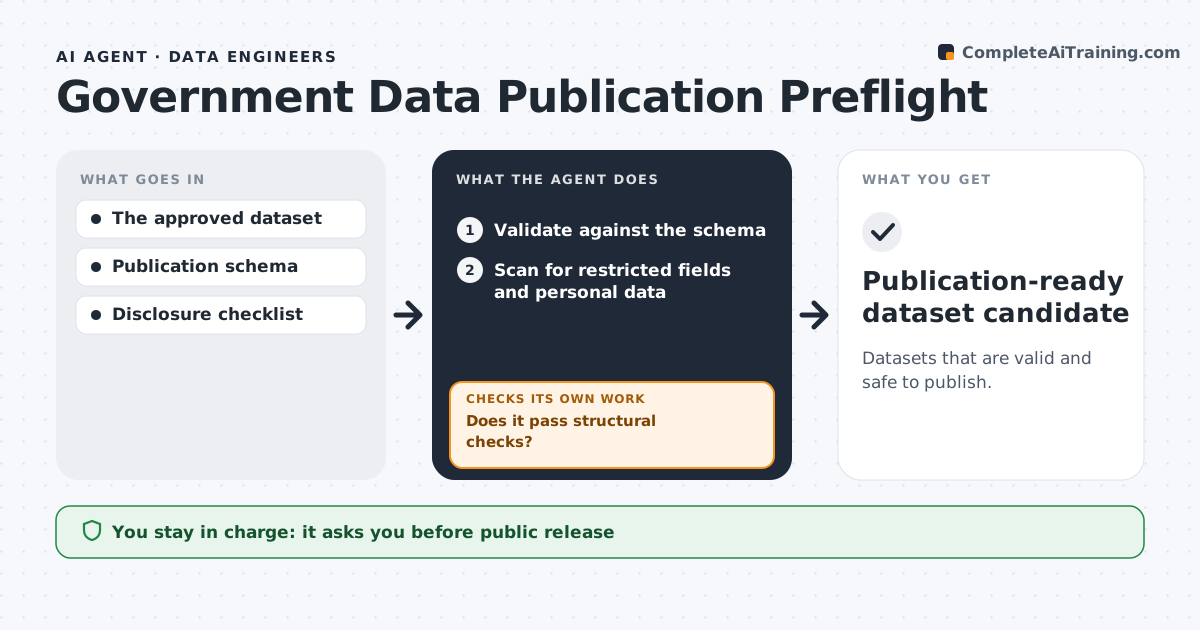
Datasets that are valid and safe to publish.
What it does
Open-data releases sometimes contain schema errors or hidden personal data. When a dataset is prepared, this agent validates it against the publication schema. It repairs structural problems, such as date formats or column names, in a working copy and revalidates. It then scans for restricted fields and personal data, paying close attention to free-text columns. If any disclosure risk appears, it stops release preparation and routes the issue to the disclosure officer instead of trying to clean it itself. The publishing team approves the release. Edge case: a comments column contains phone numbers, so the agent halts the release even though the schema checks pass.
How it works
Follow the arrows from top to bottom. The orange dashed arrow is the loop: when a check fails, the agent goes back and tries again.
Read the steps as a list
- Dataset prepared
- Validate against the schema
- Does it pass structural checks?If not: make permitted repairs in the working copy. Back to step 2.
- Scan for restricted fields and personal data
- Is it free of disclosure risks?If not: stop and route the disclosure issue. Back to step 4.
- Publishing team approves releaseThe agent waits here for your OK.
- Publication-ready dataset candidate
How it decides
It repairs structural problems automatically and stops at any disclosure risk.
- Repair structure only, never content.
- Stop on any disclosure risk.
- Free-text columns are always scanned.
- Release needs the publishing team's approval.
Make it yours
Every agent is a starting point. You choose these settings for your own situation.
- Publication schema to validate against
- Personal data patterns to scan for (phone, email, address, ID numbers)
- Structural repairs the agent may make
- Who receives disclosure issues
- Release schedule
What keeps you in control
It always asks you first
- Public release
- Disclosure decisions
Hard limits
- Never publishes.
It stops when
- Done: valid and safe.
- Stopped: disclosure issue.
Set it up
We guide you through the set-up, step by step
Members get the full set-up guide for this agent. No technical skills needed: you copy, paste and upload.
- One set of instructions to paste into your AI, with the clicks for ChatGPT, Claude, Microsoft 365 Copilot, Gemini and Grok
- The agent then walks you through connecting your own data, one source at a time
- A downloadable copy with the flow chart, the rules and the full guide