AI agent for data entry specialists
Insurance Bordereaux Validation Agent
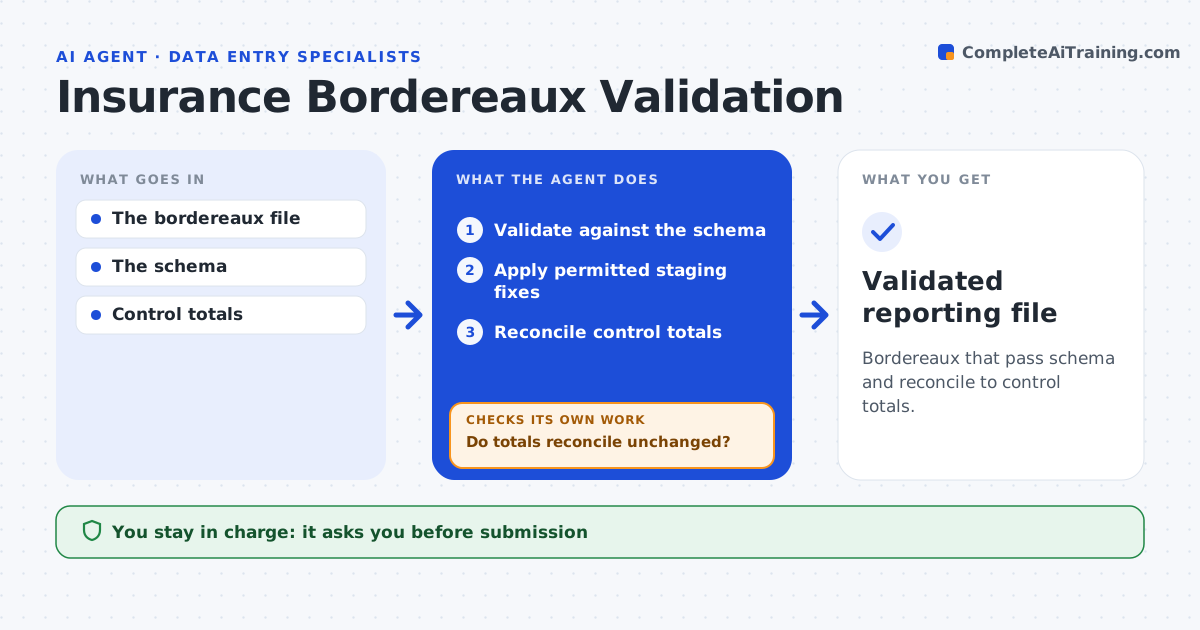
Bordereaux that pass schema and reconcile to control totals.
What it does
Delegated authority reports (bordereaux) often fail schema checks and do not reconcile to control totals. Fixing them by hand takes days each month. When a bordereau arrives, this agent validates every record against the required schema. It applies only the staging fixes that the field rules permit, such as date formats or standard codes. Then it reconciles premium and claim totals to the control figures. If a proposed fix would change a financial total, it does not apply it. Instead it investigates the affected rows and keeps the original amounts for review. The DA administrator approves submission. Edge case: correcting a currency code on 12 rows would change the premium total by $3,400, so those rows go to review.
How it works
Follow the arrows from top to bottom. The orange dashed arrow is the loop: when a check fails, the agent goes back and tries again.
Read the steps as a list
- Bordereau received
- Validate against the schema
- Apply permitted staging fixes
- Reconcile control totals
- Do totals reconcile unchanged?If not: investigate affected rows; keep original amounts. Back to step 3.
- DA administrator approves submissionThe agent waits here for your OK.
- Validated reporting file
How it decides
It fixes from explicit field rules and investigates any fix that changes money.
- Fix only from defined field rules.
- Any fix that changes money totals goes to review.
- Original amounts are always kept beside fixed ones.
Make it yours
Every agent is a starting point. You choose these settings for your own situation.
- Schema and field rules per market
- Permitted staging fixes
- Reconciliation tolerance (default $0)
- Who approves submission (default DA administrator)
What keeps you in control
It always asks you first
- Submission
- Changing underwriting records
Hard limits
- Original amounts kept.
It stops when
- Done: valid and reconciled.
Set it up
We guide you through the set-up, step by step
Members get the full set-up guide for this agent. No technical skills needed: you copy, paste and upload.
- One set of instructions to paste into your AI, with the clicks for ChatGPT, Claude, Microsoft 365 Copilot, Gemini and Grok
- The agent then walks you through connecting your own data, one source at a time
- A downloadable copy with the flow chart, the rules and the full guide