AI agent for civil servants
Government Records Retention Review Agent
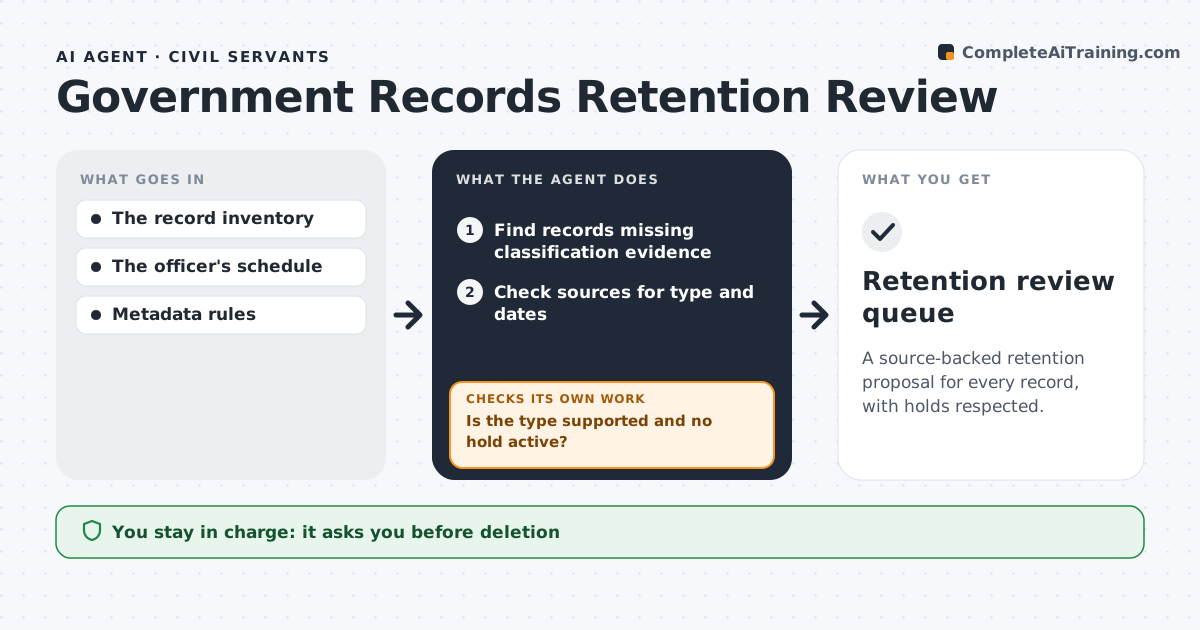
A source-backed retention proposal for every record, with holds respected.
What it does
Many records lack the metadata needed to decide how long to keep them. During a retention review, this agent finds records missing classification evidence. It checks other sources, such as the originating system, the file plan or the document content, for the record type and key dates. It proposes a retention schedule only when the type and dates are supported. Conflicting metadata or an unresolved legal hold blocks any disposal proposal and becomes a question for a reviewer. The agent rechecks those records when answers come back. It prepares a review queue, and the records officer makes every final retention decision. Deletion is never done by the agent. Edge case: a contract folder shows an unresolved legal hold, so it is left out of all disposal proposals.
How it works
Follow the arrows from top to bottom. The orange dashed arrow is the loop: when a check fails, the agent goes back and tries again.
Read the steps as a list
- Retention review
- Find records missing classification evidence
- Check sources for type and dates
- Is the type supported and no hold active?If not: create a reviewer question; no disposal proposal. Back to step 3.
- Propose the retention schedule
- Records officer decidesThe agent waits here for your OK.
- Retention review queue
How it decides
It proposes a schedule only from supported record type and dates and turns conflicts into questions.
- Propose a schedule only from supported record type and dates.
- Any legal hold blocks disposal.
- Conflicting metadata becomes a reviewer question.
- Deletion is never performed by the agent.
Make it yours
Every agent is a starting point. You choose these settings for your own situation.
- Retention schedule and file plan to apply
- Sources the agent may check for type and dates
- Who answers legal hold questions
- Review queue size per batch (default 500)
- Review cycle (quarterly or annual)
What keeps you in control
It always asks you first
- Deletion
- Legal holds
- Final retention decisions
Hard limits
- Never deletes.
It stops when
- Done: all records assessed.
Set it up
We guide you through the set-up, step by step
Members get the full set-up guide for this agent. No technical skills needed: you copy, paste and upload.
- One set of instructions to paste into your AI, with the clicks for ChatGPT, Claude, Microsoft 365 Copilot, Gemini and Grok
- The agent then walks you through connecting your own data, one source at a time
- A downloadable copy with the flow chart, the rules and the full guide