AI agent for operations coordinators
Healthcare Transport Coordination Agent
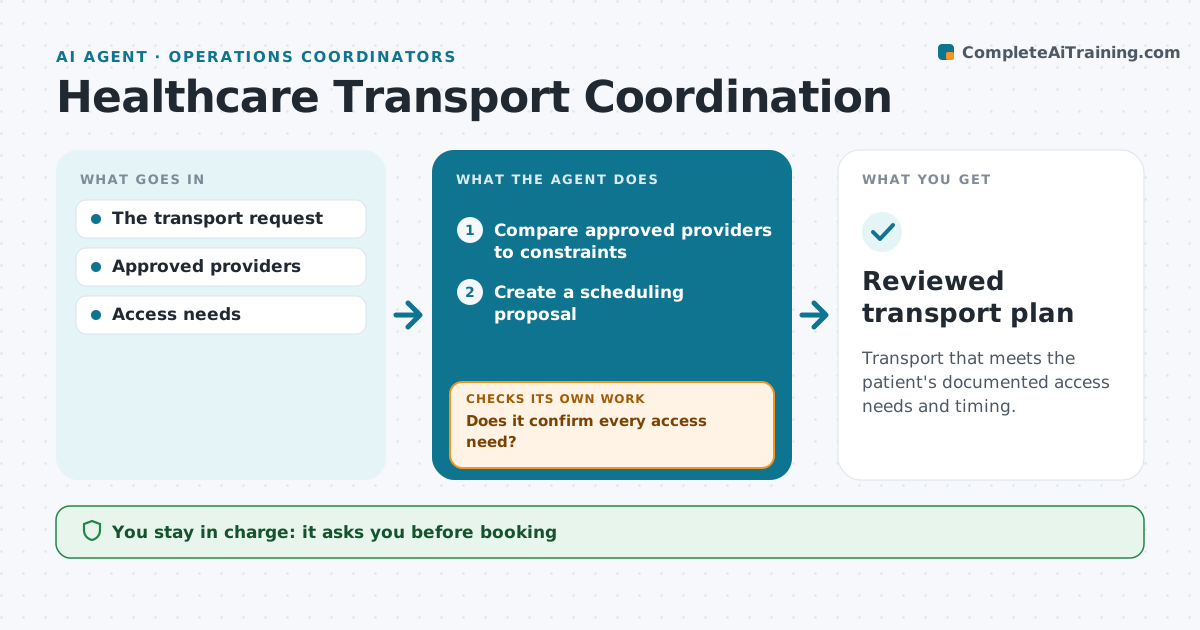
Transport that meets the patient's documented access needs and timing.
What it does
Non-emergency transport plans often miss accessibility needs, such as a wheelchair or oxygen, or the timing of the appointment. When transport is requested, this agent compares approved providers against every documented constraint, including mobility, equipment, pickup window and distance. It creates a scheduling proposal using only providers that meet all constraints. A care administrator approves the booking. When the provider's confirmation comes back, the agent checks that it covers every access need. A confirmation that leaves one out leads to a clarification request, not closure. Patient contact and medical triage stay with staff. Edge case: no approved provider can supply oxygen in the time window, so the agent reports this early.
How it works
Follow the arrows from top to bottom. The orange dashed arrow is the loop: when a check fails, the agent goes back and tries again.
Read the steps as a list
- Transport requested
- Compare approved providers to constraints
- Create a scheduling proposal
- Care admin approves bookingThe agent waits here for your OK.
- Check the provider's confirmation
- Does it confirm every access need?If not: request clarification. Back to step 5.
- Reviewed transport plan
How it decides
It chooses providers that meet every documented constraint and verifies confirmations against them.
- Choose only providers that meet every documented constraint.
- Close only when the confirmation covers every access need.
- When no provider fits, report the gap early.
- No patient contact by the agent.
Make it yours
Every agent is a starting point. You choose these settings for your own situation.
- Approved provider list and their capabilities
- Constraints to check (mobility, oxygen, escort, timing)
- Hours before pickup to escalate an unconfirmed booking (default 24)
- Who approves bookings
- Plan format
What keeps you in control
It always asks you first
- Booking
- Patient contact
- Medical triage
Hard limits
- No triage.
It stops when
- Done: confirmed.
Set it up
We guide you through the set-up, step by step
Members get the full set-up guide for this agent. No technical skills needed: you copy, paste and upload.
- One set of instructions to paste into your AI, with the clicks for ChatGPT, Claude, Microsoft 365 Copilot, Gemini and Grok
- The agent then walks you through connecting your own data, one source at a time
- A downloadable copy with the flow chart, the rules and the full guide