AI agent for head of operations
Venue Turnover Readiness Agent
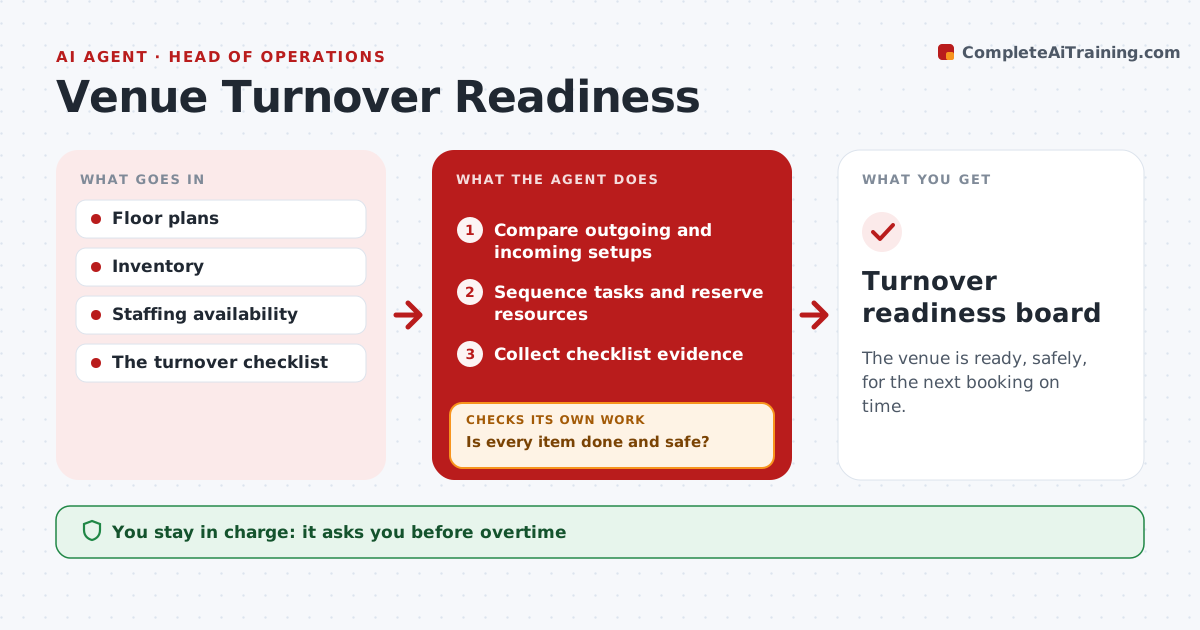
The venue is ready, safely, for the next booking on time.
What it does
Back-to-back event bookings leave setup tasks with no clear owner. During a turnover window, this agent compares the outgoing and incoming setups, such as seating, staging and AV. It sequences the tasks by dependency and reserves resources like crews and equipment. As work progresses, it collects checklist evidence, often photos. When a step slips, it resequences the remaining tasks. A safety issue, such as a blocked exit, stops readiness until a supervisor clears it. The supervisor declares the venue ready; overtime and contractor orders stay with managers. Edge case: the incoming client changes the layout during turnover, so the agent rebuilds the sequence from that point.
How it works
Follow the arrows from top to bottom. The orange dashed arrow is the loop: when a check fails, the agent goes back and tries again.
Read the steps as a list
- Turnover window
- Compare outgoing and incoming setups
- Sequence tasks and reserve resources
- Collect checklist evidence
- Is every item done and safe?If not: resequence, or stop for a safety issue. Back to step 3.
- Supervisor declares the venue readyThe agent waits here for your OK.
- Turnover readiness board
How it decides
It orders tasks by dependencies, resequences when something slips, and blocks on safety issues.
- Order tasks by dependencies.
- Resequence when any step slips past the set threshold.
- Safety issues block readiness until a supervisor clears them.
- Overtime and contractor orders need a manager.
Make it yours
Every agent is a starting point. You choose these settings for your own situation.
- Turnover checklist per room and setup type
- Evidence required per task (photo, sign-off)
- Minutes of slip that trigger resequencing (default 15)
- Who declares the venue ready
- Board format for the crew
What keeps you in control
It always asks you first
- Overtime
- Contractor orders
- Declaring the venue safe
Hard limits
- Never declares the venue safe.
It stops when
- Done: ready.
- Blocked: safety issue.
Set it up
We guide you through the set-up, step by step
Members get the full set-up guide for this agent. No technical skills needed: you copy, paste and upload.
- One set of instructions to paste into your AI, with the clicks for ChatGPT, Claude, Microsoft 365 Copilot, Gemini and Grok
- The agent then walks you through connecting your own data, one source at a time
- A downloadable copy with the flow chart, the rules and the full guide