AI agent for treasury analysts
Intercompany Netting Agent
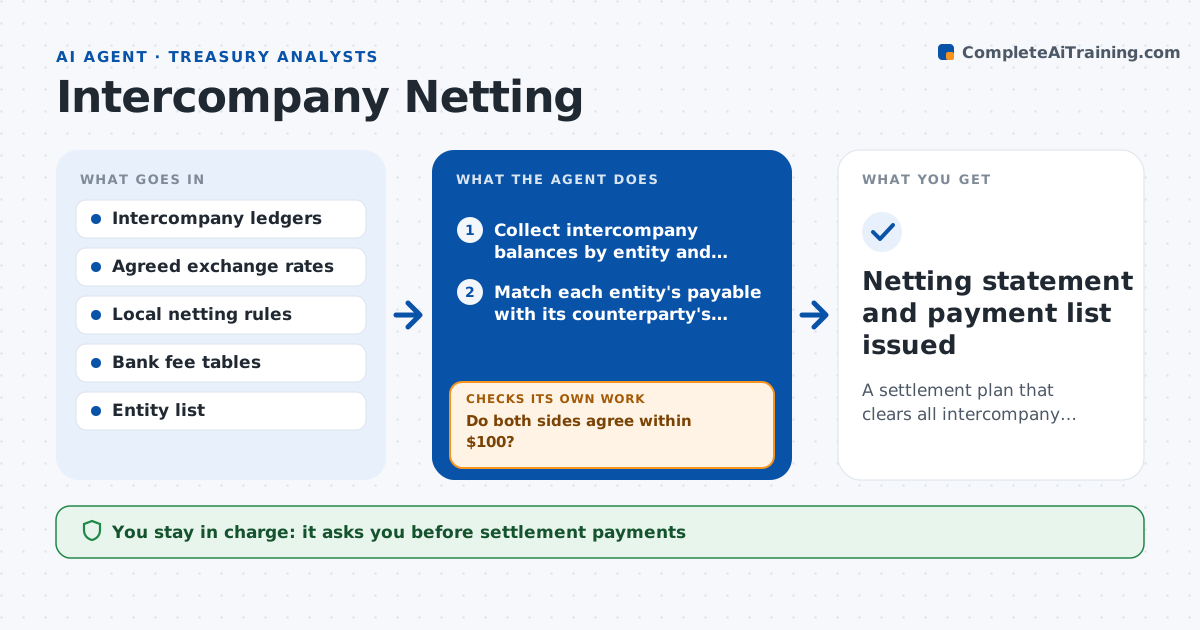
A settlement plan that clears all intercompany balances with the fewest, cheapest payments
What it does
A group with many entities has dozens of small invoices between them each month. Paying each one across borders costs fees and foreign exchange spreads. Netting offsets what entities owe each other so only the difference is paid. This agent collects intercompany balances in every currency at the cutoff, confirms that each entity's records match its counterparty's and converts amounts at the agreed rate. It computes the net position per entity and checks local rules, such as limits on netting or required payment on specific items, and the fees of each route. It proposes the settlement payments, then rechecks that all net positions clear to zero after the planned payments. If a mismatch appears between entities, it asks for support before including the item. Treasury approves the payments. Edge case: a country forbids netting for certain items, and the agent keeps them out.
How it works
Follow the arrows from top to bottom. The orange dashed arrow is the loop: when a check fails, the agent goes back and tries again.
Read the steps as a list
- Netting cutoff date arrives
- Collect intercompany balances by entity and currency
- Match each entity's payable with its counterparty's receivable
- Do both sides agree within $100?If not: request support from the entities, exclude unmatched items and retry. Back to step 3.
- Convert balances at the agreed rate
- Remove items that local rules do not allow to be netted
- Compute net positions and propose payment routes
- Check route fees and bank cutoffs
- Do all net positions clear to zero after the payments?If not: find the remaining difference and adjust the payment plan. Back to step 7.
- Treasury approves the settlement paymentsThe agent waits here for your OK.
- Netting statement and payment list issued
How it decides
It nets only matched and permitted balances, converts at the agreed rate and chooses payment routes that minimize cost while clearing every entity to zero.
- Net only items that agree on both sides within $100
- Use the agreed monthly exchange rate
- Keep non-nettable items out of the net
- Choose the route with the lowest total fee that meets the date
Make it yours
Every agent is a starting point. You choose these settings for your own situation.
- Match tolerance (default $100)
- Exchange rate source
- Entities and currencies in scope
- Payment route preferences
What keeps you in control
It always asks you first
- Settlement payments
Hard limits
- Never makes payments itself
- Does not net items prohibited by local rules
- Shows all rates used
It stops when
- Done: all balances clear to zero
- Stop: ledgers are not final or rates are missing
Set it up
We guide you through the set-up, step by step
Members get the full set-up guide for this agent. No technical skills needed: you copy, paste and upload.
- One set of instructions to paste into your AI, with the clicks for ChatGPT, Claude, Microsoft 365 Copilot, Gemini and Grok
- The agent then walks you through connecting your own data, one source at a time
- A downloadable copy with the flow chart, the rules and the full guide