AI agent for network administrators
IP Address and VLAN Plan Audit Agent
An address and VLAN plan that matches the real network and has room to grow
What it does
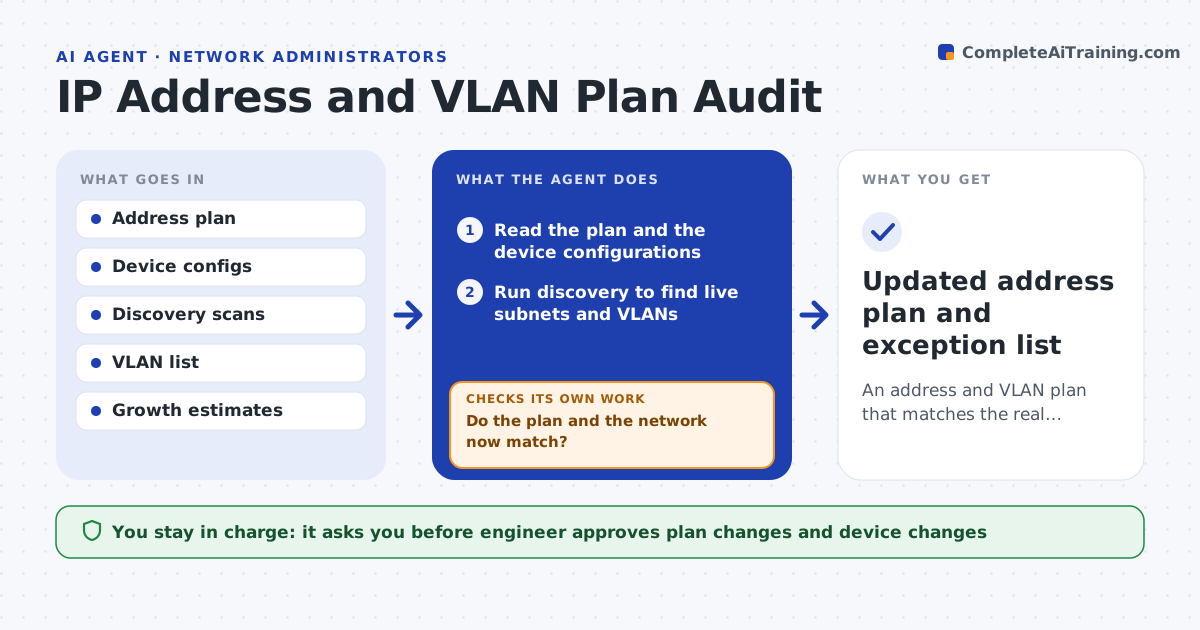
Subnets overlap, run out or are missing from documentation. This agent compares the address plan with device configurations and discovery data. It finds overlapping ranges, unused blocks and VLANs that exist on the network but not in the plan. It proposes cleanup, such as reclaiming blocks or documenting VLANs. After the plan is updated, it reruns the comparison to confirm that the plan and the network match. The engineer approves changes to the plan and to devices. Edge case: two sites use the same private range, so the agent flags it before a VPN is built between them.
How it works
Follow the arrows from top to bottom. The orange dashed arrow is the loop: when a check fails, the agent goes back and tries again.
Read the steps as a list
- Quarterly address audit
- Read the plan and the device configurations
- Run discovery to find live subnets and VLANs
- Compare the plan with what exists
- List overlaps, unused blocks and undocumented VLANs
- Propose plan updates and cleanup
- Engineer approves changes to the plan and devicesThe agent waits here for your OK.
- Update the plan document and device records
- Do the plan and the network now match?If not: list what still differs and propose the next fix. Back to step 3.
- Updated address plan and exception list
How it decides
An item is a defect when the plan and network disagree or two ranges overlap. A subnet is low when use is above a set share.
- Flag overlapping ranges first
- Flag a subnet above 80% used
- Treat a VLAN not in the plan as undocumented
- Reserve growth space for each site
Make it yours
Every agent is a starting point. You choose these settings for your own situation.
- Audit frequency
- Usage warning level (default: 80%)
- Sites in scope
- Plan document location
What keeps you in control
It always asks you first
- Engineer approves plan changes and device changes
Hard limits
- Never changes device configs without approval
- Never deletes plan entries without confirmation
It stops when
- Done: plan and network match
- Stop: discovery cannot reach part of the network
Set it up
We guide you through the set-up, step by step
Members get the full set-up guide for this agent. No technical skills needed: you copy, paste and upload.
- One set of instructions to paste into your AI, with the clicks for ChatGPT, Claude, Microsoft 365 Copilot, Gemini and Grok
- The agent then walks you through connecting your own data, one source at a time
- A downloadable copy with the flow chart, the rules and the full guide