AI agent for risk managers
Key Risk Indicator Monitor Agent
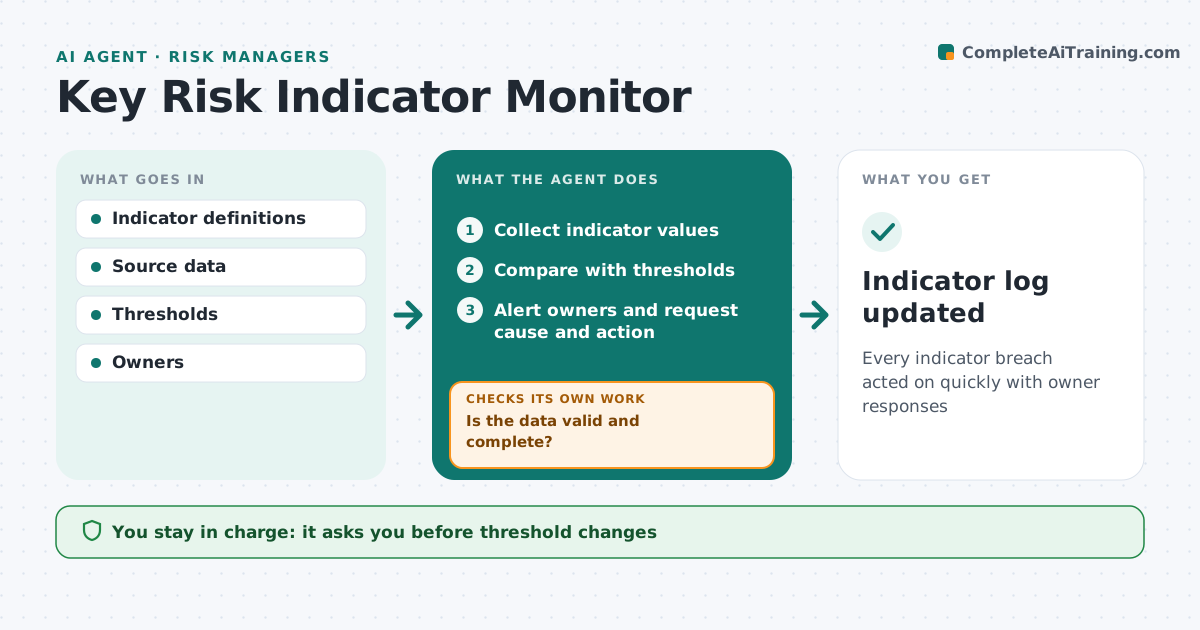
Every indicator breach acted on quickly with owner responses
What it does
Key risk indicators show when a risk is growing, such as failed payments, turnover in control roles or system outages, but they only help if someone acts on them. This agent collects indicator values from source systems on schedule. It first checks the data is valid; a sudden jump from a broken feed is flagged as a data issue, not a breach. It compares values with green, amber and red thresholds and alerts owners when one is crossed, asking for a cause and action. Red breaches need a response within two days; if the owner does not reply, it follows up and escalates to the risk manager. An indicator amber for three months triggers a threshold or control review. The risk manager approves threshold changes and escalations. Edge case: an indicator stays amber for three months, so the agent suggests a review.
How it works
Follow the arrows from top to bottom. The orange dashed arrow is the loop: when a check fails, the agent goes back and tries again.
Read the steps as a list
- Indicator refresh time
- Collect indicator values
- Is the data valid and complete?If not: flag data issue and ask the system owner. Back to step 2.
- Compare with thresholds
- Alert owners and request cause and action
- Did the owner respond in time?If not: send follow-up and escalate to risk manager. Back to step 5.
- Risk manager approves escalationsThe agent waits here for your OK.
- Indicator log updated
How it decides
It compares values with thresholds and confirms data is valid before alerting owners.
- Red breaches need a response in 2 days
- Three months amber triggers threshold review
- Broken feeds not treated as breaches
Make it yours
Every agent is a starting point. You choose these settings for your own situation.
- Indicators and thresholds
- Response times
- Escalation path
- Refresh schedule
What keeps you in control
It always asks you first
- Threshold changes
- Escalation to executives
Hard limits
- Never changes thresholds
- No customer data in alerts
It stops when
- Done: all breaches handled
- Stop: source system down
Set it up
We guide you through the set-up, step by step
Members get the full set-up guide for this agent. No technical skills needed: you copy, paste and upload.
- One set of instructions to paste into your AI, with the clicks for ChatGPT, Claude, Microsoft 365 Copilot, Gemini and Grok
- The agent then walks you through connecting your own data, one source at a time
- A downloadable copy with the flow chart, the rules and the full guide