AI agent for user support specialists
Known Issue Workaround Matching Agent
A confirmed workaround for the case, or a clear handoff when no known issue fits
What it does
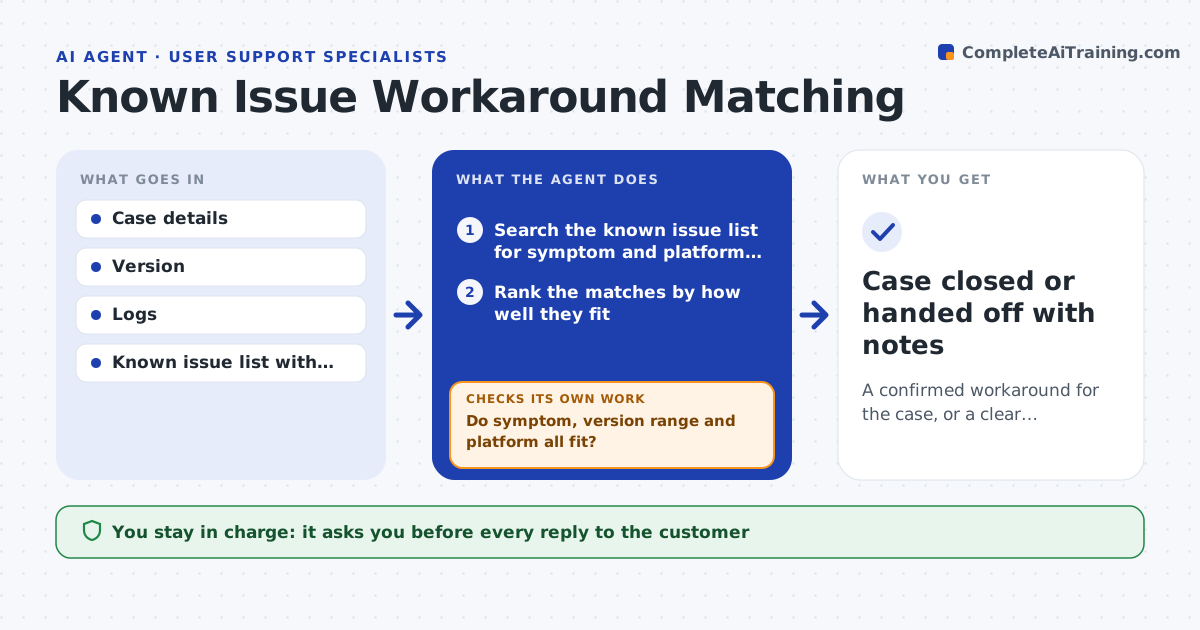
Support teams lose hours diagnosing a bug that engineering already documented. This agent reads a new case's symptoms, product version, platform and any logs. It compares them with the known issue list and ranks the possible matches. For the best match, it tests the fit against the case data, such as whether the version is in the affected range and whether the error text agrees. If the fit fails, it tries the next match. When one fits, it proposes the documented workaround in plain steps. After the customer tries it, the agent reads the reply and checks whether the symptom is gone. If not, it goes back to the next match or sends the case to the specialist. The specialist approves every reply. Edge case: a fix exists only in a later version the customer cannot yet install.
How it works
Follow the arrows from top to bottom. The orange dashed arrow is the loop: when a check fails, the agent goes back and tries again.
Read the steps as a list
- New case arrives with symptom and version
- Search the known issue list for symptom and platform matches
- Rank the matches by how well they fit
- Check the case version and logs against the top match
- Do symptom, version range and platform all fit?If not: move to the next ranked match. Back to step 3.
- Draft the workaround in plain steps with a warning if needed
- Specialist approves the replyThe agent waits here for your OK.
- Read the customer's response after trying the workaround
- Is the symptom gone?If not: try the next match or pass the case to the specialist with notes. Back to step 3.
- Link the case to the known issue and add the result
- Case closed or handed off with notes
How it decides
A known issue matches only when symptom, version range and platform all fit. A workaround counts as working only when the customer confirms the symptom is gone.
- Require version, platform and symptom to match
- Do not offer a fix from a later version if the customer cannot install it yet
- Ask for logs if the symptom alone fits two issues
- Hand off after two failed workarounds
Make it yours
Every agent is a starting point. You choose these settings for your own situation.
- Issue list source
- Match fields required
- Failed workaround limit (default 2)
- Reply language
What keeps you in control
It always asks you first
- Every reply to the customer
Hard limits
- Never promises a fix date
- Never edits the known issue list
It stops when
- Done: workaround confirmed and case linked
- Stop: no known issue fits after two tries
Set it up
We guide you through the set-up, step by step
Members get the full set-up guide for this agent. No technical skills needed: you copy, paste and upload.
- One set of instructions to paste into your AI, with the clicks for ChatGPT, Claude, Microsoft 365 Copilot, Gemini and Grok
- The agent then walks you through connecting your own data, one source at a time
- A downloadable copy with the flow chart, the rules and the full guide