AI agent for change managers
Label Update Rollout Agent
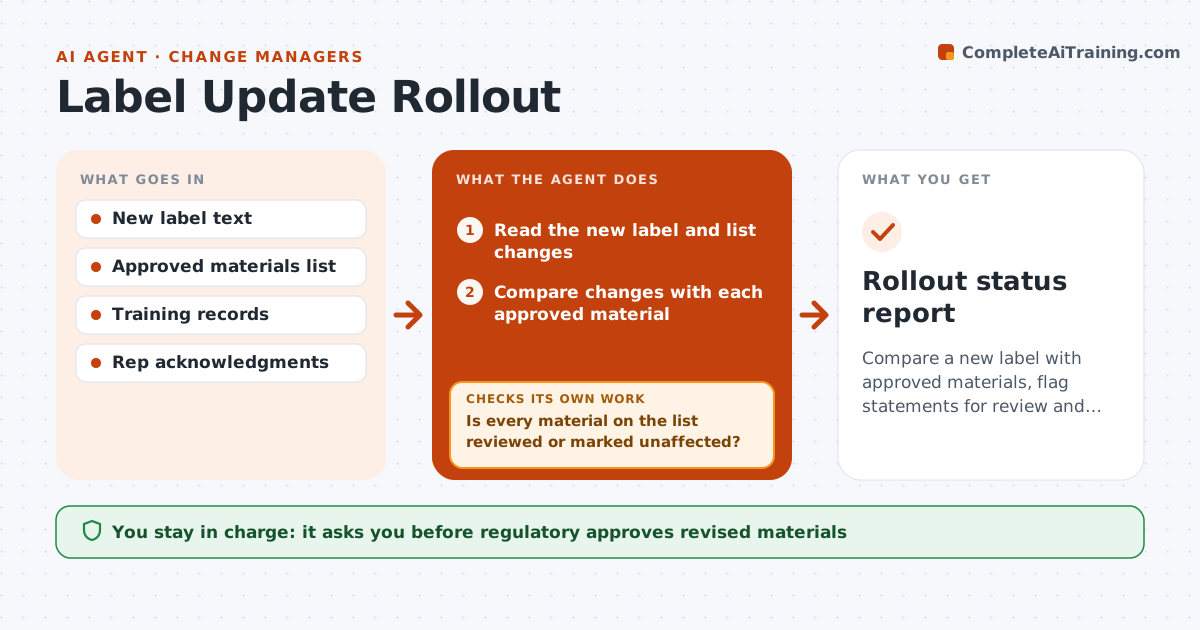
Compare a new label with approved materials, flag statements for review and track revisions, training and acknowledgments
What it does
Label changes reach field materials slowly. When a label is updated, the agent compares the new text with all approved materials and finds statements that now conflict, are out of date or need review. It lists the affected materials by priority and routes them to the owners. It tracks revisions and each new version's approval. It also checks that reps have completed the training and acknowledged the change. It chases open items and asks owners for dates, then rechecks each revised material against the label before marking it done. Regulatory approves materials. Edge case: a dosing slide uses the old maximum dose, and the agent marks the slide for immediate withdrawal.
How it works
Follow the arrows from top to bottom. The orange dashed arrow is the loop: when a check fails, the agent goes back and tries again.
Read the steps as a list
- New label issued
- Read the new label and list changes
- Compare changes with each approved material
- Flag statements that need review and set a priority
- Is every material on the list reviewed or marked unaffected?If not: Check the material and classify it. Back to step 3.
- Regulatory approves the withdrawal and revision listThe agent waits here for your OK.
- Track revised materials and approval status
- Check training and acknowledgments by rep
- Are all affected materials revised and all reps trained?If not: Chase owners and reps and recheck. Back to step 7.
- Report any rep still using old materials
- Rollout status report
How it decides
Each statement is compared with the new label; materials stay out of use until regulatory reapproves them.
- Withdraw materials with a changed safety statement immediately
- Review materials with a changed claim within 10 days
- Require rep acknowledgment within 14 days
- Report open items weekly
Make it yours
Every agent is a starting point. You choose these settings for your own situation.
- Review deadlines
- Acknowledgment window (default 14 days)
- Priority rules
- Reporting
What keeps you in control
It always asks you first
- Regulatory approves revised materials
- Regulatory approves withdrawal decisions
Hard limits
- Never approve a material
- Never let an old material stay in use
It stops when
- Done: all materials revised and all reps trained
- Stop: the label change is unclear and regulatory must interpret
Set it up
We guide you through the set-up, step by step
Members get the full set-up guide for this agent. No technical skills needed: you copy, paste and upload.
- One set of instructions to paste into your AI, with the clicks for ChatGPT, Claude, Microsoft 365 Copilot, Gemini and Grok
- The agent then walks you through connecting your own data, one source at a time
- A downloadable copy with the flow chart, the rules and the full guide