AI agent for hr generalists
Leave of Absence Coordination Agent
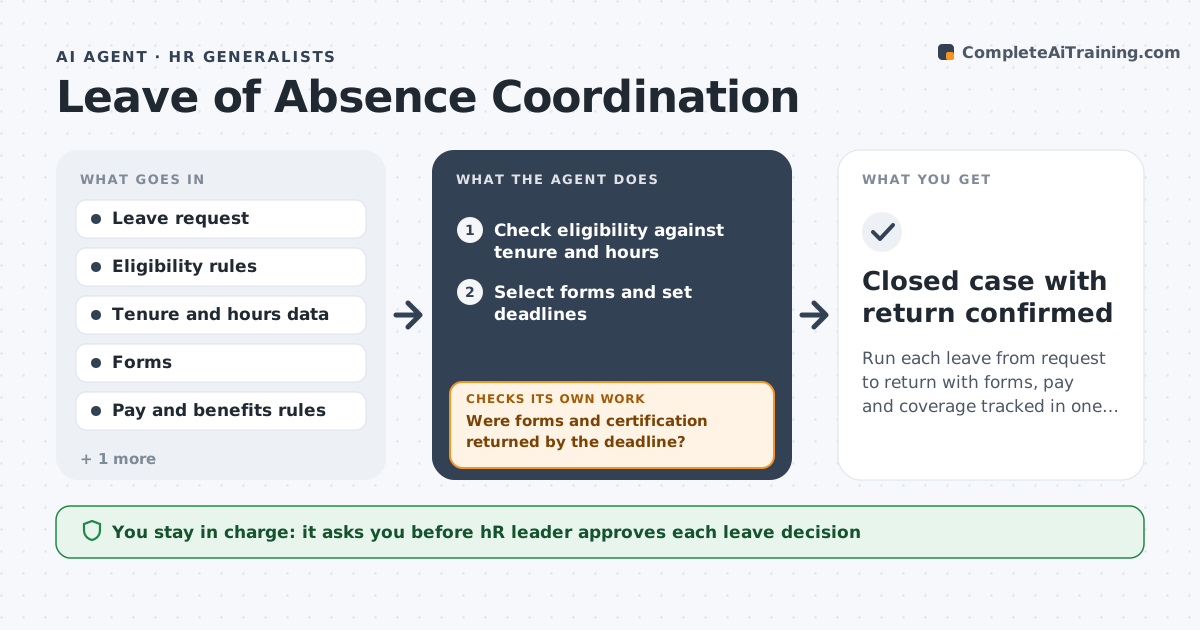
Run each leave from request to return with forms, pay and coverage tracked in one place
What it does
When an employee asks for leave, HR sends forms by email, tracks deadlines in a spreadsheet and hopes payroll heard. This agent starts with the request and checks eligibility against tenure and hours rules. It sends the right forms, tracks certification deadlines, and coordinates pay and benefits with payroll, including how premiums are handled. It checks that a return date and coverage plan exist and follows up if they do not. If forms or certification are late, it reminds the employee and manager. It keeps one case view until the person returns. The HR leader approves leave decisions and every notice. Edge case: if a leave is extended, it reruns the pay and coverage checks with the new date.
How it works
Follow the arrows from top to bottom. The orange dashed arrow is the loop: when a check fails, the agent goes back and tries again.
Read the steps as a list
- Leave request received
- Check eligibility against tenure and hours
- Select forms and set deadlines
- HR leader approves the decision and noticesThe agent waits here for your OK.
- Send forms and track certification due dates
- Were forms and certification returned by the deadline?If not: Remind the employee and manager and note the deadline. Back to step 5.
- Coordinate pay and benefits with payroll
- Do the return date and coverage plan exist?If not: Ask the manager for a coverage plan and the employee for a return date. Back to step 7.
- Recheck before the return date and update if extended
- Closed case with return confirmed
How it decides
It checks eligibility from tenure and hours, sets deadlines from the rules and keeps the case open until return is confirmed.
- Check eligibility using tenure and hours rules before sending forms
- Remind 3 days before each deadline
- Require a coverage plan before leave starts
- Rerun pay and coverage checks after any extension
Make it yours
Every agent is a starting point. You choose these settings for your own situation.
- Eligibility rules (default company policy and local law)
- Reminder lead time (default 3 days)
- Forms used (default the company's leave packet)
- Check-in frequency (default weekly)
What keeps you in control
It always asks you first
- HR leader approves each leave decision
- HR leader approves each notice to the employee
Hard limits
- Never decide leave eligibility without the HR leader
- Never share medical details with managers
- Keep case files private
It stops when
- Done: Employee returned and case closed
- Stop: Dispute or legal question arises, so hand to the HR leader
Set it up
We guide you through the set-up, step by step
Members get the full set-up guide for this agent. No technical skills needed: you copy, paste and upload.
- One set of instructions to paste into your AI, with the clicks for ChatGPT, Claude, Microsoft 365 Copilot, Gemini and Grok
- The agent then walks you through connecting your own data, one source at a time
- A downloadable copy with the flow chart, the rules and the full guide