AI agent for investment bankers
Lender Process Tracker Agent
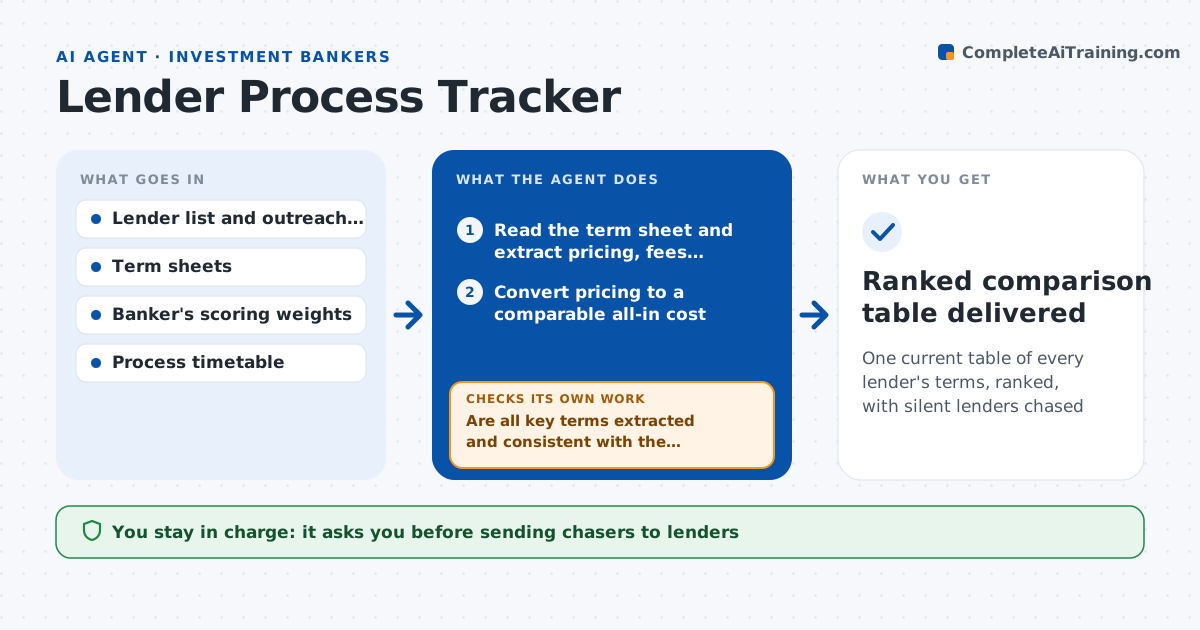
One current table of every lender's terms, ranked, with silent lenders chased
What it does
In a debt raise, the banker speaks to 15 or more lenders, each sending a term sheet in a different format. Comparing them means rebuilding a table by hand, while silent lenders go unchased. This agent logs every outreach and reply, reads each incoming term sheet and extracts pricing, fees, leverage, tenor, covenants and conditions into one comparison table. It ranks the bids by a scoring formula set by the banker, such as all-in cost first and flexibility second. It then looks for lenders who have not replied by the deadline and drafts chasers. When a term sheet is updated, it extracts again and re-ranks. The banker approves what is shared with the client and every chaser. Edge case: a bid states pricing over a floating rate, and the agent converts it to a comparable all-in rate.
How it works
Follow the arrows from top to bottom. The orange dashed arrow is the loop: when a check fails, the agent goes back and tries again.
Read the steps as a list
- A lender reply or term sheet arrives
- Read the term sheet and extract pricing, fees, leverage, tenor and covenants
- Convert pricing to a comparable all-in cost
- Are all key terms extracted and consistent with the document?If not: reread the unclear sections, mark gaps, and ask the lender to clarify. Back to step 2.
- Update the comparison table and score each bid
- Rank bids and note what changed from the last ranking
- List lenders with no reply by the process deadline
- Has every invited lender replied or declined?If not: draft a chaser for each silent lender and recheck the next day. Back to step 7.
- Prepare the client summary of ranked bids
- Banker approves chasers and the summary shared with the clientThe agent waits here for your OK.
- Ranked comparison table delivered
How it decides
It scores bids on all-in cost, leverage, tenor and covenant flexibility using the banker's weights, and it ranks again whenever any bid changes.
- Score all-in cost 50%, leverage 20%, tenor 15%, covenants 15% by default
- Chase a lender 48 hours after the deadline
- Mark a term sheet incomplete if pricing or conditions are missing
- Convert floating bids using the same reference rate for all
Make it yours
Every agent is a starting point. You choose these settings for your own situation.
- Scoring weights
- Chase delay (default 48 hours)
- Reference rate used for conversion
- Table columns shown to the client
What keeps you in control
It always asks you first
- Sending chasers to lenders
- Sharing the ranking with the client
Hard limits
- Never discloses one lender's terms to another
- Never sends anything without approval
- Marks any assumptions in the conversion
It stops when
- Done: all lenders replied or were closed and the summary is approved
- Stop: term sheets cannot be read or the process is paused
Set it up
We guide you through the set-up, step by step
Members get the full set-up guide for this agent. No technical skills needed: you copy, paste and upload.
- One set of instructions to paste into your AI, with the clicks for ChatGPT, Claude, Microsoft 365 Copilot, Gemini and Grok
- The agent then walks you through connecting your own data, one source at a time
- A downloadable copy with the flow chart, the rules and the full guide