AI agent for bank branch managers
Loan Application File Completeness Agent
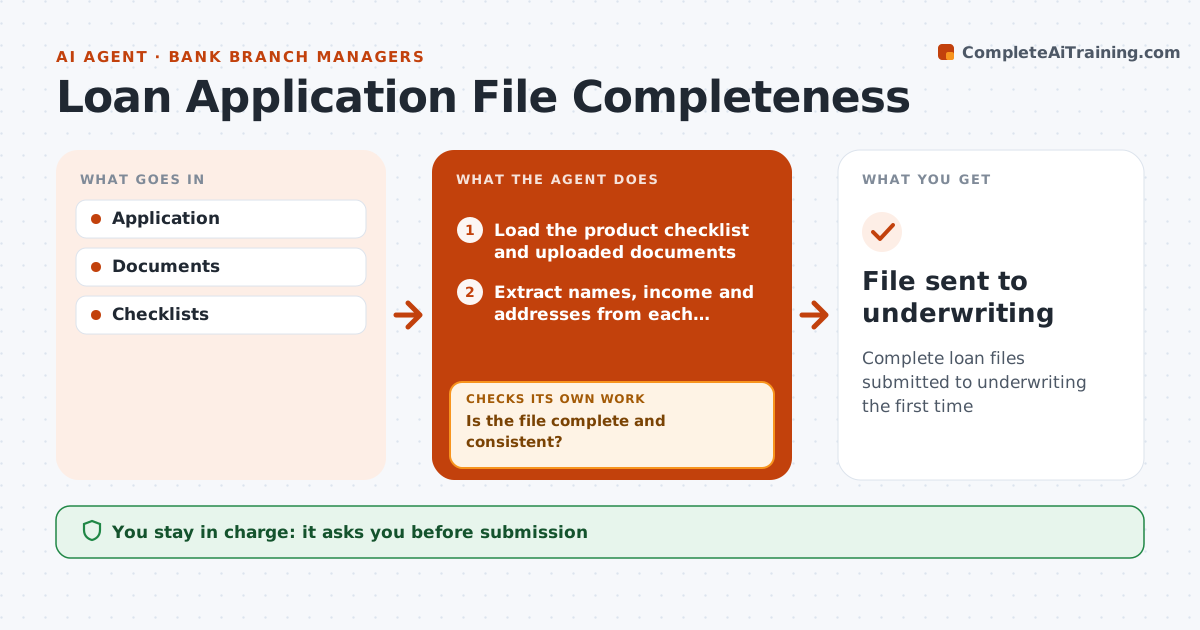
Complete loan files submitted to underwriting the first time
What it does
Loan applications need many documents and checks, and an incomplete file sent to underwriting comes back days later. When an application arrives, this agent loads the checklist for that loan product and the uploaded documents. It extracts names, income and addresses from each document and compares them with the application form and with each other. It flags anything missing, out of date or mismatched, and drafts requests to the customer for what is needed. When new documents arrive, it checks the file again until it is complete and consistent. It then prepares a submission summary for underwriting. The branch manager approves every file before it is sent. The agent never judges whether the loan should be granted; that stays with underwriting. Edge case: a self-employed applicant needs two years of tax returns, so the agent adds them to the checklist automatically.
How it works
Follow the arrows from top to bottom. The orange dashed arrow is the loop: when a check fails, the agent goes back and tries again.
Read the steps as a list
- Loan application received
- Load the product checklist and uploaded documents
- Extract names, income and addresses from each document
- Compare details across the form and documents
- Is the file complete and consistent?If not: draft a request to the applicant for missing or conflicting items. Back to step 2.
- Prepare the submission summary for underwriting
- Branch manager approves submissionThe agent waits here for your OK.
- File sent to underwriting
How it decides
It compares documents to the checklist and application details.
- Self-employed need two years of returns
- Name and income must match
- Old documents rejected
Make it yours
Every agent is a starting point. You choose these settings for your own situation.
- Checklists
- Document age
- Request templates
- Submission rules
What keeps you in control
It always asks you first
- Submission
- Customer requests
Hard limits
- No credit decisions
- Customer data protected
It stops when
- Done: submitted
- Stop: application withdrawn
Set it up
We guide you through the set-up, step by step
Members get the full set-up guide for this agent. No technical skills needed: you copy, paste and upload.
- One set of instructions to paste into your AI, with the clicks for ChatGPT, Claude, Microsoft 365 Copilot, Gemini and Grok
- The agent then walks you through connecting your own data, one source at a time
- A downloadable copy with the flow chart, the rules and the full guide