AI agent for cfos
LP Quarterly Report Agent
An accurate LP report that ties to fund accounts
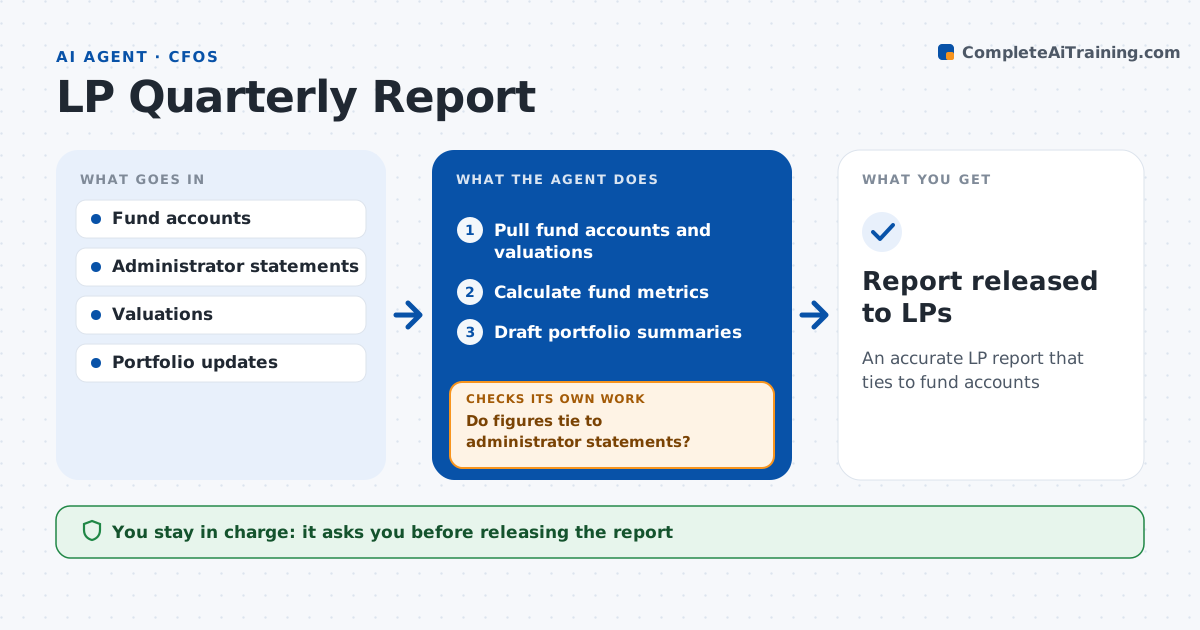
What it does
Quarterly LP reports pull together accounts, cash flows, valuations and portfolio news, and every number must tie to the fund administrator's statements. Each quarter this agent pulls fund accounts, capital calls, distributions, valuations and portfolio updates. It calculates fund metrics such as IRR, TVPI and DPI and drafts portfolio company summaries, refreshing any summary older than one quarter. It then ties every figure to the administrator's statements. If a difference is bigger than rounding, it traces the cause, such as a late valuation or a fee timing difference, updates the figure and ties again. The fund team approves the report and the CFO signs off before release; the agent never sends it to LPs. Edge case: a portfolio company was written down after quarter end, so the agent adds a subsequent event note rather than changing the quarter's numbers.
How it works
Follow the arrows from top to bottom. The orange dashed arrow is the loop: when a check fails, the agent goes back and tries again.
Read the steps as a list
- Quarter closes
- Pull fund accounts and valuations
- Calculate fund metrics
- Draft portfolio summaries
- Do figures tie to administrator statements?If not: trace the difference and update. Back to step 2.
- CFO and team approveThe agent waits here for your OK.
- Report released to LPs
How it decides
It requires each figure to match the administrator statement within rounding.
- Difference over rounding: investigate
- Post-quarter writedown: subsequent event note
- Company summary older than one quarter: refresh
Make it yours
Every agent is a starting point. You choose these settings for your own situation.
- Metrics shown
- Summary length
- Tie-out tolerance
- Report template
What keeps you in control
It always asks you first
- Releasing the report
Hard limits
- Never releases the report
- Never changes valuations
It stops when
- Done: report released
- Stop: valuations not final
Set it up
We guide you through the set-up, step by step
Members get the full set-up guide for this agent. No technical skills needed: you copy, paste and upload.
- One set of instructions to paste into your AI, with the clicks for ChatGPT, Claude, Microsoft 365 Copilot, Gemini and Grok
- The agent then walks you through connecting your own data, one source at a time
- A downloadable copy with the flow chart, the rules and the full guide