AI agent for vp of business developments
Market Sizing Cross-Check Agent
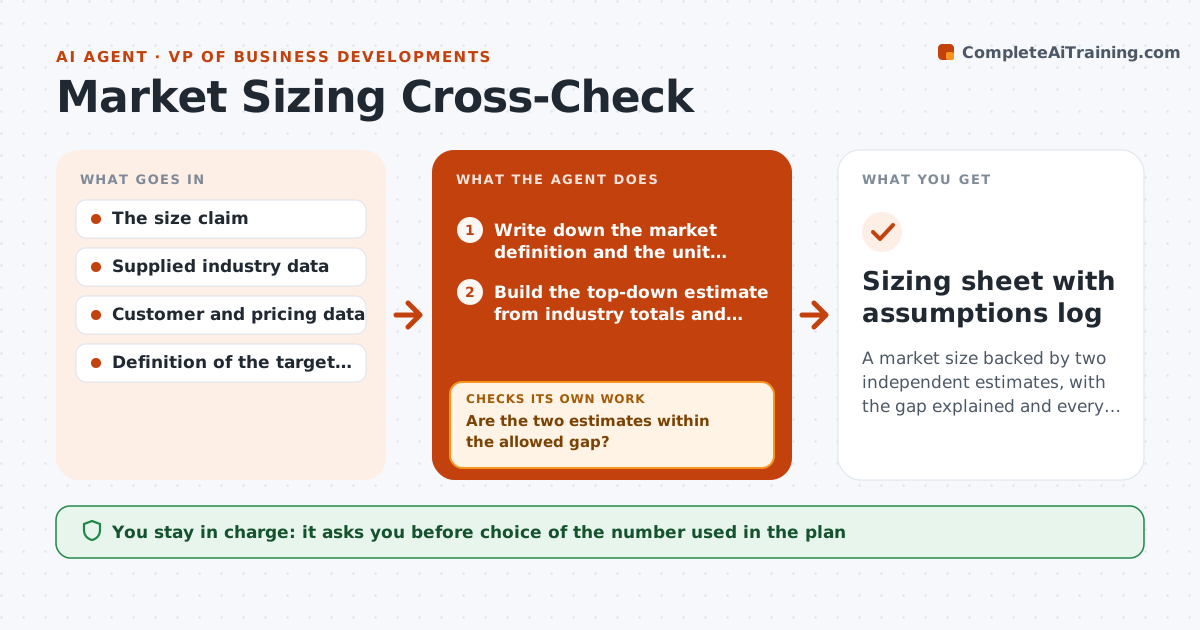
A market size backed by two independent estimates, with the gap explained and every assumption sourced.
What it does
A deck says the market is 4 billion dollars and everyone nods because one analyst report said so. This agent takes that claim and tests it from two directions. It builds a top-down estimate from industry totals and a bottom-up estimate from customer counts, prices and usage, using the data you supply. It compares the two. If they differ by more than your allowed gap, it traces each assumption, searches for better inputs, and reruns until the gap is explained or clearly labeled as unresolved. It records every assumption with its source and date. You always choose which number goes into the plan. Edge case: if the two methods use different definitions of the market, it flags that first instead of forcing agreement.
How it works
Follow the arrows from top to bottom. The orange dashed arrow is the loop: when a check fails, the agent goes back and tries again.
Read the steps as a list
- Size claim submitted with its source
- Write down the market definition and the unit being counted
- Build the top-down estimate from industry totals and share filters
- Build the bottom-up estimate from buyer counts, price and usage
- Are the two estimates within the allowed gap?If not: rank assumptions by weakness, search for better inputs, replace the weakest, then rebuild both. Back to step 3.
- Run a sensitivity test on the three largest assumptions
- Is every assumption sourced and dated within two years?If not: search again for a newer source or mark the assumption as unsupported. Back to step 3.
- Write the comparison with range, gap and unresolved items
- Leader approves which number goes into the planThe agent waits here for your OK.
- Sizing sheet with assumptions log
How it decides
It accepts the estimate when the two methods agree within the gap you set. Otherwise it changes the weakest assumption first and reruns.
- Gap under 25 percent: report the midpoint and the range
- Gap over 25 percent after three reruns: label unresolved and show both numbers
- Single assumption moves the result over 30 percent in sensitivity: mark it as critical
- Definitions differ between sources: stop and ask which market is meant
Make it yours
Every agent is a starting point. You choose these settings for your own situation.
- Allowed gap between methods (default 25 percent)
- Maximum reruns (default 3)
- Data sources the agent may use
- Age limit for sources in years
- Currency and unit format
What keeps you in control
It always asks you first
- Choice of the number used in the plan
- Any figure shared outside the team
Hard limits
- Never present an estimate without listing its assumptions
- Never replace a supplied figure silently
It stops when
- Done: gap explained or labeled, assumptions logged
- Stop: three reruns without agreement, both numbers reported
Set it up
We guide you through the set-up, step by step
Members get the full set-up guide for this agent. No technical skills needed: you copy, paste and upload.
- One set of instructions to paste into your AI, with the clicks for ChatGPT, Claude, Microsoft 365 Copilot, Gemini and Grok
- The agent then walks you through connecting your own data, one source at a time
- A downloadable copy with the flow chart, the rules and the full guide