AI agent for chief marketing officers
Marketing Budget Reallocation Review Agent
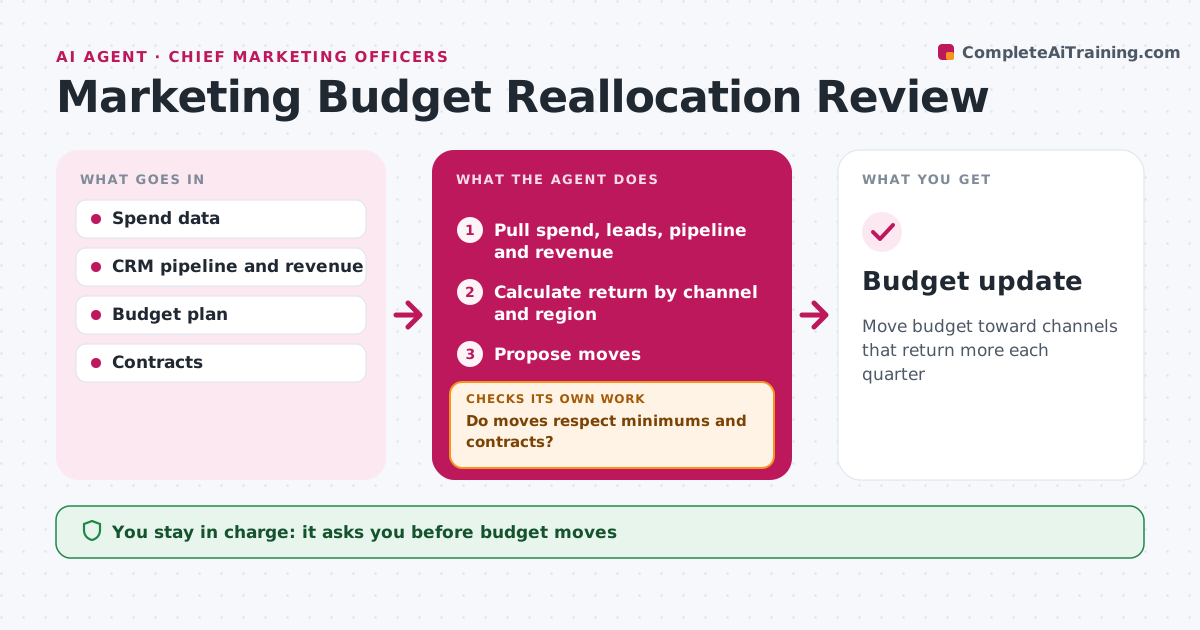
Move budget toward channels that return more each quarter
What it does
Marketing budgets are set once a year, but channel results change every month. At quarter end, this agent pulls spend, leads, pipeline and revenue by channel and region and calculates cost per result and return for each. It compares them with plan and the last two quarters. It then proposes moving budget from channels with falling returns to channels with room to grow. Before sharing, it checks that every proposal keeps minimum spend for brand work and does not cut committed contracts. If a proposal breaks a rule, it adjusts the amounts and checks again. The marketing leader approves any budget move. Edge case: a channel with a long sales cycle, such as enterprise events, is judged on pipeline created, not closed revenue, so it is not cut too early.
How it works
Follow the arrows from top to bottom. The orange dashed arrow is the loop: when a check fails, the agent goes back and tries again.
Read the steps as a list
- Quarter ends
- Pull spend, leads, pipeline and revenue
- Calculate return by channel and region
- Propose moves
- Do moves respect minimums and contracts?If not: adjust moves to fit limits. Back to step 4.
- Marketing leader approves movesThe agent waits here for your OK.
- Budget update
How it decides
Channels are ranked by return. Moves respect minimums and contracts.
- Long cycle channels judged on pipeline
- Brand minimums kept
- Committed contracts not cut
Make it yours
Every agent is a starting point. You choose these settings for your own situation.
- Return metric
- Minimums
- Review schedule
What keeps you in control
It always asks you first
- Budget moves
Hard limits
- Never changes budgets in ad platforms
- Labels returns as estimates
It stops when
- Done: moves approved
- Stop: spend data missing
Set it up
We guide you through the set-up, step by step
Members get the full set-up guide for this agent. No technical skills needed: you copy, paste and upload.
- One set of instructions to paste into your AI, with the clicks for ChatGPT, Claude, Microsoft 365 Copilot, Gemini and Grok
- The agent then walks you through connecting your own data, one source at a time
- A downloadable copy with the flow chart, the rules and the full guide