AI agent for marketing and communications
Marketing Case Study Evidence Agent
Case studies that are persuasive and fully supported.
What it does
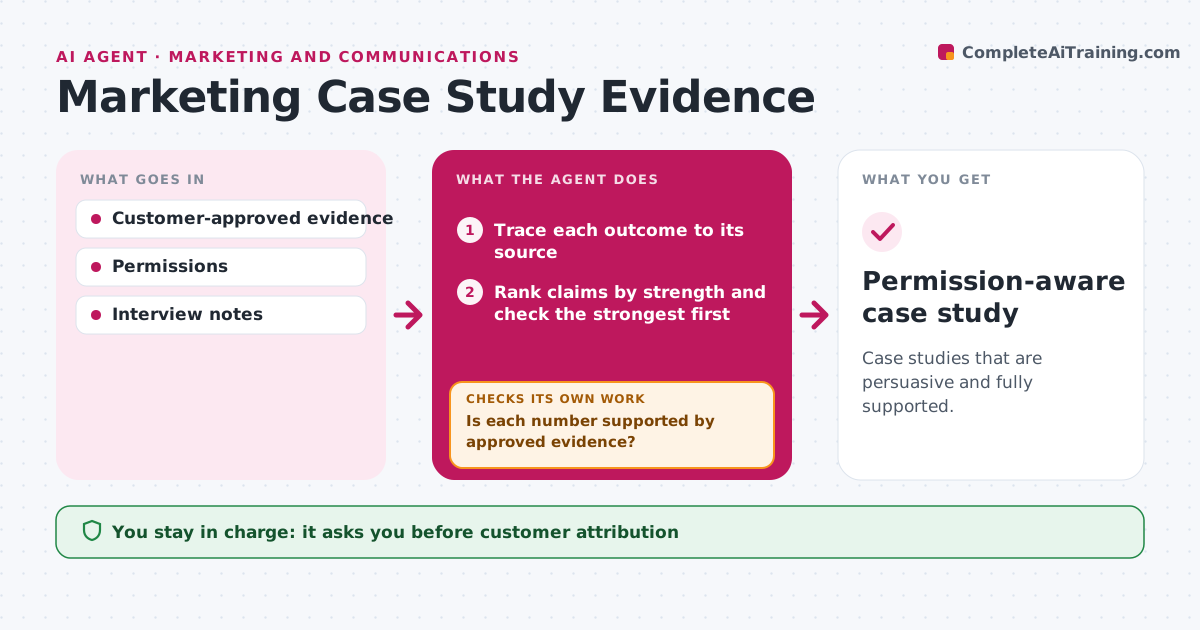
Case studies often mix approved results with loose anecdotes, which can embarrass both the company and the customer. This agent traces each outcome in the draft to customer-approved evidence, such as a signed results sheet or interview notes. It checks the strongest claims first. For numbers with weak support, it drafts clarification questions for the customer contact. Numbers that stay unsupported are removed or turned into attributed quotes. It then drafts a qualified version and checks it against the customer's attribution permissions. The customer and marketing both approve before publishing. Edge case: 'cut processing time by 50%' has no timing study, so it becomes a quote about the work feeling faster.
How it works
Follow the arrows from top to bottom. The orange dashed arrow is the loop: when a check fails, the agent goes back and tries again.
Read the steps as a list
- Case study draft ready
- Trace each outcome to its source
- Rank claims by strength and check the strongest first
- Is each number supported by approved evidence?If not: ask the customer, then remove it or turn it into an attributed quote. Back to step 2.
- Draft the qualified case study
- Does the draft respect the customer's attribution permissions?If not: remove names or logos not permitted. Back to step 5.
- Customer and marketing approveThe agent waits here for your OK.
- Permission-aware case study
How it decides
It checks the strongest claims first and downgrades unsupported ones.
- Every number needs approved evidence.
- Unsupported results become attributed observations, not facts.
- Use names and logos only with written permission.
Make it yours
Every agent is a starting point. You choose these settings for your own situation.
- What counts as approved evidence
- Attribution permissions per customer (name, logo, quotes)
- How many clarification rounds before removing a claim (default 1)
- Approvers on both sides
What keeps you in control
It always asks you first
- Customer attribution
- Publication
Hard limits
- No unsupported numbers.
It stops when
- Done: draft approved.
Set it up
We guide you through the set-up, step by step
Members get the full set-up guide for this agent. No technical skills needed: you copy, paste and upload.
- One set of instructions to paste into your AI, with the clicks for ChatGPT, Claude, Microsoft 365 Copilot, Gemini and Grok
- The agent then walks you through connecting your own data, one source at a time
- A downloadable copy with the flow chart, the rules and the full guide