AI agent for paramedics
Mass Casualty Drill Planning Agent
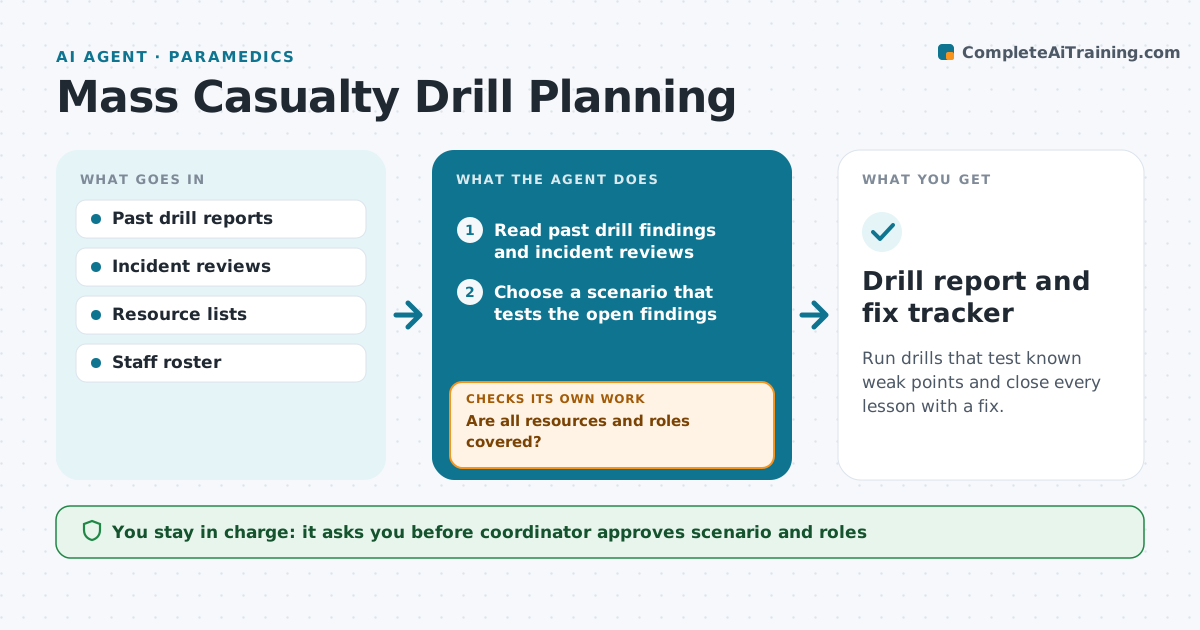
Run drills that test known weak points and close every lesson with a fix.
What it does
Mass casualty drills are planned in a rush, and lessons from the last one are forgotten. This agent starts with findings from past drills and real incidents. It builds the next scenario from those weak points and lists the resources needed, such as vehicles, staff, radios and sites. It assigns roles, sends invitations, and drafts the observer checklist. After the drill, it records the findings, turns each into a fix with an owner and due date, and tracks progress. At the next drill, it rechecks each fix. The coordinator approves the scenario, role assignments and the fix list. Edge case: a needed resource is not available on the drill date, so the agent proposes a date or a simulated substitute.
How it works
Follow the arrows from top to bottom. The orange dashed arrow is the loop: when a check fails, the agent goes back and tries again.
Read the steps as a list
- Planning date for the next drill
- Read past drill findings and incident reviews
- Choose a scenario that tests the open findings
- Check resource availability for the date
- Are all resources and roles covered?If not: propose another date or a simulated substitute. Back to step 3.
- Coordinator approves scenario, roles and dateThe agent waits here for your OK.
- Send invitations and observer checklist
- Record findings after the drill
- Turn each finding into a fix with an owner and due date
- Were last drill's fixes tested and closed?If not: reopen unfixed items for the next plan. Back to step 9.
- Drill report and fix tracker
How it decides
It picks the scenario that tests the most open findings and confirms resources before the date is fixed.
- Rank findings by risk and age
- Require resource confirmation 14 days before the drill
- Reopen a fix not shown working in the drill
- Assign each fix one named owner
Make it yours
Every agent is a starting point. You choose these settings for your own situation.
- Drill frequency (default quarterly)
- Resource confirmation lead time (default 14 days)
- Roles list
- Fix due dates (default 60 days)
What keeps you in control
It always asks you first
- Coordinator approves scenario and roles
- Coordinator approves the fix list
Hard limits
- Never schedule staff without the coordinator
- Never close a fix without evidence
It stops when
- Done: drill held and fixes tracked
- Stop: drill cancelled, coordinator reschedules
Set it up
We guide you through the set-up, step by step
Members get the full set-up guide for this agent. No technical skills needed: you copy, paste and upload.
- One set of instructions to paste into your AI, with the clicks for ChatGPT, Claude, Microsoft 365 Copilot, Gemini and Grok
- The agent then walks you through connecting your own data, one source at a time
- A downloadable copy with the flow chart, the rules and the full guide