AI agent for caregivers
Medical Equipment Rental and Return Agent
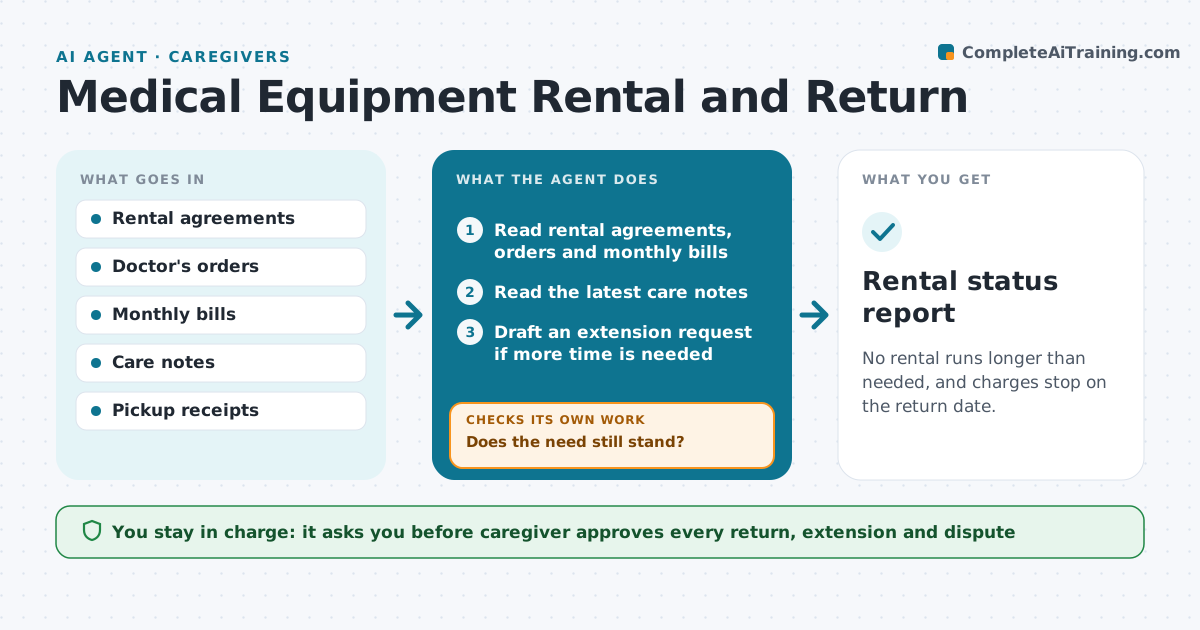
No rental runs longer than needed, and charges stop on the return date.
What it does
Rented beds, oxygen and walkers keep costing money after they are no longer needed, because nobody checks. The agent tracks each rental, its start date, the doctor's order and the monthly fee. It checks whether the need still stands by reading the latest care notes and drafts a return or extension request. When a pickup happens, it checks the pickup receipt against the account and flags ongoing charges. If the account keeps billing after the return, it drafts a dispute. The caregiver approves each change. Edge case: a walker kept for a month longer because of a hospital readmission.
How it works
Follow the arrows from top to bottom. The orange dashed arrow is the loop: when a check fails, the agent goes back and tries again.
Read the steps as a list
- Monthly rental review
- Read rental agreements, orders and monthly bills
- Read the latest care notes
- Does the need still stand?If not: Draft a return request and ask for the pickup date. Back to step 3.
- Draft an extension request if more time is needed
- Caregiver approves each requestThe agent waits here for your OK.
- Send the request and log the pickup date
- Read the final bill and the pickup receipt
- Do charges stop on the return date?If not: Draft a dispute with the receipt attached. Back to step 8.
- Update the rental tracker
- Rental status report
How it decides
It keeps a rental only when the latest care notes or order show the need, and treats a charge after the receipt date as an error to dispute.
- Review each rental every month
- Extend only with a doctor's order or care note
- Dispute charges after the pickup receipt date
- Keep receipts for 12 months
Make it yours
Every agent is a starting point. You choose these settings for your own situation.
- Review frequency
- Rentals tracked
- Supplier contacts
- Days to wait before a dispute (default 14)
What keeps you in control
It always asks you first
- Caregiver approves every return, extension and dispute
Hard limits
- Never end a rental without approval
- Do not cancel without checking the doctor's order
It stops when
- Done: rental ended with the final bill matched
- Stop: the supplier will not issue a receipt and the caregiver decides
Set it up
We guide you through the set-up, step by step
Members get the full set-up guide for this agent. No technical skills needed: you copy, paste and upload.
- One set of instructions to paste into your AI, with the clicks for ChatGPT, Claude, Microsoft 365 Copilot, Gemini and Grok
- The agent then walks you through connecting your own data, one source at a time
- A downloadable copy with the flow chart, the rules and the full guide