AI agent for dispatchers
Missed Job Recovery Agent
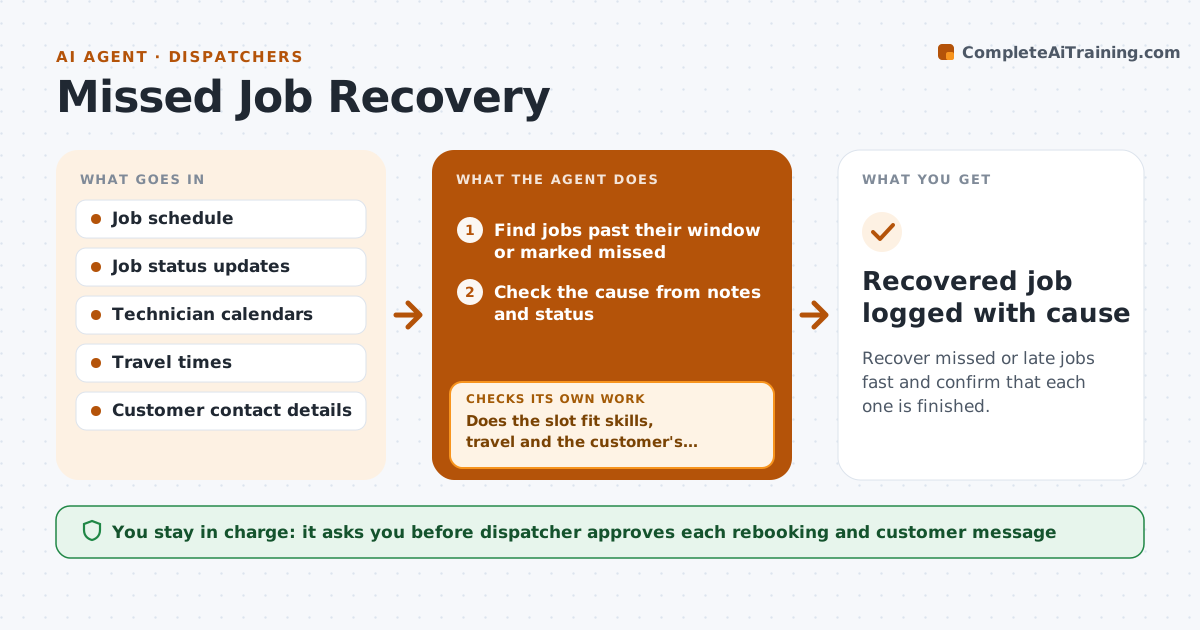
Recover missed or late jobs fast and confirm that each one is finished.
What it does
When a job slips past its window, most teams only notice when the customer calls. This agent scans the schedule for jobs that are late or missed, then checks why: a no-show, a delayed crew, a parts problem, or a customer who was not home. It finds the next feasible slot by looking at technician schedules and travel time, and drafts the rebooking offer. The dispatcher approves each rebooking before the customer hears anything. After the new slot is accepted the agent tracks the job to completion and checks that it was actually done. Edge case: if the customer declines the slot, it offers the next two options instead of closing the job.
How it works
Follow the arrows from top to bottom. The orange dashed arrow is the loop: when a check fails, the agent goes back and tries again.
Read the steps as a list
- Scheduled scan of jobs
- Find jobs past their window or marked missed
- Check the cause from notes and status
- Look up technician availability and travel time
- Choose the next feasible slot
- Does the slot fit skills, travel and the customer's availability?If not: Pick the next best slot and test again. Back to step 4.
- Dispatcher approves the rebooking and the messageThe agent waits here for your OK.
- Send the offer and book the accepted slot
- Track the job to its new date
- Is the job marked complete with evidence?If not: Alert the dispatcher and offer another slot. Back to step 9.
- Recovered job logged with cause
How it decides
It picks the earliest slot that fits skills, travel time and the customer's stated availability, and checks completion before closing.
- A job is late when it is 30 minutes past its window with no arrival
- Offer the earliest slot within 2 days first
- Offer up to three slots before escalating
- A job needing parts waits until the parts are confirmed
Make it yours
Every agent is a starting point. You choose these settings for your own situation.
- Minutes late before a job is flagged (default 30)
- Number of slots to offer (default 3)
- Message channel (default text)
- Which job types need parts confirmed first
What keeps you in control
It always asks you first
- Dispatcher approves each rebooking and customer message
Hard limits
- Never contact a customer before the dispatcher approves
- Never close a job without a completion record
It stops when
- Done: job completed and logged
- Stop: customer declines all slots or cancels, and the dispatcher closes it
Set it up
We guide you through the set-up, step by step
Members get the full set-up guide for this agent. No technical skills needed: you copy, paste and upload.
- One set of instructions to paste into your AI, with the clicks for ChatGPT, Claude, Microsoft 365 Copilot, Gemini and Grok
- The agent then walks you through connecting your own data, one source at a time
- A downloadable copy with the flow chart, the rules and the full guide