AI agent for clinical research coordinators
Missed Visit Recovery Agent
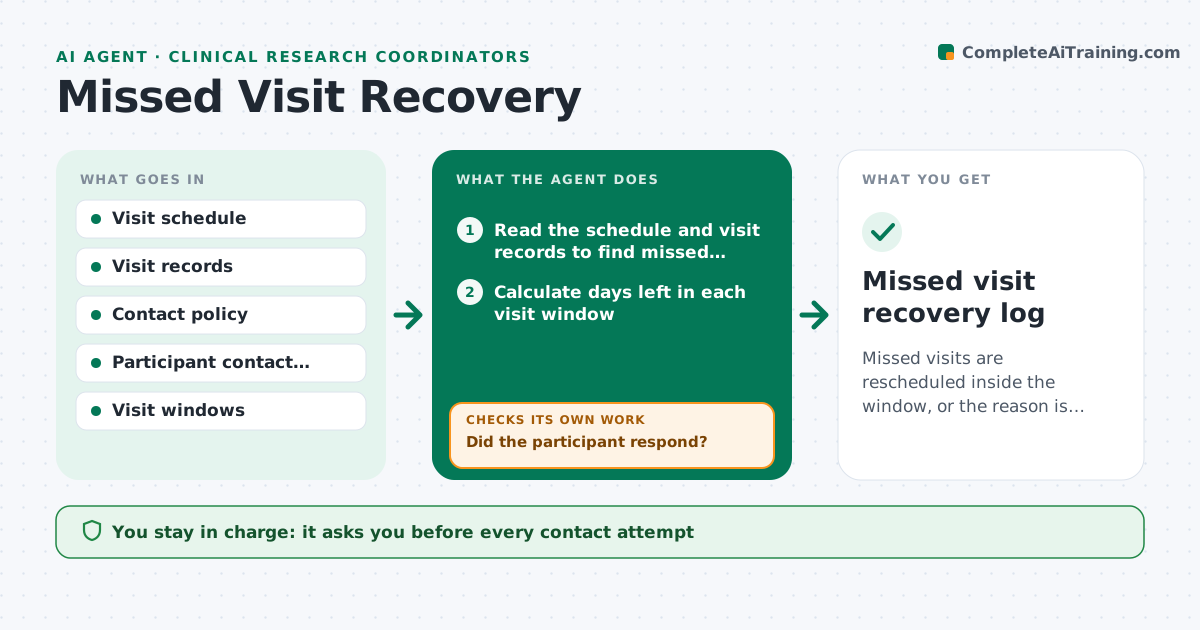
Missed visits are rescheduled inside the window, or the reason is documented after full contact attempts.
What it does
A participant misses a visit, the coordinator is busy, and by the time anyone calls, the visit window is gone. This agent finds missed visits each morning from the schedule and the visit records. It drafts a contact attempt that follows the study contact policy, such as a phone call script, a text and an email, and shows the window remaining. It logs the outcome of each attempt. If the participant answers, it updates the plan with a new date inside the window. If not, it escalates after the set number of tries, for example to the investigator or an emergency contact allowed by consent. The coordinator approves each contact. Edge case: contact is never made outside the hours or channels the participant agreed to.
How it works
Follow the arrows from top to bottom. The orange dashed arrow is the loop: when a check fails, the agent goes back and tries again.
Read the steps as a list
- Daily run
- Read the schedule and visit records to find missed visits
- Calculate days left in each visit window
- Draft the next contact attempt per the policy and the participant's preferences
- Coordinator approves each contactThe agent waits here for your OK.
- Log the outcome of each attempt
- Did the participant respond?If not: draft the next attempt, or escalate if the attempts limit is reached. Back to step 3.
- Propose a new visit date inside the window
- Does the new date fit the protocol window and clinic availability?If not: propose another date or log a deviation for the investigator. Back to step 8.
- Update the schedule and the log
- Missed visit recovery log
How it decides
A visit is missed when it is past due and has no record. Contact steps follow the policy, and the window remaining sets how urgent the next attempt is.
- Window closes in under 3 days: attempt contact today by phone
- No response after 3 attempts: escalate to the investigator
- Participant gives a reason such as illness: record and check safety follow-up needs
- Participant declines to continue: stop contact and record withdrawal reason
Make it yours
Every agent is a starting point. You choose these settings for your own situation.
- Contact steps and wording
- Attempts before escalation (default 3)
- Contact hours
- Visit window rules
- Escalation contact
What keeps you in control
It always asks you first
- Every contact attempt
- Any escalation to emergency contacts
Hard limits
- Never contact a participant without approval
- Never contact outside the agreed channels and hours
It stops when
- Done: visit rescheduled or reason recorded
- Stop: participant withdraws
Set it up
We guide you through the set-up, step by step
Members get the full set-up guide for this agent. No technical skills needed: you copy, paste and upload.
- One set of instructions to paste into your AI, with the clicks for ChatGPT, Claude, Microsoft 365 Copilot, Gemini and Grok
- The agent then walks you through connecting your own data, one source at a time
- A downloadable copy with the flow chart, the rules and the full guide