AI agent for clinical research coordinators
Monitor Visit Preparation and Closure Agent
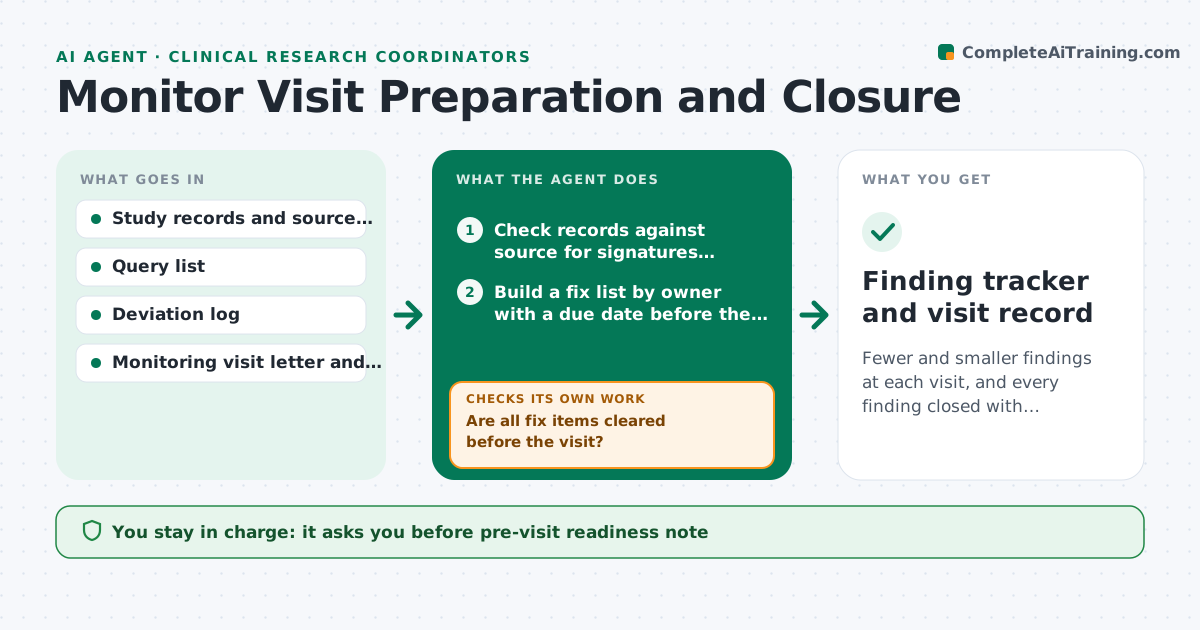
Fewer and smaller findings at each visit, and every finding closed with evidence by its due date.
What it does
A monitor visit is announced two weeks ahead, preparation happens the night before, and the same missing signatures show up again. This agent starts when the visit is scheduled. It checks study records against source documents for missing signatures, dates, open queries and unresolved deviations, and prepares a fix list by owner with a deadline before the visit. It rechecks daily as items clear. After the visit it logs each finding, tracks it to closure with evidence such as a corrected record or a note to file, and drafts the response to the sponsor. You approve all responses. Edge case: a finding that repeats from an earlier visit is marked as recurring and gets a root cause note.
How it works
Follow the arrows from top to bottom. The orange dashed arrow is the loop: when a check fails, the agent goes back and tries again.
Read the steps as a list
- Monitoring visit scheduled
- Check records against source for signatures, dates, queries and deviations
- Build a fix list by owner with a due date before the visit
- Are all fix items cleared before the visit?If not: chase the owners and update the list, escalating items due in 2 days. Back to step 2.
- Coordinator approves the pre-visit readiness noteThe agent waits here for your OK.
- After the visit, read the monitor's report
- Log each finding with an owner, due date and recurring flag
- Does each closed finding have evidence attached?If not: request the missing evidence and keep the finding open. Back to step 7.
- Draft responses to the sponsor
- Coordinator approves responsesThe agent waits here for your OK.
- Finding tracker and visit record
How it decides
Checks target the items monitors usually review: signatures, dates, consent, eligibility and queries. A finding closes only with evidence attached.
- Finding repeats an earlier visit: add a root cause note
- Unsigned page or missing date: fix before the visit
- Open query older than 14 days: escalate
- Finding closed without evidence: reopen
Make it yours
Every agent is a starting point. You choose these settings for your own situation.
- Items checked before each visit
- Query age limit in days (default 14)
- Response due dates
- Owners by item type
- Report format
What keeps you in control
It always asks you first
- Pre-visit readiness note
- Responses to the sponsor
Hard limits
- Never alter, backdate or fill in records
- Never respond to the sponsor without approval
It stops when
- Done: all findings closed with evidence
- Stop: visit cancelled, plan paused
Set it up
We guide you through the set-up, step by step
Members get the full set-up guide for this agent. No technical skills needed: you copy, paste and upload.
- One set of instructions to paste into your AI, with the clicks for ChatGPT, Claude, Microsoft 365 Copilot, Gemini and Grok
- The agent then walks you through connecting your own data, one source at a time
- A downloadable copy with the flow chart, the rules and the full guide