AI agent for civil servants
Municipal Asset Record Repair Agent
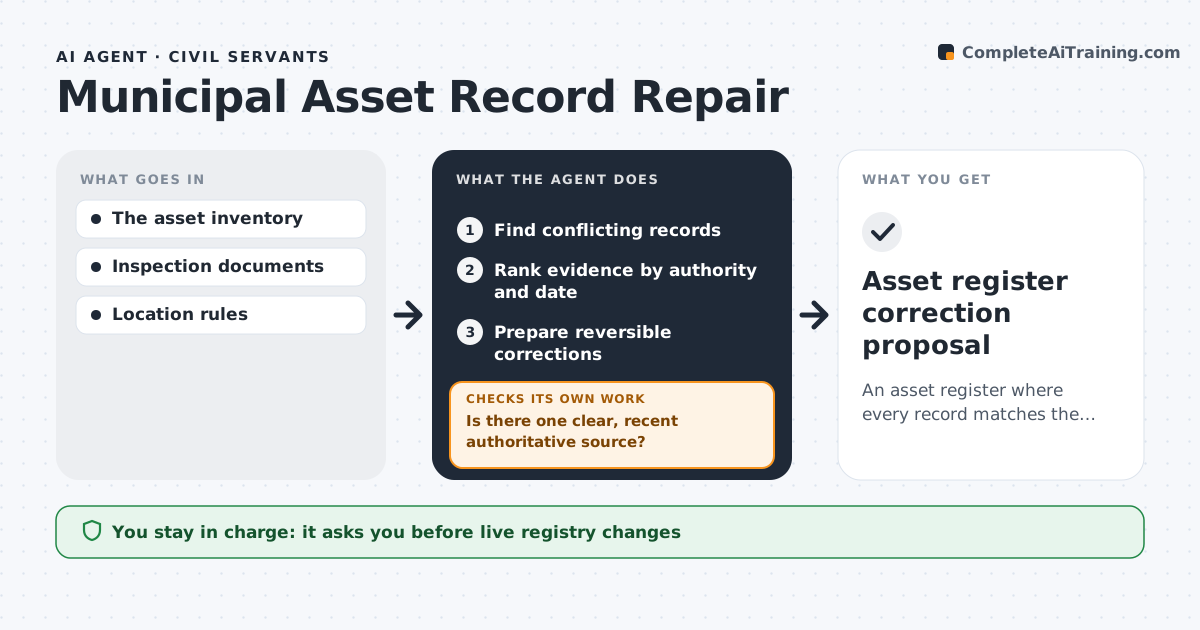
An asset register where every record matches the latest verified evidence.
What it does
Municipal asset inventories of vehicles, equipment and street furniture often contain wrong locations and IDs. This agent finds records that conflict with each other or with inspection data. It ranks evidence by authority and date, with the latest inspection that matches the asset ID at the top. When one clear, recent source exists, it prepares a reversible correction. When recent sources disagree, it refuses to guess and creates a field-verification task. After a field check comes back, it updates the evidence and tries again. The asset administrator approves changes to the live registry. Decisions about physical assets stay with staff. Edge case: inspection photos show a different serial number than the register, so the agent asks for a field check rather than overwriting.
How it works
Follow the arrows from top to bottom. The orange dashed arrow is the loop: when a check fails, the agent goes back and tries again.
Read the steps as a list
- Register review
- Find conflicting records
- Rank evidence by authority and date
- Is there one clear, recent authoritative source?If not: create a field-verification task. Back to step 3.
- Prepare reversible corrections
- Asset administrator approves registry changesThe agent waits here for your OK.
- Asset register correction proposal
How it decides
It ranks evidence by authority and date and refuses to guess between conflicting recent records.
- Authoritative source: the latest inspection with a matching asset ID.
- Create a field check when recent sources conflict.
- Corrections are reversible and logged.
- Never overwrite a serial number without a field check.
Make it yours
Every agent is a starting point. You choose these settings for your own situation.
- Evidence sources ranked by authority (inspection, work order, GIS)
- How recent evidence must be to count (default 12 months)
- Asset types to include
- Who approves registry changes
- Field task system to use
What keeps you in control
It always asks you first
- Live registry changes
- Physical asset decisions
Hard limits
- Staging only.
It stops when
- Done: conflicts resolved or tasked.
Set it up
We guide you through the set-up, step by step
Members get the full set-up guide for this agent. No technical skills needed: you copy, paste and upload.
- One set of instructions to paste into your AI, with the clicks for ChatGPT, Claude, Microsoft 365 Copilot, Gemini and Grok
- The agent then walks you through connecting your own data, one source at a time
- A downloadable copy with the flow chart, the rules and the full guide