AI agent for network administrators
Network Diagram Verification Agent
A network diagram that matches what the devices report, with unverified items marked
What it does
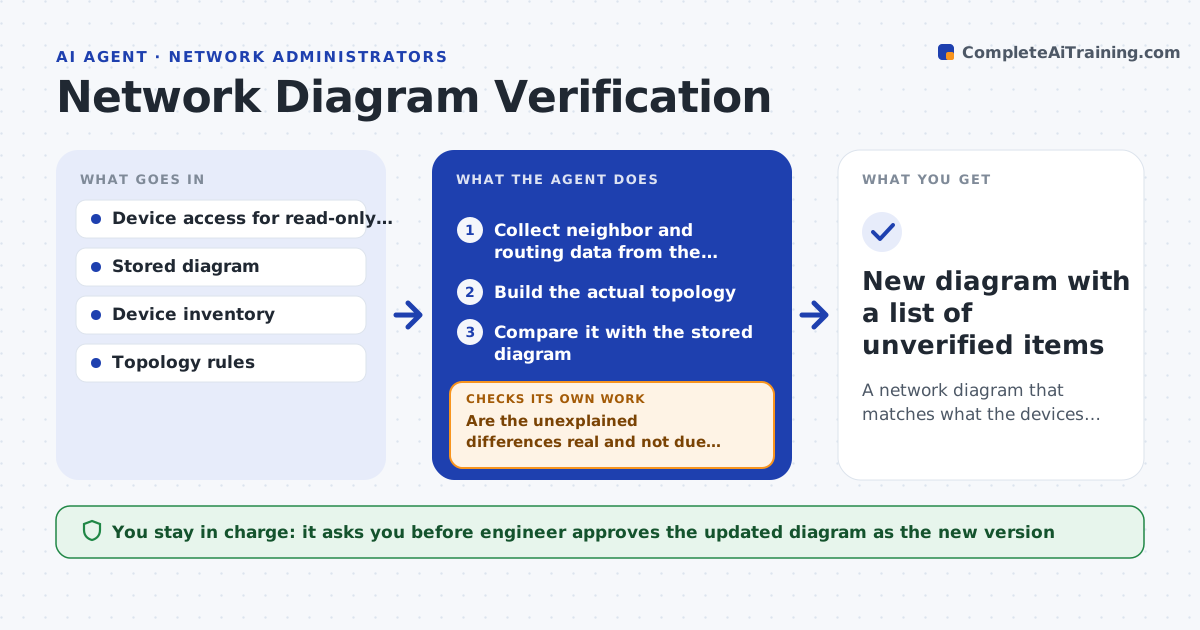
Network diagrams rarely match the real network, which slows troubleshooting and audits. This agent reads neighbor and routing data from the devices and builds the actual topology. It compares it with the stored diagram and lists every difference, such as missing links, extra devices and wrong labels. It drafts updates to the diagram and rechecks that the revised drawing matches the discovered data. Anything it cannot see, such as a firewall it has no access to, is marked as unverified. The engineer approves the updated diagram as the new version. Edge case: a link shows in the diagram but not in discovery, so the agent checks the port state before calling it removed.
How it works
Follow the arrows from top to bottom. The orange dashed arrow is the loop: when a check fails, the agent goes back and tries again.
Read the steps as a list
- Diagram review is due
- Collect neighbor and routing data from the devices
- Build the actual topology
- Compare it with the stored diagram
- List missing, extra and mislabeled links and devices
- Are the unexplained differences real and not due to unreachable devices?If not: retry discovery and mark unreachable items as unverified. Back to step 2.
- Draft updates to the diagram
- Does the revised diagram match the discovered data?If not: fix the remaining differences in the draft. Back to step 6.
- Engineer approves the new diagram versionThe agent waits here for your OK.
- New diagram with a list of unverified items
How it decides
A link or device is a difference when discovery and the diagram disagree. Items the agent cannot reach are marked unverified, not wrong.
- Mark a link as removed only when the port is down or the neighbor is gone
- Treat unreachable devices as unverified
- Prefer discovery data to old labels
- Keep a version history of each diagram
Make it yours
Every agent is a starting point. You choose these settings for your own situation.
- Review frequency
- Diagram tool and file location
- Devices out of scope
- Label rules
What keeps you in control
It always asks you first
- Engineer approves the updated diagram as the new version
Hard limits
- Never changes any device
- Never deletes a diagram version
It stops when
- Done: the diagram matches discovery and is approved
- Stop: discovery access is missing for most devices
Set it up
We guide you through the set-up, step by step
Members get the full set-up guide for this agent. No technical skills needed: you copy, paste and upload.
- One set of instructions to paste into your AI, with the clicks for ChatGPT, Claude, Microsoft 365 Copilot, Gemini and Grok
- The agent then walks you through connecting your own data, one source at a time
- A downloadable copy with the flow chart, the rules and the full guide