AI agent for astronomers
Observing Proposal Preparation Agent
A technically sound proposal that meets every rule of the call
What it does
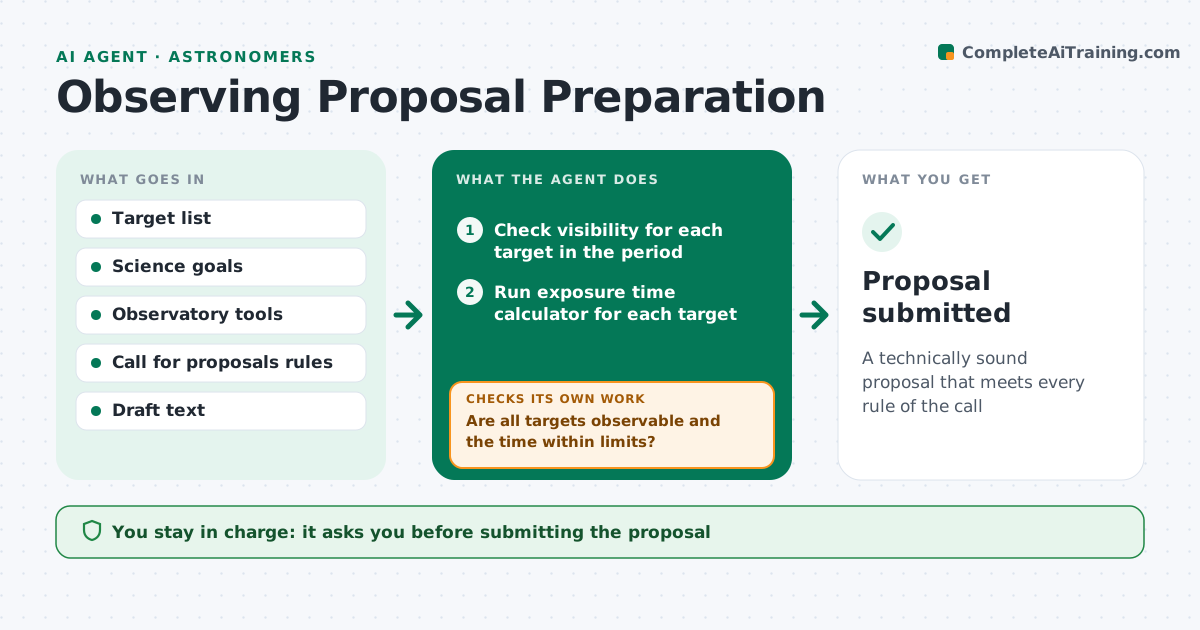
Telescope time is competitive, and technical errors sink otherwise strong proposals. This agent takes your target list and science goals and checks each target's visibility from the observatory during the proposal period, including moon phase and airmass limits. It runs the observatory's exposure time calculator for the signal-to-noise you need and adds overheads according to the observatory rules. It totals the time and compares it with the request limits. If a target is not observable or the total is too high, it suggests dropping or swapping targets or changing goals, and checks again. It then checks the draft against the call's page limits, required sections and formatting. You approve and submit the proposal yourself. Edge case: a target observable only at high airmass gets a note on how that raises the time estimate.
How it works
Follow the arrows from top to bottom. The orange dashed arrow is the loop: when a check fails, the agent goes back and tries again.
Read the steps as a list
- Call for proposals open
- Check visibility for each target in the period
- Run exposure time calculator for each target
- Total time and compare with request limits
- Are all targets observable and the time within limits?If not: suggest dropping or swapping targets, or changing goals. Back to step 2.
- Check draft against page limits and sections
- Astronomer approves and submitsThe agent waits here for your OK.
- Proposal submitted
How it decides
A target passes when it is observable within airmass and moon limits for enough hours, and the total time fits the request. The draft passes when it meets every call rule.
- Drop targets below the airmass limit for most of the period
- Add overhead time per the observatory rules
- Flag sections over the page limit
Make it yours
Every agent is a starting point. You choose these settings for your own situation.
- Airmass limit (default 1.8)
- Moon phase requirement
- Signal-to-noise goals
- Observatory and call rules
What keeps you in control
It always asks you first
- Submitting the proposal
Hard limits
- Never submits the proposal
- Uses only official observatory tools for estimates
It stops when
- Done: proposal submitted
- Stop: observatory tools unavailable; tell the astronomer
Set it up
We guide you through the set-up, step by step
Members get the full set-up guide for this agent. No technical skills needed: you copy, paste and upload.
- One set of instructions to paste into your AI, with the clicks for ChatGPT, Claude, Microsoft 365 Copilot, Gemini and Grok
- The agent then walks you through connecting your own data, one source at a time
- A downloadable copy with the flow chart, the rules and the full guide