AI agent for bioinformaticians
Research Replication Discrepancy Agent
An evidence-based explanation for a replication discrepancy, or a documented open question.
What it does
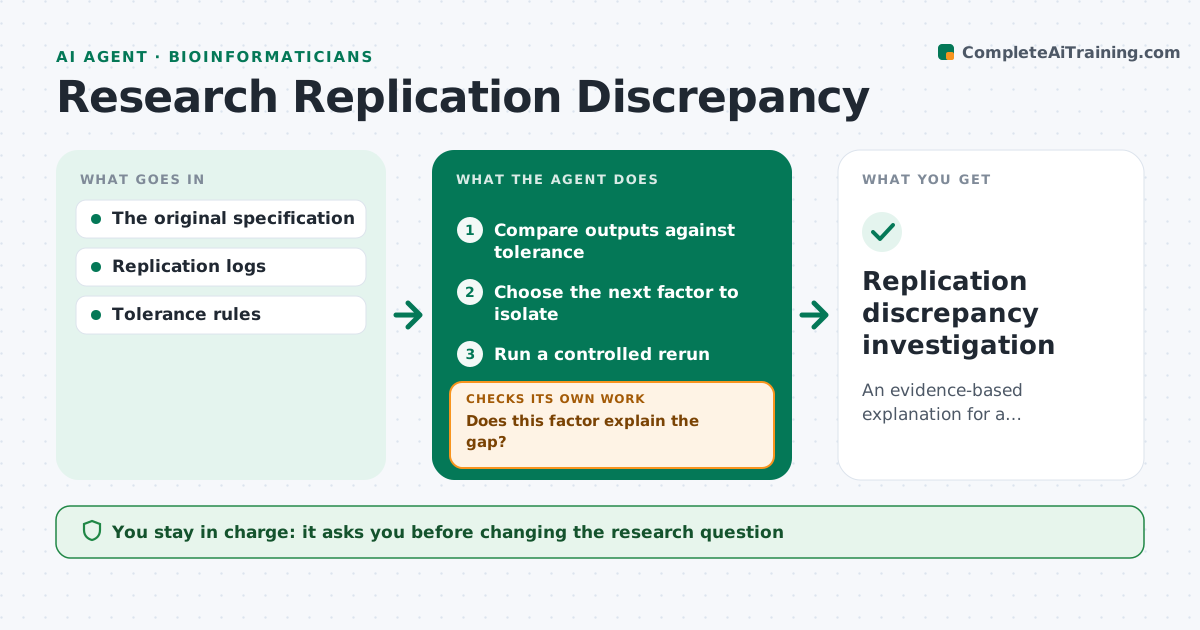
When a replication gives different results, teams often just report the difference without finding out why. This agent compares the original and replication outputs against a set tolerance. If they differ, it reruns the analysis changing one declared factor at a time, such as random seed, library version, data version or hardware, within a set budget of runs. It keeps competing explanations open and does not stop at the first plausible cause. When a factor does not explain the gap, it tests the next one. It writes up the investigation with what was tested, what closed the gap and what remains unexplained. The researcher decides what to report. Edge case: if two factors together explain the gap but neither alone does, it reports the combination.
How it works
Follow the arrows from top to bottom. The orange dashed arrow is the loop: when a check fails, the agent goes back and tries again.
Read the steps as a list
- Discrepancy found
- Compare outputs against tolerance
- Choose the next factor to isolate
- Run a controlled rerun
- Does this factor explain the gap?If not: test another declared factor within budget. Back to step 3.
- Write the investigation
- Replication discrepancy investigation
How it decides
It isolates one difference per rerun.
- Change one factor per run.
- Keep competing explanations open until tested.
- Stop at the budget and report what remains unexplained.
- Combinations are tested only after single factors fail.
Make it yours
Every agent is a starting point. You choose these settings for your own situation.
- Factors allowed to vary (default: seed, library version, data version)
- Output tolerance (default 0.5 percentage points)
- Run budget (default 10 reruns)
- Compute environment
- Who approves the report (default: replicating researcher)
What keeps you in control
It always asks you first
- Changing the research question
- Claiming invalidity
Hard limits
- No invalidity claims.
It stops when
- Done: explained or budget spent.
Set it up
We guide you through the set-up, step by step
Members get the full set-up guide for this agent. No technical skills needed: you copy, paste and upload.
- One set of instructions to paste into your AI, with the clicks for ChatGPT, Claude, Microsoft 365 Copilot, Gemini and Grok
- The agent then walks you through connecting your own data, one source at a time
- A downloadable copy with the flow chart, the rules and the full guide