AI agent for vice president of business developments
Opportunity Scorecard Rescoring Agent
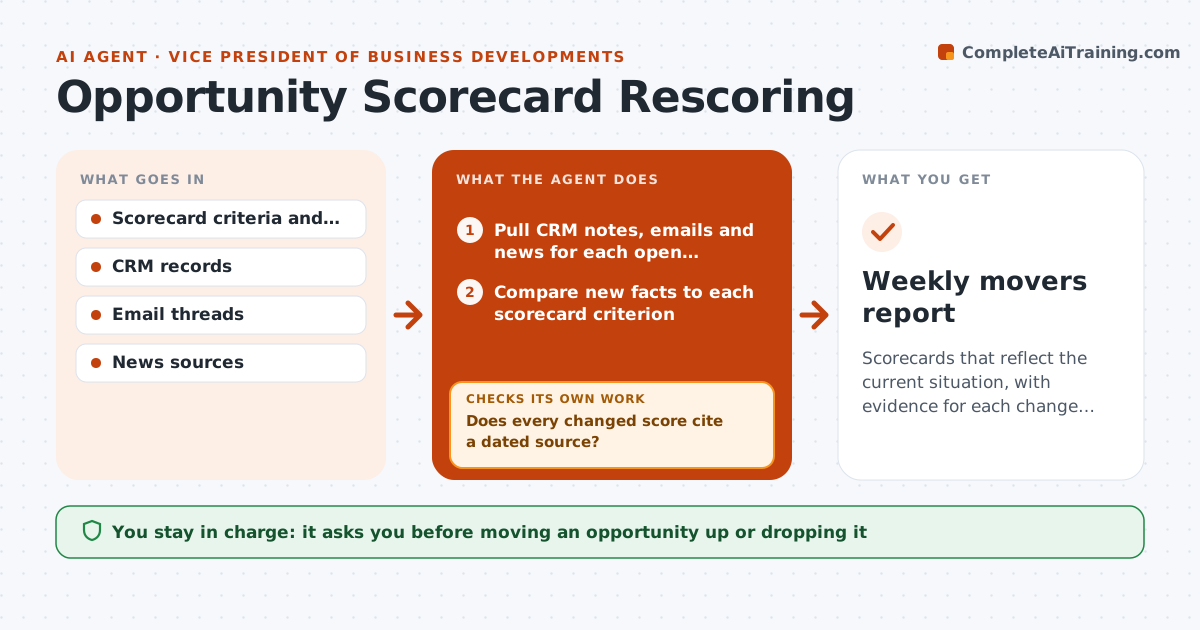
Scorecards that reflect the current situation, with evidence for each change and a short list of real movers.
What it does
A partnership scored 8 out of 10 in January may be a 5 by June, but the scorecard still says 8. This agent runs weekly across your open opportunities. For each one it reads CRM notes, recent emails and news about the counterpart, then updates each scorecard criterion such as strategic fit, budget, sponsor strength and timing. Every changed score must cite evidence, like a dated note or a news item. If a change has no evidence, the agent goes back and searches for it, and if it cannot find any it leaves the old score and says so. It flags any opportunity whose total moves past your threshold. You approve each opportunity moved up or dropped. Edge case: a leadership change at the counterpart lowers sponsor strength even if nothing else changed.
How it works
Follow the arrows from top to bottom. The orange dashed arrow is the loop: when a check fails, the agent goes back and tries again.
Read the steps as a list
- Weekly run
- Pull CRM notes, emails and news for each open opportunity
- Compare new facts to each scorecard criterion
- Propose updated scores with a one-line reason
- Does every changed score cite a dated source?If not: search again for evidence; if none is found, keep the old score and mark it unverified. Back to step 2.
- Recalculate totals using the criterion weights
- Do totals match the sum of the weighted criteria?If not: correct the arithmetic and recompute. Back to step 6.
- Flag opportunities that moved past the threshold
- Leader approves upgrades, drops and new prioritiesThe agent waits here for your OK.
- Update scorecards in the CRM as draft records
- Weekly movers report
How it decides
It changes a criterion only when it finds dated evidence. Total movement above the threshold goes to the flag list.
- Total moves 15 percent or more: flag for review
- Evidence older than 60 days: treat as stale and look for newer
- Counterpart announces layoffs or leadership exit: lower sponsor strength and flag
- No new information for four weeks: mark as quiet and ask the owner for an update
Make it yours
Every agent is a starting point. You choose these settings for your own situation.
- Scorecard criteria and weights
- Movement threshold for flags (default 15 percent)
- Evidence age limit in days
- News sources to watch
- Day and time of the weekly run
What keeps you in control
It always asks you first
- Moving an opportunity up or dropping it
- Writing final scores into the live CRM
Hard limits
- Never change a score without cited evidence
- Never delete past scores, keep history
It stops when
- Done: all scorecards rechecked and movers listed
- Stop: CRM unreachable, report what was read
Set it up
We guide you through the set-up, step by step
Members get the full set-up guide for this agent. No technical skills needed: you copy, paste and upload.
- One set of instructions to paste into your AI, with the clicks for ChatGPT, Claude, Microsoft 365 Copilot, Gemini and Grok
- The agent then walks you through connecting your own data, one source at a time
- A downloadable copy with the flow chart, the rules and the full guide