AI agent for maintenance managers
Preventive Maintenance Interval Tuning Agent
PM intervals adjusted to match real failure and inspection data
What it does
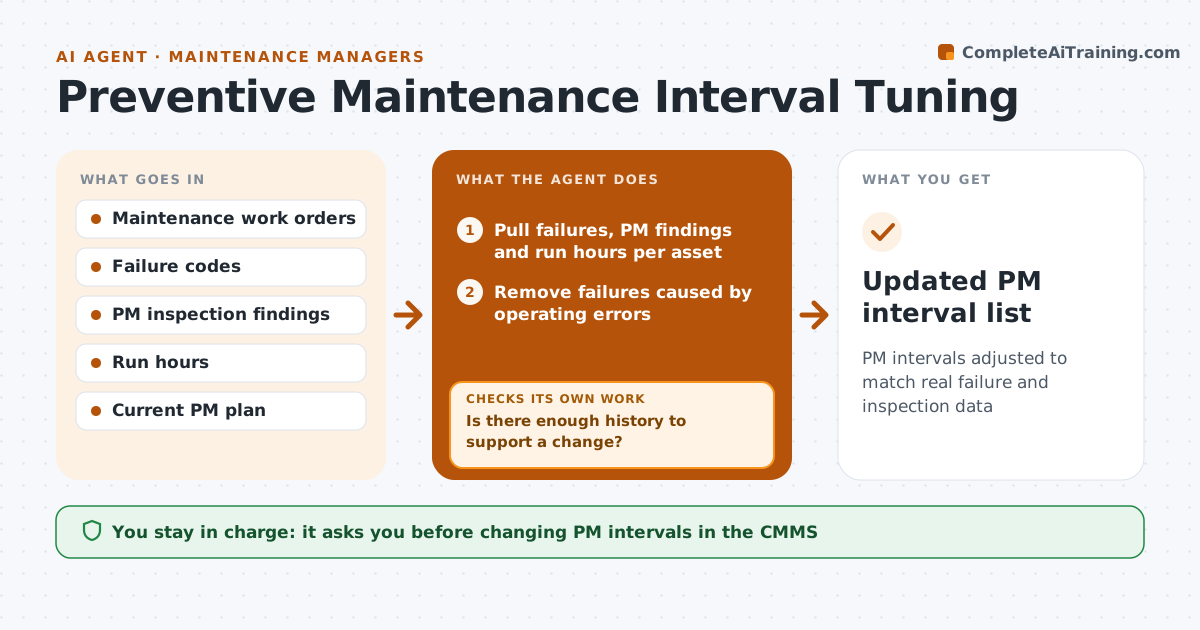
Preventive maintenance intervals usually come from the manual and are never revisited, so some parts fail early while others get serviced for nothing. Each quarter this agent pulls failure history, PM findings and run hours for each asset. It removes failures caused by operating errors, since those are not wear. When parts fail before their PM, it proposes a shorter interval. When PMs keep finding no wear, it proposes a longer one. It checks that each change has enough history behind it, and extends the look-back period if not. It also checks that a proposed change does not conflict with warranty or legal inspection intervals. It drafts a short case for each change with the evidence and expected effect on downtime. The maintenance engineer approves before the maintenance system is changed.
How it works
Follow the arrows from top to bottom. The orange dashed arrow is the loop: when a check fails, the agent goes back and tries again.
Read the steps as a list
- Quarter closes
- Pull failures, PM findings and run hours per asset
- Remove failures caused by operating errors
- Is there enough history to support a change?If not: extend the look-back period by six months and pull again. Back to step 2.
- Propose shorter or longer intervals with evidence
- Does each change respect warranty and legal inspection limits?If not: cap the interval at the limit and revise the case. Back to step 5.
- Draft change cases with expected downtime effect
- Engineer approves changes to the PM planThe agent waits here for your OK.
- Updated PM interval list
How it decides
It shortens an interval when failures happen before PM and lengthens it when the set number of PMs in a row find no wear, but only with enough history.
- Shorten when two or more failures happen before PM
- Lengthen when four PMs in a row find no wear
- Never lengthen intervals on safety-critical assets
Make it yours
Every agent is a starting point. You choose these settings for your own situation.
- Assets included
- Minimum history required
- Safety-critical asset list
- How many clean PMs justify a longer interval
What keeps you in control
It always asks you first
- Changing PM intervals in the CMMS
Hard limits
- Never edits the CMMS directly
- Never extends safety-critical intervals
It stops when
- Done: changes approved
- Stop: failure coding too poor to use; recommend coding fixes
Set it up
We guide you through the set-up, step by step
Members get the full set-up guide for this agent. No technical skills needed: you copy, paste and upload.
- One set of instructions to paste into your AI, with the clicks for ChatGPT, Claude, Microsoft 365 Copilot, Gemini and Grok
- The agent then walks you through connecting your own data, one source at a time
- A downloadable copy with the flow chart, the rules and the full guide