AI agent for civil servants
Public Notice Version Agent
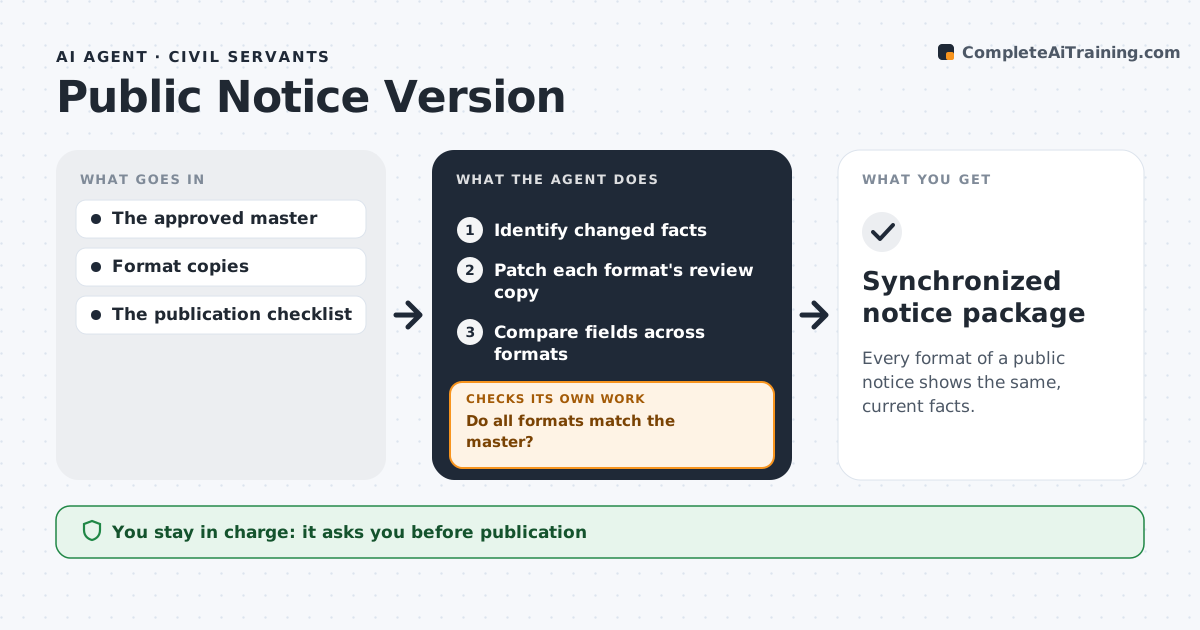
Every format of a public notice shows the same, current facts.
What it does
Public notices are published in several formats, such as web, PDF, print and social posts, and revisions often leave an old date in one version. When the master notice is revised, this agent identifies which facts changed, such as dates, places or amounts. It patches the review copy of each affected format using a revision map. It then compares every field across all formats against the master. When a format does not match, or a conversion fails, it regenerates that format from the master rather than reusing a stale copy, and checks again. It also checks accessibility of each version. Communications approves publication, and legal notice content is never changed by the agent. Edge case: the print version has a character limit, so the agent flags shortened wording for review.
How it works
Follow the arrows from top to bottom. The orange dashed arrow is the loop: when a check fails, the agent goes back and tries again.
Read the steps as a list
- Notice master revised
- Identify changed facts
- Patch each format's review copy
- Compare fields across formats
- Do all formats match the master?If not: regenerate the failing format. Back to step 3.
- Communications approves publicationThe agent waits here for your OK.
- Synchronized notice package
How it decides
It updates formats from the revision map and regenerates any format whose conversion fails rather than reusing a stale copy.
- Affected formats come from the revision map.
- Regenerate a failing format from the master instead of reusing a stale copy.
- Every format must match the master on all key fields before review.
- Legal notice wording is never changed by the agent.
Make it yours
Every agent is a starting point. You choose these settings for your own situation.
- Formats to keep in sync
- Fields to compare across formats (dates, times, places, amounts)
- Accessibility checks per format
- Who approves publication
- Comparison report format
What keeps you in control
It always asks you first
- Publication
- Changing legal notice content
Hard limits
- No publication itself.
It stops when
- Done: all formats consistent.
Set it up
We guide you through the set-up, step by step
Members get the full set-up guide for this agent. No technical skills needed: you copy, paste and upload.
- One set of instructions to paste into your AI, with the clicks for ChatGPT, Claude, Microsoft 365 Copilot, Gemini and Grok
- The agent then walks you through connecting your own data, one source at a time
- A downloadable copy with the flow chart, the rules and the full guide