AI agent for investment bankers
Quality of Earnings Adjustment Reconciliation Agent
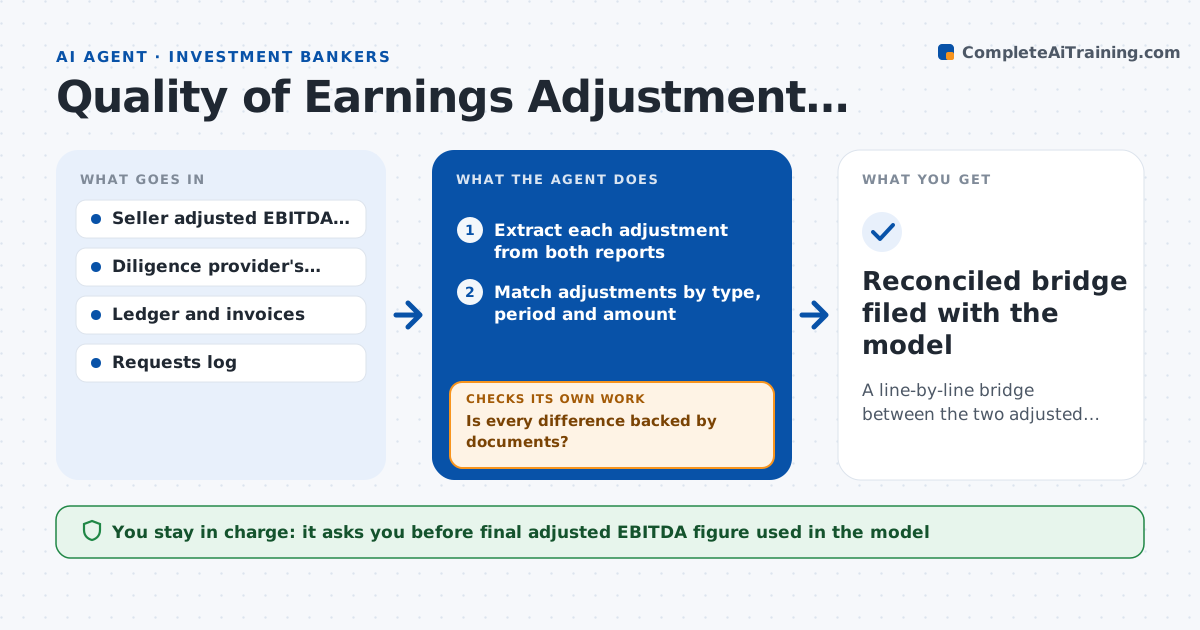
A line-by-line bridge between the two adjusted EBITDA figures, each adjustment supported or marked unsupported
What it does
The seller's adjusted EBITDA is $18 million, and the diligence firm's is $15.8 million. The gap is a list of adjustments: one-off costs, owner pay, run-rate savings, revenue timing. Nobody has matched them line by line. This agent lists every adjustment from both reports, matches them by nature and amount, and shows which ones appear only on one side. For each difference it checks the support, such as invoices, contracts and general ledger entries. It requests the backup from the seller or the provider when missing, recalculates the adjusted figure with the evidence received and reports the remaining gap. It repeats after each answer. The deal lead approves the final number used in the model and offer. Edge case: an adjustment appears with different names in each report, and the agent matches it by amount and period.
How it works
Follow the arrows from top to bottom. The orange dashed arrow is the loop: when a check fails, the agent goes back and tries again.
Read the steps as a list
- Both adjustment schedules are available
- Extract each adjustment from both reports
- Match adjustments by type, period and amount
- List unmatched items and differences in amount
- Search the ledger and documents for support for each difference
- Is every difference backed by documents?If not: request backup from the seller or provider and mark the item pending. Back to step 5.
- Recalculate adjusted EBITDA with supported items only
- Is the remaining gap under 2% of the seller's figure?If not: review the largest open items and request further evidence. Back to step 4.
- Build the bridge and the open items list
- Deal lead approves the final adjusted EBITDAThe agent waits here for your OK.
- Reconciled bridge filed with the model
How it decides
It accepts an adjustment only when documents support its amount and nature, treats an unsupported one as excluded, and recalculates the total after each item changes.
- Treat an adjustment as supported only with a document
- Review items over $100,000 first
- Exclude run-rate savings without a signed plan
- Match items by amount and period when names differ
Make it yours
Every agent is a starting point. You choose these settings for your own situation.
- Materiality threshold for review (default $100,000)
- Gap that counts as reconciled (default 2%)
- Types of support accepted
- Report format
What keeps you in control
It always asks you first
- Final adjusted EBITDA figure used in the model
Hard limits
- Never changes either report
- Marks assumptions clearly
- Never shares one side's work with the other without approval
It stops when
- Done: bridge is complete and approved
- Stop: the seller refuses to supply backup for material items
Set it up
We guide you through the set-up, step by step
Members get the full set-up guide for this agent. No technical skills needed: you copy, paste and upload.
- One set of instructions to paste into your AI, with the clicks for ChatGPT, Claude, Microsoft 365 Copilot, Gemini and Grok
- The agent then walks you through connecting your own data, one source at a time
- A downloadable copy with the flow chart, the rules and the full guide