
AI agent for paid media specialists
Quarterly Account Structure Audit Agent
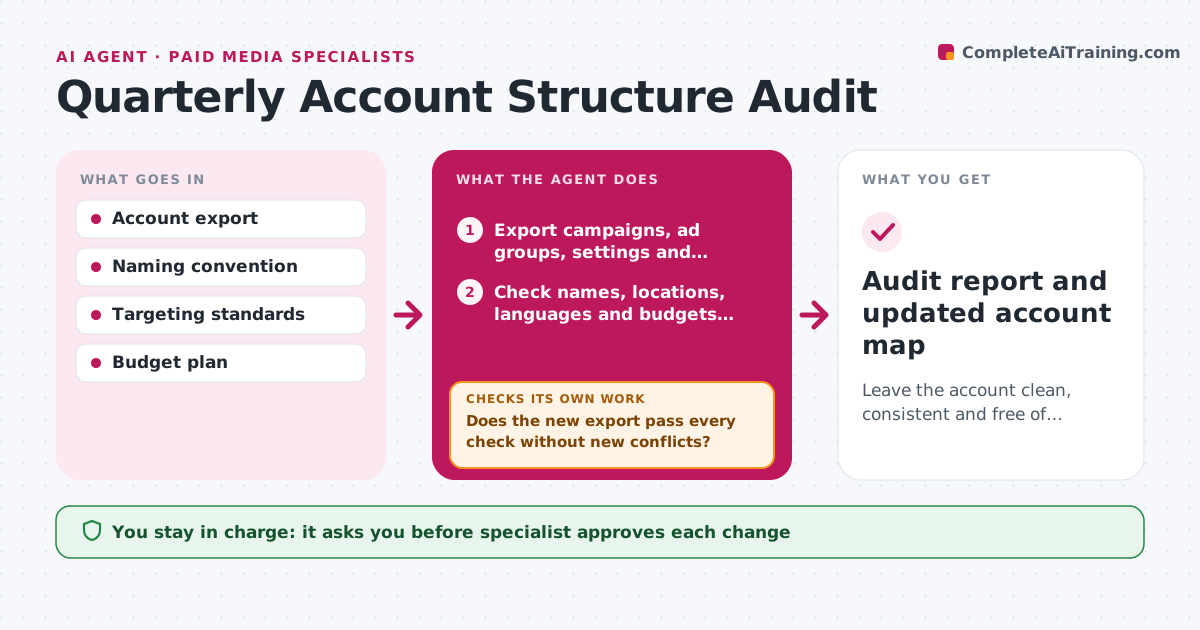
Leave the account clean, consistent and free of conflicts, with each change verified.
What it does
After a year of changes, an ad account holds duplicate campaigns, forgotten test groups, mismatched location targeting and inconsistent names. Each quarter the agent reviews all campaigns, ad groups, settings, budgets and naming. It flags duplicates, overlapping targeting, wrong languages or locations, paused items still holding budget and names that break the convention. It proposes a cleanup plan in order of impact and risk, listing which changes could affect delivery. After the specialist approves and the changes are made, the agent reads the account again to check for new conflicts, such as a merged campaign that now competes with another. It repeats until the account passes the audit checks. Edge case: a campaign with an odd setup that is deliberate, such as a test. The specialist approves each change.
How it works
Follow the arrows from top to bottom. The orange dashed arrow is the loop: when a check fails, the agent goes back and tries again.
Read the steps as a list
- Quarterly audit starts
- Export campaigns, ad groups, settings and budgets
- Check names, locations, languages and budgets against the standards
- Find duplicate or overlapping campaigns and ad groups
- Rank issues by impact and risk
- Draft the cleanup plan with the expected effect of each change
- Specialist approves each changeThe agent waits here for your OK.
- Specialist applies the changes and the agent exports the account again
- Does the new export pass every check without new conflicts?If not: list the new issues and update the plan. Back to step 3.
- Is spend and delivery stable for the changed campaigns after 7 days?If not: propose a rollback for the change that caused the drop. Back to step 6.
- Audit report and updated account map
How it decides
Each campaign is checked against the standards for naming, targeting, budget and duplication. Changes are ordered by money at stake and risk to delivery.
- Flag campaigns with names that do not follow the convention
- Flag two campaigns targeting the same keywords and location
- Flag paused items holding budget
- Treat a spend drop over 20 percent after a change as a problem
Make it yours
Every agent is a starting point. You choose these settings for your own situation.
- Naming convention
- Targeting standards
- Platforms and accounts
- Audit schedule
- Checks to include
What keeps you in control
It always asks you first
- Specialist approves each change
- Specialist approves any rollback
Hard limits
- Never edit the account itself
- Do not delete anything that has history without approval
It stops when
- Done: audit passes and changes verified
- Stop: account access is limited, list the checks that could not be run
Set it up
We guide you through the set-up, step by step
Members get the full set-up guide for this agent. No technical skills needed: you copy, paste and upload.
- One set of instructions to paste into your AI, with the clicks for ChatGPT, Claude, Microsoft 365 Copilot, Gemini and Grok
- The agent then walks you through connecting your own data, one source at a time
- A downloadable copy with the flow chart, the rules and the full guide



