AI agent for vp of strategies
Quarterly OKR Progress Check-in Agent
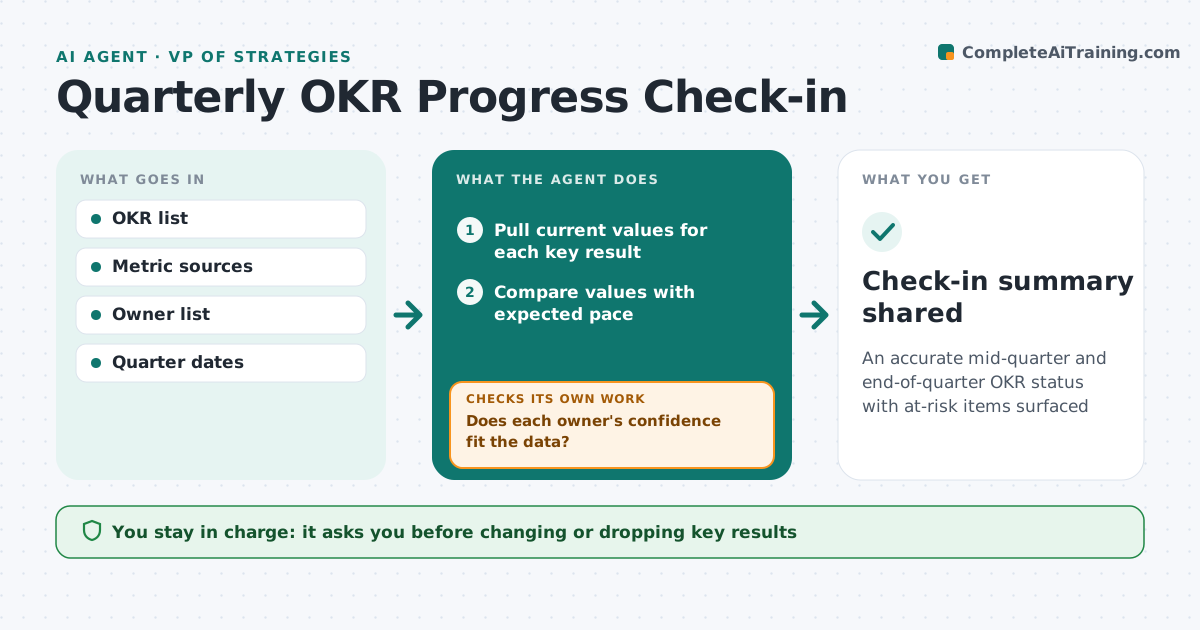
An accurate mid-quarter and end-of-quarter OKR status with at-risk items surfaced
What it does
Companies set objectives and key results each quarter, but check-ins often become self-reported optimism. This agent collects each key result's current value from the source system where possible, and asks owners for updates where not. It compares progress with the expected pace for this point in the quarter. When an owner's confidence rating does not match the data, such as on track but at 20% with three weeks left, it asks the owner to revisit. If a metric definition changed, it asks to restate the target. It drafts the check-in summary with at-risk key results and proposed decisions. The strategy leader approves the summary and any mid-quarter changes.
How it works
Follow the arrows from top to bottom. The orange dashed arrow is the loop: when a check fails, the agent goes back and tries again.
Read the steps as a list
- Check-in date arrives
- Pull current values for each key result
- Compare values with expected pace
- Ask owners for confidence and notes
- Does each owner's confidence fit the data?If not: ask the owner to revisit confidence or explain the plan to catch up. Back to step 4.
- List at-risk key results and decisions needed
- Strategy leader approves summary and any target changesThe agent waits here for your OK.
- Check-in summary shared
How it decides
It compares each key result with linear or planned pace and flags those behind pace or with mismatched confidence.
- Below 70% of expected pace is at risk
- Confidence mismatches need an owner response
- Metric definition changes require target restatement
Make it yours
Every agent is a starting point. You choose these settings for your own situation.
- Check-in frequency
- At-risk pace threshold (default 70%)
- Pace model per key result
- Summary format
What keeps you in control
It always asks you first
- Changing or dropping key results
- Sharing summary company-wide
Hard limits
- Does not grade people
- Does not change targets
It stops when
- Done: summary shared
- Stop: quarter ends, switch to final scoring
Set it up
We guide you through the set-up, step by step
Members get the full set-up guide for this agent. No technical skills needed: you copy, paste and upload.
- One set of instructions to paste into your AI, with the clicks for ChatGPT, Claude, Microsoft 365 Copilot, Gemini and Grok
- The agent then walks you through connecting your own data, one source at a time
- A downloadable copy with the flow chart, the rules and the full guide