
AI agent for digital marketing managers
Quarterly Social Goal Tracking Agent
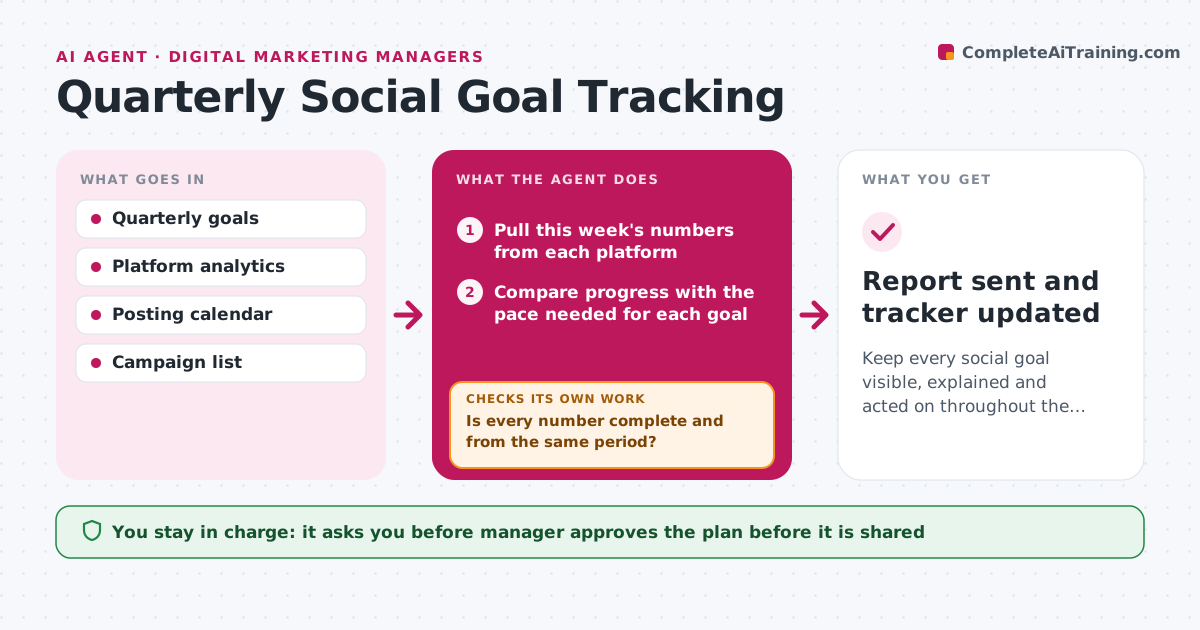
Keep every social goal visible, explained and acted on throughout the quarter.
What it does
Goals like 'grow followers by 20 percent and double video views' are set in January and looked at again in December. The agent keeps the quarterly goals in a tracker and pulls the numbers from each platform every week. It compares progress with the pace needed to hit each goal and, where a goal is behind, looks for the cause by channel, format and posting pattern, for example fewer video posts or a drop on one platform. It proposes actions, such as changing the post mix or a campaign, and next week checks whether the numbers moved. It prepares a leadership report with progress, causes and the plan. Edge case: a platform that changes its algorithm or API and breaks the data. The agent flags the gap. The manager approves the plan before it is shared.
How it works
Follow the arrows from top to bottom. The orange dashed arrow is the loop: when a check fails, the agent goes back and tries again.
Read the steps as a list
- Weekly goal check
- Pull this week's numbers from each platform
- Compare progress with the pace needed for each goal
- Is every number complete and from the same period?If not: re-pull the missing data and flag any gap. Back to step 2.
- Find the cause of any miss by channel, format and posting pattern
- Propose actions with the expected effect
- Manager approves the plan before it is sharedThe agent waits here for your OK.
- Write the leadership report
- Next week, check whether the numbers moved
- Did the numbers move toward the pace?If not: revise the actions and look for a different cause. Back to step 5.
- Report sent and tracker updated
How it decides
A goal is on track when current progress is at or above the straight-line pace. For goals behind pace, causes are tested by channel and format before actions are chosen.
- Mark a goal behind when progress is 10 percent under pace
- Test cause by channel and format before proposing actions
- Give each action an owner and a review date
- Flag data gaps instead of estimating
Make it yours
Every agent is a starting point. You choose these settings for your own situation.
- Goals and metrics tracked
- Pace tolerance (default 10 percent)
- Report schedule
- Platforms
- Report recipients
What keeps you in control
It always asks you first
- Manager approves the plan before it is shared
- Manager approves changes to goals
Hard limits
- Never present estimates as actuals
- Do not change goals without approval
It stops when
- Done: quarter ends and final report approved
- Stop: data from a platform is unavailable for two weeks, report the gap
Set it up
We guide you through the set-up, step by step
Members get the full set-up guide for this agent. No technical skills needed: you copy, paste and upload.
- One set of instructions to paste into your AI, with the clicks for ChatGPT, Claude, Microsoft 365 Copilot, Gemini and Grok
- The agent then walks you through connecting your own data, one source at a time
- A downloadable copy with the flow chart, the rules and the full guide



