AI agent for paramedics
Recertification Hours Agent
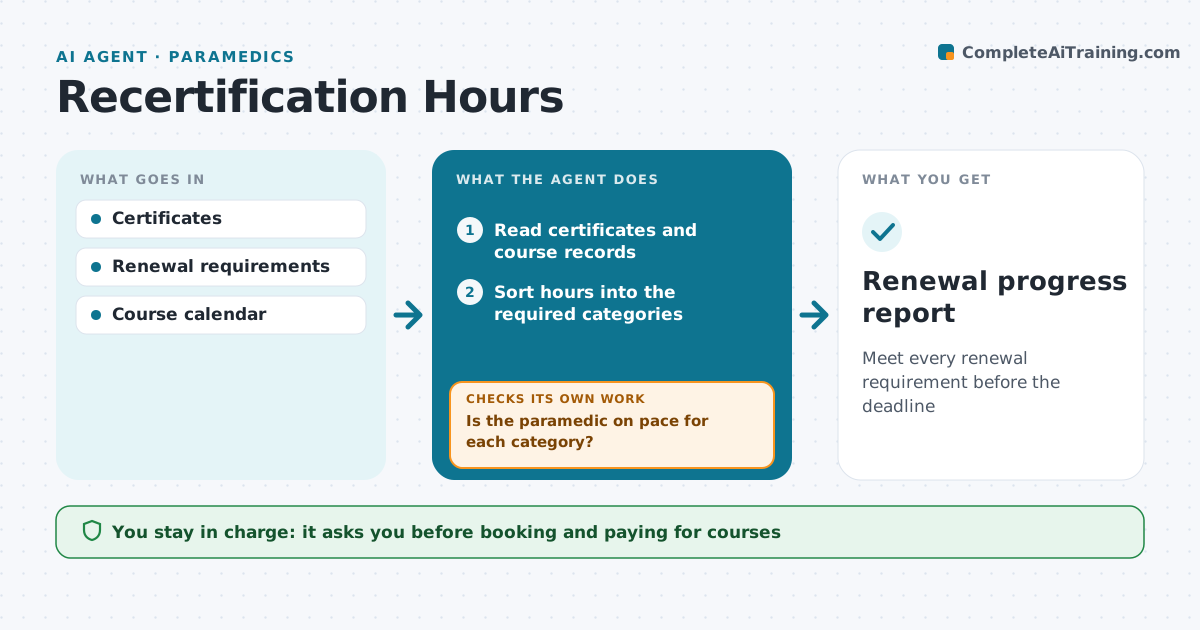
Meet every renewal requirement before the deadline
What it does
Paramedic recertification needs a set number of continuing education hours across required topics, plus current skills cards, and many people discover gaps too close to the deadline. This agent reads certificates and course records, sorts hours into the required categories, and compares them with the renewal requirements and deadline. It shows what is done and what is missing. Each month it checks whether the paramedic is on pace in each category. If not, it searches approved courses that fill the gap before the deadline and lists them with dates. Skills cards that expire are flagged 90 days ahead. The paramedic approves booking and paying for courses and submits the renewal. Edge case: a course without an approved accreditation number is listed separately and not counted until confirmed.
How it works
Follow the arrows from top to bottom. The orange dashed arrow is the loop: when a check fails, the agent goes back and tries again.
Read the steps as a list
- Monthly recertification review
- Read certificates and course records
- Sort hours into the required categories
- Check skills cards for expiry dates
- Is the paramedic on pace for each category?If not: search approved courses that fill the gap before the deadline. Back to step 3.
- List course options with dates and hours
- Paramedic chooses courses to bookThe agent waits here for your OK.
- Renewal progress report
How it decides
Hours are counted by category against requirements. Pace is checked against months left.
- Unaccredited courses are not counted
- Skills cards flagged 90 days ahead
- Category gaps listed before total hours
Make it yours
Every agent is a starting point. You choose these settings for your own situation.
- Licensing body rules
- Reminder lead times
- Course sources
- Report frequency
What keeps you in control
It always asks you first
- Booking and paying for courses
- Submitting renewal
Hard limits
- Never submit a renewal
- Never count unverified hours
It stops when
- Done: all requirements met
- Stop: renewal submitted
Set it up
We guide you through the set-up, step by step
Members get the full set-up guide for this agent. No technical skills needed: you copy, paste and upload.
- One set of instructions to paste into your AI, with the clicks for ChatGPT, Claude, Microsoft 365 Copilot, Gemini and Grok
- The agent then walks you through connecting your own data, one source at a time
- A downloadable copy with the flow chart, the rules and the full guide