AI agent for paramedics
Refusal of Care Documentation Check Agent
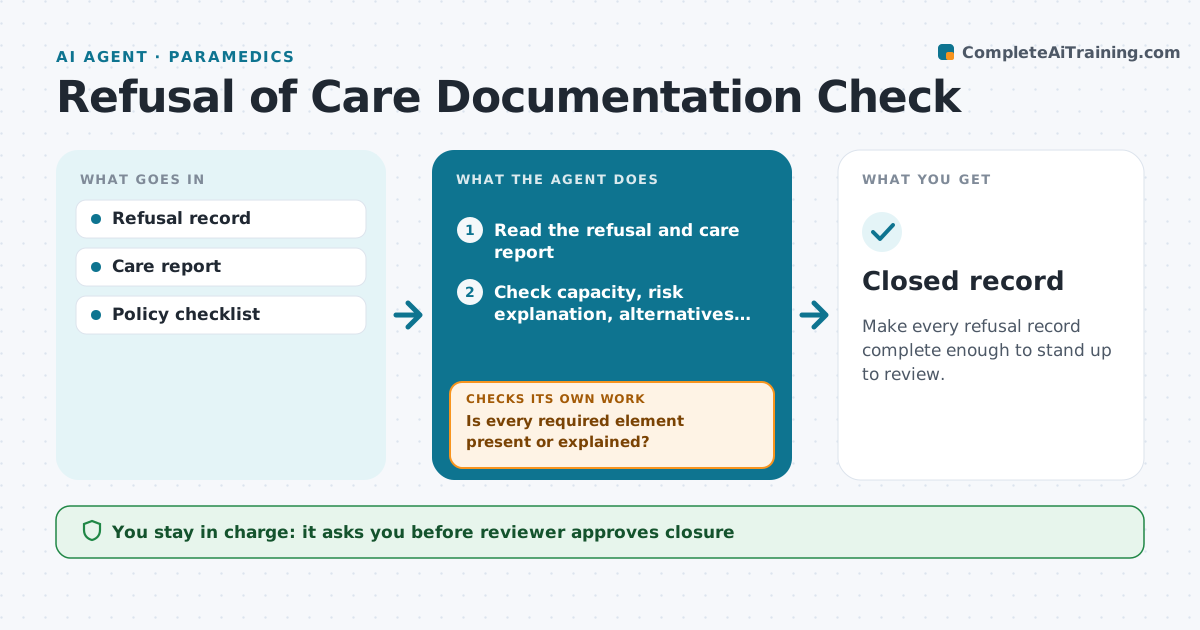
Make every refusal record complete enough to stand up to review.
What it does
When a patient refuses care, the record must show that the patient had capacity, understood the risks, and that signatures and a witness are present. Missing items create legal risk. This agent reads each refusal record soon after the call. It checks for the capacity assessment, the explanation of risks, the alternatives offered, the signature, the witness and the advice given. It lists gaps and drafts a correction request to the paramedic. When the paramedic updates the record, the agent reads it again. It repeats until the checks pass or the reviewer decides the record is as complete as it can be. The reviewer approves closure. Edge case: the patient left before signing, so the agent checks that the narrative states that and does not ask for a signature.
How it works
Follow the arrows from top to bottom. The orange dashed arrow is the loop: when a check fails, the agent goes back and tries again.
Read the steps as a list
- Refusal record is filed
- Read the refusal and care report
- Check capacity, risk explanation, alternatives, signature and witness
- Is every required element present or explained?If not: list the gaps and send a correction request to the paramedic. Back to step 3.
- Compare the narrative with the vital signs and findings
- Does the narrative support the capacity statement?If not: flag the conflict to the paramedic for a note. Back to step 3.
- Reviewer approves closureThe agent waits here for your OK.
- Log the result and any pattern for training
- Closed record
How it decides
It passes a record only when every required element is present or the narrative gives a reason it could not be.
- Require a capacity statement with the reason it was judged present
- Accept no signature only if the narrative explains it
- Chase a correction after 48 hours
- Flag repeated gaps by crew for training, not blame
Make it yours
Every agent is a starting point. You choose these settings for your own situation.
- Required elements list
- Correction chase time (default 48 hours)
- Which records to include (default all)
- Who reviews
What keeps you in control
It always asks you first
- Reviewer approves closure
- Reviewer approves any escalation to legal
Hard limits
- Never edit a clinical record
- Never mark a record complete without the reviewer
It stops when
- Done: record passes and is closed
- Stop: record cannot be corrected, escalate to the reviewer
Set it up
We guide you through the set-up, step by step
Members get the full set-up guide for this agent. No technical skills needed: you copy, paste and upload.
- One set of instructions to paste into your AI, with the clicks for ChatGPT, Claude, Microsoft 365 Copilot, Gemini and Grok
- The agent then walks you through connecting your own data, one source at a time
- A downloadable copy with the flow chart, the rules and the full guide