AI agent for economists
Regional Economic Brief Builder Agent
Produce a consistent, checked regional brief in hours instead of days.
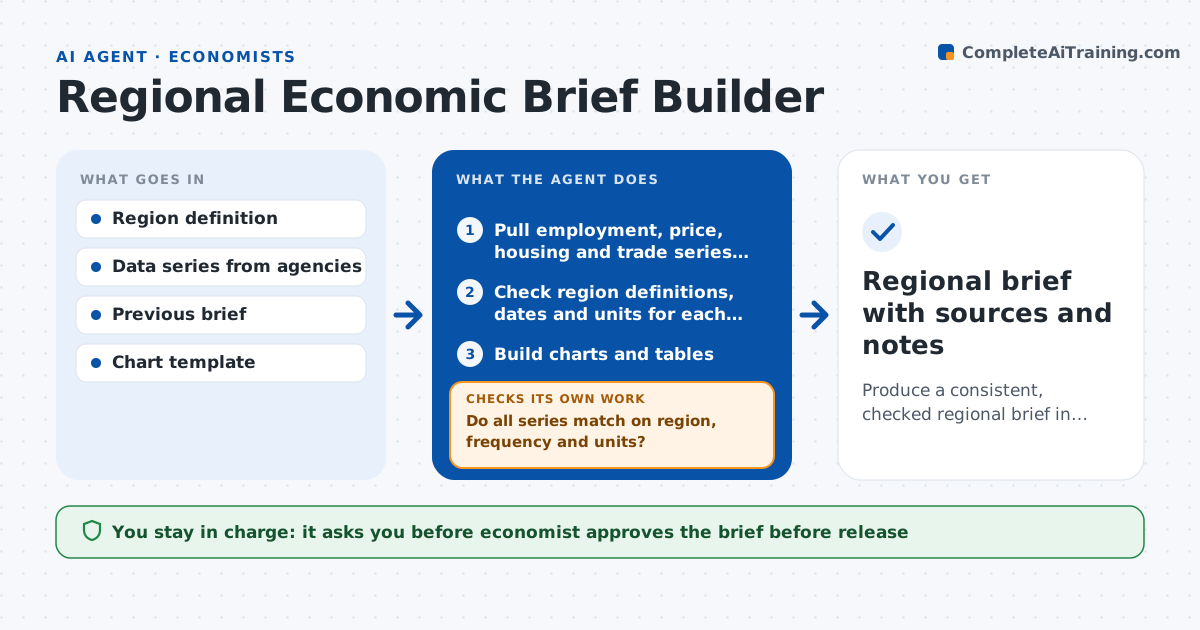
What it does
A regional brief pulls employment, prices, housing and trade data from several agencies, and each source defines the region and the date differently. This agent pulls the series for a chosen region and checks that definitions, geography and dates match. When they do not, it finds a matching series or flags the gap. It builds the charts and tables, looks for oddities such as a sudden jump, a missing month or a revision, and checks each one against the source. If a number looks wrong, it reads the source notes and corrects the series. It then drafts the brief text. The economist approves the release.
How it works
Follow the arrows from top to bottom. The orange dashed arrow is the loop: when a check fails, the agent goes back and tries again.
Read the steps as a list
- New data release
- Pull employment, price, housing and trade series for the region
- Check region definitions, dates and units for each series
- Do all series match on region, frequency and units?If not: search for a matching series or mark the gap and explain it. Back to step 2.
- Build charts and tables
- Flag oddities such as jumps, gaps and revisions
- Check each flagged item against source notes
- Is each oddity explained by the source?If not: correct the series or mark it unreliable. Back to step 6.
- Draft the brief text
- Economist approves releaseThe agent waits here for your OK.
- Regional brief with sources and notes
How it decides
It accepts a series only when region, frequency and units match, and investigates any change larger than expected.
- Flag a monthly change above 3 standard deviations
- Use the latest revision and note the date
- Prefer seasonally adjusted data and say so
- Mark a series unreliable if the source is not documented
Make it yours
Every agent is a starting point. You choose these settings for your own situation.
- Region definition
- Series list
- Flag threshold (default 3 standard deviations)
- Brief length and format
What keeps you in control
It always asks you first
- Economist approves the brief before release
Hard limits
- Never publishes a brief
- Always lists the source and date for every figure
It stops when
- Done: brief approved with every series checked
- Stop: key series not available for the region
Set it up
We guide you through the set-up, step by step
Members get the full set-up guide for this agent. No technical skills needed: you copy, paste and upload.
- One set of instructions to paste into your AI, with the clicks for ChatGPT, Claude, Microsoft 365 Copilot, Gemini and Grok
- The agent then walks you through connecting your own data, one source at a time
- A downloadable copy with the flow chart, the rules and the full guide