AI agent for economists
Economic Forecast Refresh Agent
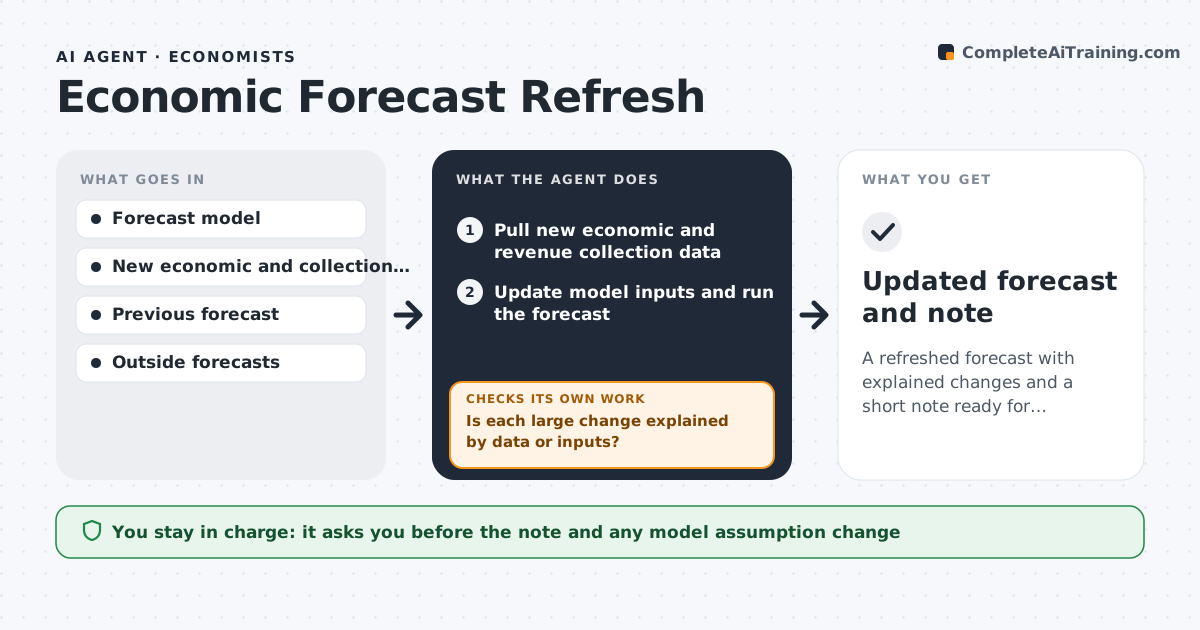
A refreshed forecast with explained changes and a short note ready for decision makers
What it does
A revenue forecast made in January can be stale by June, but updating it takes days, so decisions use old numbers. This agent pulls new data, such as employment, inflation, retail sales and collections, and updates the forecast model. It compares the new forecast with the previous one and finds the largest changes by revenue line. For each large change it investigates the cause: new data, a model input or a data error. It reruns the model after fixing errors or changing inputs and checks that totals and growth rates are plausible against history and other forecasters. It drafts a note on what changed and why. The economist approves before the note goes to decision makers. Edge case: a spike from a one-time settlement is separated from the trend before the forecast is changed.
How it works
Follow the arrows from top to bottom. The orange dashed arrow is the loop: when a check fails, the agent goes back and tries again.
Read the steps as a list
- Monthly refresh or major data release
- Pull new economic and revenue collection data
- Update model inputs and run the forecast
- Compare with the previous forecast by revenue line
- Is each large change explained by data or inputs?If not: search for data errors or one-time items and fix the inputs. Back to step 3.
- Rerun the model with the corrections
- Are growth rates and totals plausible against history and outside forecasts?If not: review model assumptions and rerun with adjusted inputs. Back to step 6.
- Draft a note on what changed and why
- Economist approves the noteThe agent waits here for your OK.
- Updated forecast and note
How it decides
A change is investigated when a revenue line moves more than the threshold. It is accepted when a data or model reason explains it and totals are plausible.
- Investigate any revenue line that moves more than 3%
- Strip one-time items before judging a trend
- Compare totals with at least two outside forecasts
- Do not change model assumptions without the economist's approval
Make it yours
Every agent is a starting point. You choose these settings for your own situation.
- Change threshold (default 3%)
- Data sources
- Outside forecasts to compare
- Refresh schedule
What keeps you in control
It always asks you first
- The note and any model assumption change
Hard limits
- Never overwrites the approved forecast
- Does not make policy recommendations
It stops when
- Done: the note is approved and the forecast updated
- Stop: data feeds are missing
Set it up
We guide you through the set-up, step by step
Members get the full set-up guide for this agent. No technical skills needed: you copy, paste and upload.
- One set of instructions to paste into your AI, with the clicks for ChatGPT, Claude, Microsoft 365 Copilot, Gemini and Grok
- The agent then walks you through connecting your own data, one source at a time
- A downloadable copy with the flow chart, the rules and the full guide