AI agent for data analysts
Regulatory Statistical Report Data Quality Agent
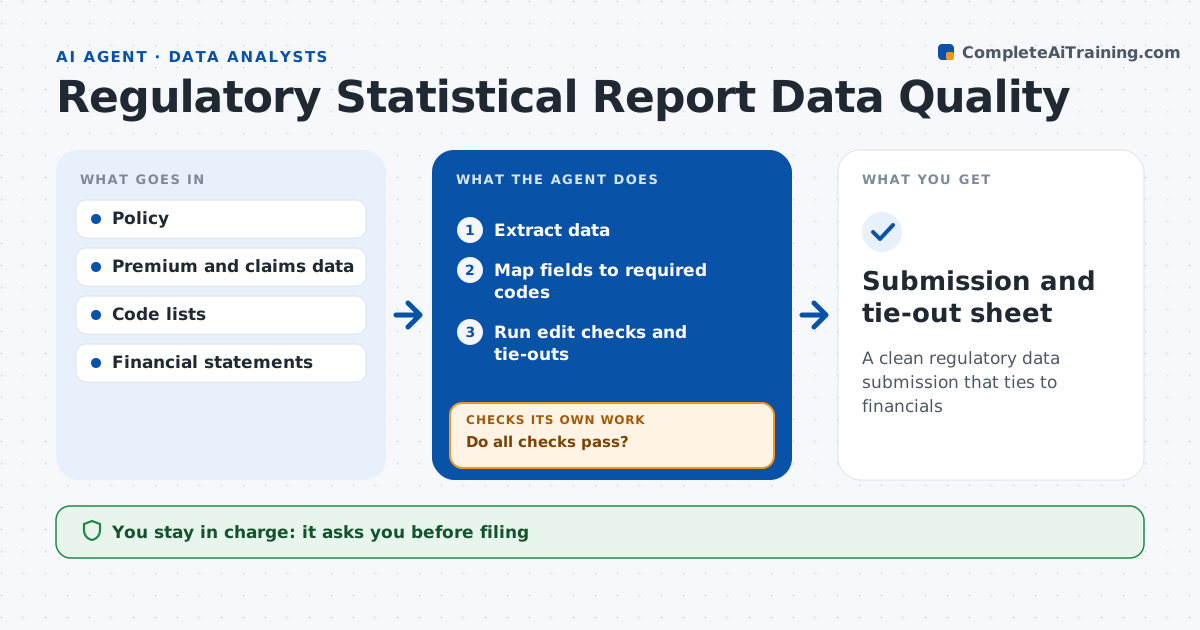
A clean regulatory data submission that ties to financials
What it does
Regulatory statistical reports and data calls must pass strict edit checks, and a rejected filing means rework under deadline. For each report, this agent extracts policy, premium and claims data, maps fields to the required codes and runs the regulator's edit checks plus its own. Premium must tie to the financial statements within 0.5 percent, codes must be valid, and counts that move more than 20 percent from last year need an explanation. Each failure goes to a fix list with its reason. After fixes to mapping or data, it reruns every check, repeating until all pass. It then produces the submission file and a tie-out sheet. The analyst and the reporting lead approve before anything is filed. Edge case: one state's code list changed this year, so the agent remaps those records rather than letting them fail as invalid.
How it works
Follow the arrows from top to bottom. The orange dashed arrow is the loop: when a check fails, the agent goes back and tries again.
Read the steps as a list
- Data call due
- Extract data
- Map fields to required codes
- Run edit checks and tie-outs
- Do all checks pass?If not: fix mapping or data and rerun. Back to step 3.
- Reporting lead approves filingThe agent waits here for your OK.
- Submission and tie-out sheet
How it decides
It requires all edit checks to pass and totals to tie to financials within tolerance.
- Premium not within 0.5% of financials: investigate
- Invalid code: remap
- Count change over 20% from last year: explain
Make it yours
Every agent is a starting point. You choose these settings for your own situation.
- Reports in scope
- Tie-out tolerance
- Code lists
- Deadline reminders
What keeps you in control
It always asks you first
- Filing
Hard limits
- Never files
- Never changes source systems
It stops when
- Done: submission ready
- Stop: deadline at risk, alert lead
Set it up
We guide you through the set-up, step by step
Members get the full set-up guide for this agent. No technical skills needed: you copy, paste and upload.
- One set of instructions to paste into your AI, with the clicks for ChatGPT, Claude, Microsoft 365 Copilot, Gemini and Grok
- The agent then walks you through connecting your own data, one source at a time
- A downloadable copy with the flow chart, the rules and the full guide