AI agent for chief digital officers
Data Request Privacy Review Agent
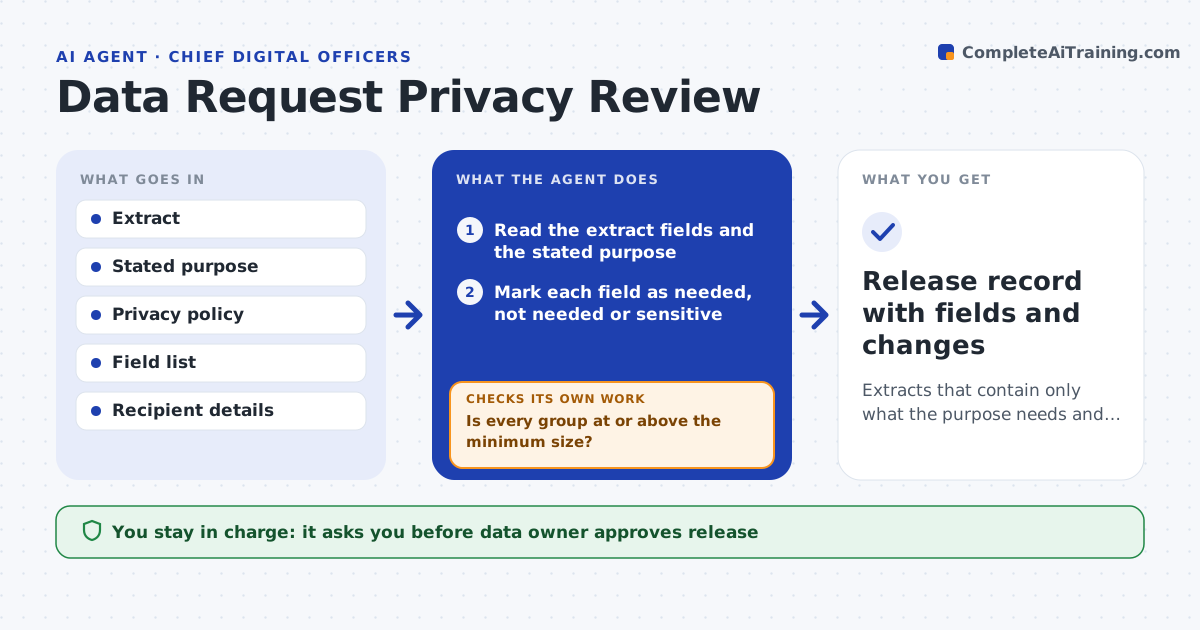
Extracts that contain only what the purpose needs and cannot easily identify a person
What it does
Data extracts go out with personal data that the recipient does not need. For each extract, this agent checks the fields against the stated purpose and your policy. It tests whether combinations, such as postcode, birth date and job title, could identify a person. It proposes masking, generalizing or aggregating fields. After each change, it rechecks the extract to see whether the risk is gone and the extract still serves its purpose. The data owner approves release. Edge case: a small group has only three people in one postcode, so the agent groups the area.
How it works
Follow the arrows from top to bottom. The orange dashed arrow is the loop: when a check fails, the agent goes back and tries again.
Read the steps as a list
- Extract is about to be shared
- Read the extract fields and the stated purpose
- Mark each field as needed, not needed or sensitive
- Remove or mask fields that are not needed
- Test combinations of fields for small groups
- Is every group at or above the minimum size?If not: generalize or aggregate the fields until it is. Back to step 4.
- Does the extract still meet the purpose?If not: restore the minimum needed detail and retest. Back to step 2.
- Data owner approves releaseThe agent waits here for your OK.
- Release record with fields and changes
How it decides
A field stays only if the purpose needs it. A combination is risky when a group has fewer than a set number of people.
- Keep only fields the purpose needs
- Require a minimum group size of 10
- Generalize dates and locations before removing them
- Block release when the purpose is unclear
Make it yours
Every agent is a starting point. You choose these settings for your own situation.
- Minimum group size (default: 10)
- Sensitive field list
- Masking methods
- Who approves
What keeps you in control
It always asks you first
- Data owner approves release
Hard limits
- Never releases data itself
- Never keeps fields the purpose does not need
It stops when
- Done: the extract is approved and logged
- Stop: the purpose is missing or the recipient is unknown
Set it up
We guide you through the set-up, step by step
Members get the full set-up guide for this agent. No technical skills needed: you copy, paste and upload.
- One set of instructions to paste into your AI, with the clicks for ChatGPT, Claude, Microsoft 365 Copilot, Gemini and Grok
- The agent then walks you through connecting your own data, one source at a time
- A downloadable copy with the flow chart, the rules and the full guide